
You paid for a guest post, or spent two weeks on outreach, and the link finally went live. Now you want to know whether Google can see it.
Here is how to check backlinks are indexed: copy the URL of the page that contains your link, search for that exact URL in Google, and see if it shows up. If it doesn’t, treat the result as a “maybe,” not a “no,” and run a second check.
Most people check the wrong page. You need to look at the page that holds the link, not your own website. And even when that page is indexed, Google may not pass any ranking credit through the link. This guide covers both points, plus a bulk workflow and a troubleshooting checklist.
Quick answer: how to check if a backlink is indexed
- Copy the full URL of the page that links to your site (the source page).
- Paste that URL into Google Search and see if the page appears.
- If it doesn’t, search site: followed by the URL, then try a quoted sentence from the page.
- Still nothing? Ask the publisher to run the URL Inspection tool in Google Search Console.
- Write down the result, the method and the date.
A missing result only suggests the page isn’t indexed. It doesn’t prove it.
What is an indexed backlink?
An indexed backlink is a link that sits on a page Google has added to its search index. Google doesn’t index links on their own. It indexes pages, and the link comes along as part of the page.
Here is the plain-English version. A web crawler first finds and fetches a page. Then Google decides whether to store it in its index, which is a huge database of pages that can show up in results. Search engine indexing is that second step. Google explains the full process in its overview of how Search works.
A page can be crawled and still not indexed. That gap explains a lot of “why is my link not showing?” complaints.
Which URL should you check?
Say you want a link to https://example.com/seo-services/. A publisher adds it to https://publisher.com/seo-guide/.
- Target URL: https://example.com/seo-services/ (your page, the one receiving the link)
- Source URL: https://publisher.com/seo-guide/ (the page containing the link)
To check whether the backlink is indexed, you look up the source URL. Your target page being indexed tells you nothing about it.
Indexed, indexable and live are three different things
These terms get mixed up constantly.
| Term | What it means |
| Live | The page loads and the link is still in the code. |
| Indexable | Nothing stops Google from indexing the page, such as a noindex tag. |
| Indexed | Google has actually stored the page in its index. |
Understanding these distinctions also makes it easier to evaluate your link profile. If you want to learn more about backlinks and inbound links, including how they differ from internal and outbound links, explore our detailed guide.
A live page can be unindexed. An indexed page can lose your link after an edit. You have to check each one separately.
How to Check If Backlinks Are Indexed: Five Methods
You can check whether Google has indexed a page containing your backlink using several methods. Start with free Google searches, then move to more advanced verification methods if the results are unclear. If you manage multiple backlinks, an index checker can also help you review URLs more efficiently.
Method 1: Search the Exact Source URL
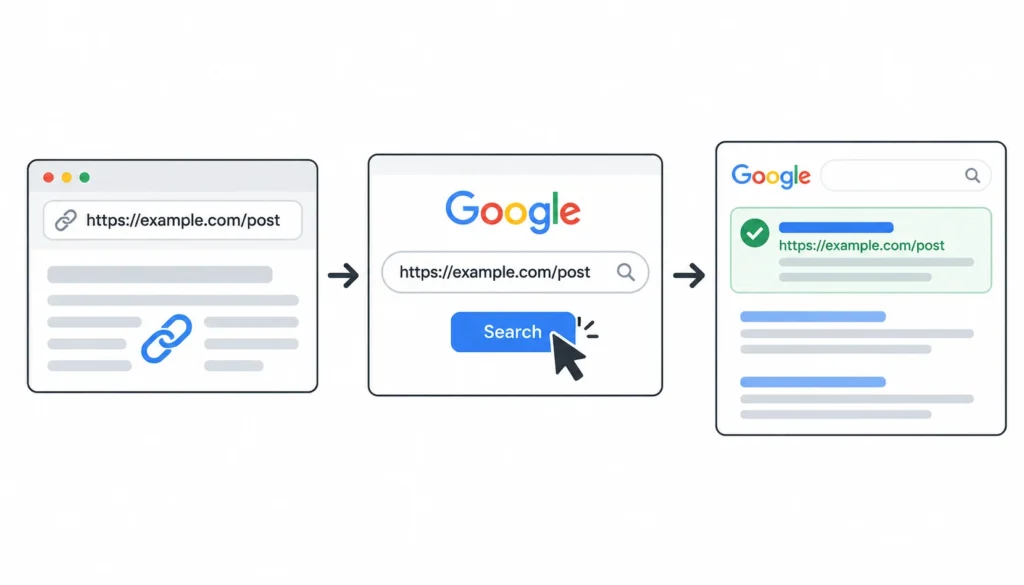
The easiest way to check a backlink’s indexation status is to search for the exact URL of the page containing your backlink.
Copy the full source URL and paste it into Google Search. Press Enter and check whether the expected page appears in the results. Make sure you are checking the page that links to your website, not the URL receiving the backlink.
If the page appears, that is evidence that Google has indexed or recognized that URL. Check whether the displayed address matches the URL you searched. If Google shows a different address, the page may redirect to another URL, or Google may have selected a different canonical version.
If nothing appears, do not immediately conclude that the page is unindexed. Google Search does not always display every indexed URL for a particular query. Try another method before deciding what to do next.
Method 2: Use the site: Search Operator
Google’s site: operator helps you find pages associated with a particular website or URL path. It is useful when an exact URL search does not return the expected result.
Enter site: followed by the source URL, without a space after the colon. For example:
site:publisher.com/seo-guide/
Replace the example with the actual URL of the page containing your backlink. Review the results to see whether Google displays the expected page or other relevant URLs from the same website.
You can also try a domain-level query, such as site:publisher.com, to see whether Google returns other pages from that website. This can help you understand whether the domain appears in search results, although it does not establish the indexation status of every individual page.
However, the site: operator has an important limitation: its results are not a complete list of Google’s indexed URLs. A page missing from the results may still be indexed.
What to do if no results appear: Try searching for the exact URL, a distinctive sentence from the page, or another version of the URL. Treat a missing site: result as an unconfirmed status rather than definitive proof that the page is not indexed.
Method 3: Search for a Unique Sentence From the Page
If searching the source URL does not provide a clear answer, try searching for a distinctive sentence from the linking page. This method can help you find the page when Google does not return it for the URL query.
Open the source page and copy a sentence that is unlikely to appear on other websites. Ideally, choose a complete sentence containing several distinctive words. Put the sentence inside quotation marks and search for it on Google.
For example, if the article contains the sentence “Effective inventory management helps small businesses reduce unnecessary purchasing costs,” search for that exact sentence in quotation marks.
If the original page appears in the results, it provides additional evidence that Google can associate the text with that page. Check the result carefully to confirm that it points to the correct source URL rather than another website reproducing the same content.
Keep in mind that this method is not a definitive indexation test. Google may return another page containing the same sentence, and search results can vary depending on how Google processes the query.
When to use this method: Try it when an exact URL search fails but you want another way to investigate whether the source page is discoverable through Google Search.
Method 4: Ask the Publisher to Check Google Search Console
Google Search Console provides more direct information about Google’s indexation status for URLs on websites you own or have permission to access. Its URL Inspection tool lets eligible users inspect a specific URL and review information about Google’s indexing of that page.
To check a backlink this way, the publisher must have access to the website containing the backlink. They can open Search Console, select the relevant property, enter the source URL into URL Inspection, and review the reported status.
The tool can indicate whether the URL is indexed and provide information about issues affecting its eligibility for indexing. If the page is not indexed, the publisher can investigate the reported reasons and determine whether any technical changes are appropriate.
There is one important limitation: you generally cannot inspect a page on someone else’s website unless you have the necessary property access. Search Console is not a public tool that lets anyone check the index status of any URL.
If you are working with a publisher, website owner, or link-building partner, send them a short, polite request asking them to check the page. This can be particularly useful when the backlink is important to your campaign and Google’s public search results do not provide a clear answer.
When to use this method: Choose Search Console verification when you need stronger evidence than a manual search can provide and the publisher is willing to help.
Method 5: Use a Backlink Index Checker
A backlink index checker can simplify the process of checking multiple source URLs. Instead of searching for each page individually, you can submit a list of URLs and review the results in one place.
This approach is especially useful for SEO professionals, link builders, and agencies managing guest posts, editorial placements, niche edits, or link-exchange campaigns. A bulk checker can reduce repetitive work and help you identify URLs that need further investigation.
Depending on the tool, you may be able to upload a list of source URLs, run checks in batches, export the results, and organize URLs by their reported status. Before choosing a tool, check its supported URL limits, pricing, reporting options, and verification method.
Not every backlink checker measures Google indexation directly. Some tools track whether a backlink exists, while others use their own crawlers, databases, or estimates to report a page’s status. These functions are useful, but they should not be treated as interchangeable.
Before relying on a tool, ask the following questions:
- Does it specifically check Google indexation, or does it only detect backlinks?
- Does it explain how its indexation status is determined?
- Can it process multiple URLs at once?
- Does it allow you to export results for reporting?
- Can you manually verify URLs when the results are unclear?
If a tool’s methodology is unclear, treat its results as preliminary indicators rather than definitive proof. Use Google searches or publisher-assisted Search Console checks to investigate important or uncertain URLs.
When to use this method: A backlink index checker is most useful when you need to monitor a large backlink portfolio, compare results over time, or identify pages that require additional investigation.
Comparison: which method should you use?
| Method | Cost | Best for | Main limit |
| Exact URL search | Free | Fast manual check | No result is inconclusive |
| site: search | Free | Targeted lookup | Results aren’t a full list |
| Unique sentence search | Free | Backup when URL search fails | Can match copies of the text |
| Publisher’s Search Console | Free | Direct answer from Google | Needs the publisher’s help |
| Index checker tool | Varies | Checking many URLs | Accuracy depends on its method |
For one or two links, work down the first four rows. For a larger campaign, use a tool for the first pass and check the doubtful results by hand.
What backlink tools can and can’t tell you
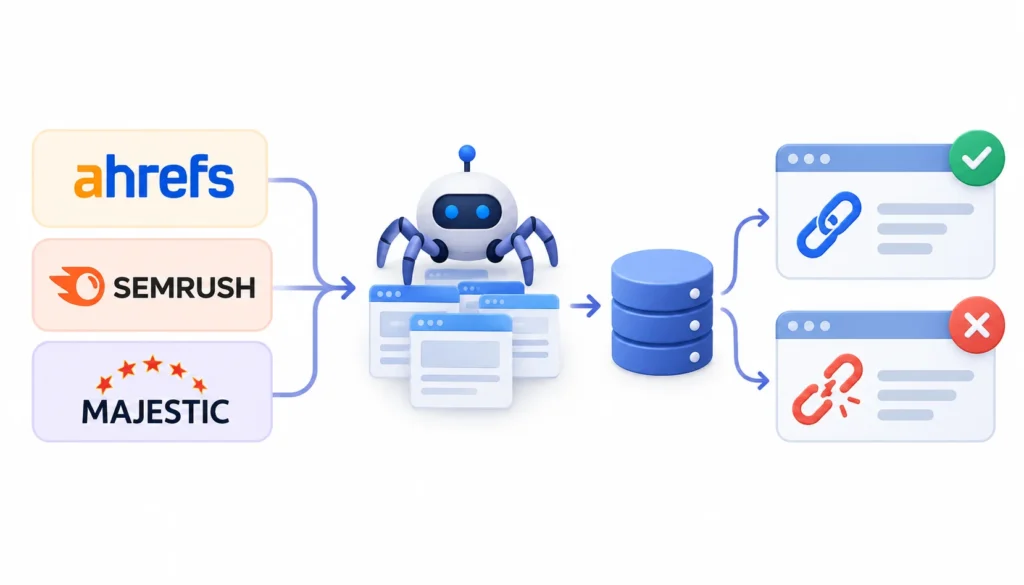
Tools like Ahrefs, Semrush and Majestic are great for finding links and watching for lost ones. They run their own crawlers and keep their own databases.
That means a link showing up in one of them proves the tool found it. It doesn’t prove Google indexed the page. The reverse is also true. Google can know about a link that a tool hasn’t found yet.
Some dedicated checkers, such as the one from Super Monitoring, focus on whether the link exists and what attributes it carries. Read what any tool actually reports before you treat its status as a Google verdict. Features and pricing change, so confirm them on the vendor’s site.
How to check hundreds of backlinks at once
Agencies and link builders often have long lists of backlinks to monitor. A simple process keeps it manageable. Following a structured backlink management strategy can also help you organize your links, identify lost placements, and prioritize backlinks that need further investigation.
- Export your source URLs. Pull them from your backlink tool or your campaign records.
- Clean the list. Remove duplicates and fix obvious variations, such as with and without a trailing slash, or http versus https.
- Run a bulk check. Use a tool that supports batches, and note which tool and date you used.
- Review doubtful results by hand. Repeat the exact URL search and the unique sentence search. Ask the publisher for a Search Console check on important links.
- Sort and act. Flag removed links first, then unresolved ones, then the placements that matter most to you.
Why Isn’t My Backlink Indexed?
If your backlink is live but the page containing it does not appear in Google Search, several issues could explain the problem. Work through these possible causes one by one, starting with page discovery and moving toward technical issues. Remember that Google does not guarantee that every published page will be indexed, and there is no fixed timeline for indexation.
1. Google Hasn’t Discovered the Page Yet
Google needs to discover a webpage before it can crawl and potentially index it. New pages, websites with few internal links, and pages buried deep within a site’s structure may take longer to be discovered.
For example, a publisher might add your guest post to its website without linking to it from any other relevant page. Although the article is live, Google may not have discovered it yet.
If you control the website, add relevant internal links to the page and ensure it is accessible through normal site navigation. If another publisher owns the website, ask them to check whether the page is linked from relevant sections of their site. Discovery can take time, and these steps do not guarantee indexation.
2. Google Found the Page but Chose Not to Index It
Google can crawl a webpage without adding it to its search index. This can happen when a page offers limited original value, substantially duplicates existing content, or does not meet Google’s indexing criteria.
For instance, a guest post containing generic information that closely resembles dozens of other articles may not be selected for indexing, even if the page loads correctly and includes your backlink.
Check whether the article provides useful, original information and whether it substantially duplicates other pages. If you control the content, improve its usefulness and originality. If the page belongs to another publisher, discuss potential improvements with them rather than assuming that the backlink itself is the problem.
Important: Content quality is only one possible factor. You cannot determine the exact reason for non-indexation from a missing Google search result alone.
3. The Page Has a noindex Tag
A noindex directive tells search engines that support it not to include the page in their search results. It can appear in a page’s HTML metadata or be delivered through an HTTP response header.
For example, a page may contain the following HTML directive:
<meta name=”robots” content=”noindex”>
If Google can crawl the page and process this directive, it generally will not include the page in its index.
To investigate, inspect the page’s HTML source or use browser developer tools to look for a noindex directive. You can also check the response headers where appropriate. If another publisher owns the page, ask them to verify whether the directive is intentional.
Google explains this behavior in its guide to blocking indexing.
4. Crawling Is Blocked
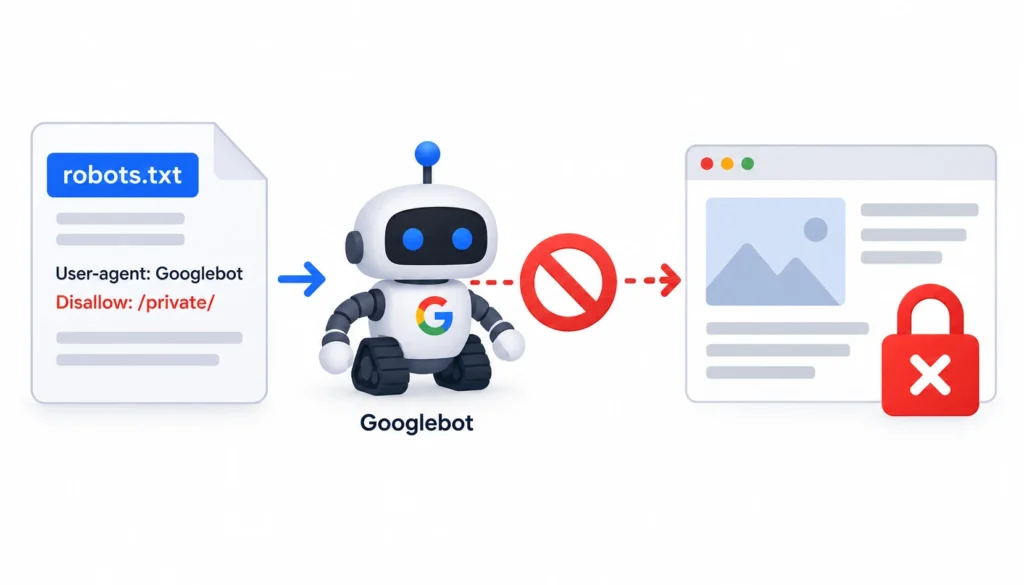
A website’s robots.txt file can prevent Googlebot from crawling particular URLs or sections of a website. If Google cannot crawl the page, it may be unable to see its content or process directives contained within the page.
For example, a publisher might accidentally block a directory containing newly published articles. Your backlink could remain visible to visitors while Googlebot is prevented from fetching the page.
Check the website’s robots.txt rules to see whether they apply to the source URL. Keep in mind that robots.txt and noindex serve different purposes: robots.txt controls crawling, while noindex controls indexation when Google can access and process the directive. Blocking a URL in robots.txt does not, by itself, guarantee that the URL will never appear in search results.
If you do not control the website, contact the publisher and ask them to investigate the restriction. Google’s robots.txt introduction explains how these rules work.
5. The Page Redirects or Has Been Removed
Sometimes, a backlink appears to be unindexed because the original source URL no longer serves the expected page.
The publisher may have deleted the article, changed its URL, redirected it to another page, or allowed it to return an error.
Check the source URL in your browser and confirm that the page loads as expected. If possible, inspect the HTTP response status and follow any redirects to identify the final destination.
Common situations include:
- HTTP 200: The server successfully returned the page, although this does not guarantee that Google has indexed it.
- HTTP 301 or 308: The URL redirects permanently to another address.
- HTTP 302 or 307: The URL uses a temporary redirect.
- HTTP 404: The requested page was not found.
- HTTP 410: The resource is reported as permanently gone.
- HTTP 5xx: The server encountered an error.
If the page redirects, check the destination URL rather than assuming the original URL should appear in search results. If the page has been removed, contact the publisher to confirm whether the backlink can be restored or whether the placement has been discontinued.
6. Google Picked a Different Canonical URL
Websites sometimes publish similar or duplicate pages under multiple URLs. Google may select one URL as the canonical version, which it treats as the representative version of a group of duplicate or substantially similar pages.
For example, the same article might be accessible through different URL parameters or alternate URL formats. Google may index one version while leaving the others out of the index.
If you search for the original backlink URL and cannot find it, investigate whether it redirects to another address or declares a canonical URL. Where the publisher has access to Google Search Console, they can compare the user-declared canonical URL with the canonical URL selected by Google, when that information is available.
If Google has selected another canonical URL, investigate that version as well. Do not automatically assume that the backlink has been lost, but verify that the link still exists and determine which page Google is treating as the primary version.
For further details, consult Google’s guides to duplicate URLs and canonicalization and the canonical link element.
7. Your Check Returned a False Negative
Sometimes, the page may be indexed even though your Google search does not display it. Search operators and ordinary search queries do not provide a complete inventory of Google’s index, so a missing result is not conclusive evidence of non-indexation.
For example, an exact URL search might return nothing, while a search for a distinctive sentence from the page brings up the expected article. Differences in URL formatting, redirects, canonicalization, and search-result selection can also complicate manual checks.
Before marking the backlink as unindexed, try a second method. Search for the exact URL, use a targeted site: query, or search for a distinctive sentence from the page. If the publisher is willing to help, ask them to inspect the URL in Google Search Console.
Record the result as unconfirmed if you cannot establish the page’s indexation status with sufficient confidence. This prevents you from incorrectly reporting a potentially indexed backlink as unindexed.
How to help a backlink page get indexed
You usually don’t control the publisher’s site, so your options are limited. Stick to things that are honest and useful.
- Open the page yourself and confirm it loads and still contains your link.
- Look at the page source for a noindex tag or a canonical pointing somewhere else.
- Ask the publisher to link to the page from related articles on their own site. Internal links help Google discover pages.
- Ask the publisher to check the page in Search Console and fix any problems it reports.
- Come back later. Indexing takes time, and nobody can promise a date.
Skip anything that looks like a shortcut, such as spammy links built only to push a page into the index. Those can cause more harm than the original problem.
Indexed doesn’t mean valuable
An index check answers one narrow question: does Google appear to have this page? It doesn’t tell you whether the link helps.
Several other things affect how useful a link is:
- Link attributes. Links can carry nofollow, sponsored or ugc labels, which tell Google how to treat them. Google explains these in its page on qualifying outbound links, and Wikipedia has a short entry on nofollow.
- Relevance. A link from a page on a related topic usually makes more sense than one from an unrelated page.
- Placement. A link in the body of a useful article is different from one buried in a list of fifty.
A nofollow link on an indexed page can still bring visitors. And the following link on an unindexed page does very little for search. Look at the whole picture.
What an index check can’t prove
A positive result doesn’t tell you that:
- Google gives the link ranking credit.
- Your rankings or traffic will improve.
- The link will stay live.
- The page will stay indexed.
Pages drop out of the index and links get removed. That’s why important placements deserve a recheck from time to time.
Backlink indexation checklist
- The source page loads.
- The backlink is still on the page.
- You recorded the final source URL, after any redirect.
- You checked indexation with at least one method.
- Uncertain results were verified a second way.
- You looked for noindex, blocked crawling and canonical issues.
- You noted the link attribute and where it sits on the page.
- You logged the result and the date.
- You set a follow-up date if needed.
A simple tracking template
A spreadsheet is enough. Here are the columns I’d use:
| Column | What goes in it |
| Source URL | The page containing the link |
| Target URL | The page on your site receiving the link |
| Referring domain | The site hosting the link |
| Link status | Live, removed or uncertain |
| Indexation status | Confirmed, uncertain or unresolved |
| Checking method | Google search, publisher check or tool |
| Link attribute | Follow, nofollow, sponsored, ugc or unknown |
| Last checked | Date |
| Next action | Monitor, investigate or contact publisher |
These labels are a workflow I find handy. They aren’t official Google statuses.
Frequently asked questions
How do I check if a backlink is indexed by Google?
Search for the exact URL of the page that contains the link. If it doesn’t appear, try a site: search and a quoted sentence from the page. For a direct answer, ask the publisher to run URL Inspection in Search Console.
Can I check backlink indexation for free?
Yes. Google Search with the exact URL, the site: operator and a unique sentence all cost nothing. They’re useful but not complete, so treat a missing result as unconfirmed.
Can I use Google Search Console to check a backlink on another website?
Not directly. URL Inspection only works for properties you’ve verified. The publisher would need to run the check, or share access with you.
How long does it take for a backlink to get indexed?
There’s no guaranteed timeline. It depends on how quickly Google discovers the page, how the site is structured and whether Google decides the page is worth indexing.
Why does my backlink checker show a link that Google doesn’t?
Backlink tools use their own crawlers and databases. A tool can find a link on a page Google hasn’t indexed. Treat the tool’s data as a lead, not proof.
Does an indexed backlink improve Google rankings?
Not automatically. Indexation means Google has the page. Whether the link passes any value depends on the link, the page and Google’s own systems.
Can an indexed backlink become unindexed?
Yes. A page can be removed, set to noindex, redirected or dropped from the index over time. Recheck links that matter to you.
Does a nofollow backlink need to be indexed?
The source page’s indexation and the link’s attribute are separate questions. A nofollow link on an indexed page can still send visitors, but its treatment in search differs from a followed link.
How often should I check backlink indexation?
Check new placements soon after they go live, then again if the first result was unclear. For important links, a periodic recheck is enough. There’s no schedule Google requires.
Final thoughts
To check backlinks are indexed, look at the page that holds your link, not your own site. Start with the free Google searches, treat blank results with some caution, and get a direct answer from Search Console through the publisher when it matters.
Then go one step further. Confirm the link is still there, note its attribute, and track everything in a simple sheet. An indexed page is a good sign, but it’s only one piece of deciding whether a backlink is working for you.