Backlinks change all the time. A page that linked to you last month may be gone today, and a link you never asked for may show up next week. A single backlink count can’t tell you any of that.
This guide shows you how to create a backlink monitoring report that does. You’ll learn what to collect, how to compare periods, how to check whether a link is really gone, and how to turn the numbers into a short action list. There’s also a template you can copy at the end of the process.
What Is a Backlink Monitoring Report?

A backlink monitoring report is a document or dashboard that tracks changes in a website’s backlink profile over time. It records new and lost backlinks, referring domains, anchor text, link status, and link quality. It also lists what you plan to do about each important change.
A backlink is a link from another website to yours. It’s an important part of understanding your website’s backlink profile. If you want to understand the terminology better, read our guide to backlinks and inbound links and how they relate to SEO.
Backlink Monitoring vs. Backlink Analysis
The two terms get mixed up, so here is the split.
| Backlink analysis | Backlink monitoring |
| Looks at your link profile at one point in time | Tracks the profile across reporting periods |
| Describes the links you have now | Finds and investigates what changed |
| Often used for audits and strategy | Often used for monthly reports and alerts |
An analysis is a photo. Monitoring is a series of photos you line up side by side.
Why Backlink Monitoring Reports Are Worth the Time
A report catches valuable links that disappear before anyone notices. It also shows whether your link-building work is producing links that stay live.
If you work for clients, it gives you something concrete to show. If you work in-house, it gives your boss a plain answer to “what happened with our links this month?”
Who Needs One?
Freelancers, in-house SEO teams, link builders, and agencies all benefit. The structure stays the same. Only the level of detail changes.
What Should a Backlink Monitoring Report Include?
Before you build anything, decide which numbers go in. Here is the short list.
| Metric | What it measures |
| Total backlinks | Backlinks recorded by your chosen data source |
| Referring domains | Unique websites linking to you |
| New backlinks | Links first seen during the period |
| Lost backlinks | Links confirmed gone |
| Anchor text | The clickable words used in the link |
| Link status | Whether the link is live and reachable |
| Link attributes | Markup such as nofollow, sponsored, or ugc |
| Referral traffic | Visits that arrived through external links |
| Organic performance | Search clicks, impressions, and rankings |
These numbers come from different places. No single tool supplies all of them, so don’t expect one export to fill the whole report.
1. Total Backlinks and Referring Domains
Backlinks count every link. Referring domains count the unique sites behind them. One blog that links to you 40 times from its sidebar adds 40 backlinks but only one referring domain.
Track both. If backlinks go up while referring domains stay flat, the growth probably came from one or two sites.
2. New and Lost Backlinks
Split your findings into three groups: new links, lost links, and links that still need checking. Keep that third group. It stops you from reporting a loss that turns out to be a crawler glitch.
Also keep “discovered” and “acquired” apart. Your tool may find a link today that has been live for a year.
3. Anchor Text and Link Attributes
Anchor text is the visible, clickable text of a link. Note when it changes, because a page edit can swap “backlink monitoring guide” for “click here.”
Link attributes tell search engines how the publisher marked the link. Google documents the nofollow, sponsored, and ugc values in its guide to qualifying outbound links. A link switching from a plain link to nofollow is worth a line in your report.
4. Backlink Quality and Relevance
Quality is a judgment call, and no single number settles it. Look at these things together:
- Is the linking site on a related topic?
- Is the source page a real page with real content?
- Does the link sit inside the body text, or in a footer full of other links?
- Does the destination page fit what the link promises?
Authority scores from tools such as Ahrefs, Semrush, and Moz are each company’s own estimates. They are not Google’s scores, and they shouldn’t be the only reason you call a link good or bad.
5. Referral Traffic and Organic Performance
Referral traffic tells you whether people actually click the link. Pull it from Google Analytics 4. Organic clicks and impressions come from Google Search Console.
If rankings improve after a good link lands, say so. But don’t write that the link caused it. Many things change at once on a live website.
How to Create a Backlink Monitoring Report Step by Step
Here is the whole process at a glance:
- Choose a reporting period and goal.
- Record a baseline.
- Collect backlink data.
- Organize it in one sheet.
- Find new, lost, and changed links.
- Verify the important changes.
- Judge link quality.
- Calculate growth and losses.
- Write findings and actions.
- Publish the report and book the next review.
Each step is explained below.
Step 1: Define the Reporting Period and Goal
Pick a date range, usually one calendar month. Name the site or section you’re covering and decide who will read the report.
An internal check can be rough. A client report needs a clean summary on top and details underneath.
Step 2: Record a Baseline
Your first report has nothing to compare against, so make one. Write down total backlinks, referring domains, and your most important placements. Add the date and the tool you used.
Use the same data source every month where you can. Switching tools mid-year makes your trend lines unreliable.
Step 3: Collect Backlink Data
Export what your source gives you. Try to capture the source URL, referring domain, target URL, anchor text, link attributes, and the first-seen date.
When Search Console is enough. The Links report in Search Console is free and shows Google’s own view of who links to you. Treat it as a sample rather than a full list, and don’t expect live updates.
When you need a third-party tool. Ahrefs, Semrush, and Moz crawl the web independently and keep history. They help when you want broader discovery or alerts for lost links.
When a spreadsheet is enough. Say you run a local bakery site with 60 backlinks. A Google Sheet and a monthly Search Console export will do the job. Once you manage many sites or hundreds of links, dedicated software saves real hours.
Step 4: Organize the Data in One Sheet
Put every export into the same column layout. Clean the URLs, use one date format, and use the same status words every time, such as Live, Lost, or Needs check.
Remove duplicates. They inflate your counts, and they cause arguments later about why the totals don’t match.
Step 5: Find New, Lost, and Changed Links
Compare this month’s list to last month’s. Sort the differences into three buckets:
- New links that appear only in the current list.
- Missing links that appear only in the old list.
- Existing links where something changed, such as the anchor text, the target URL, or the attribute.
A simple lookup formula in Google Sheets can do this matching for you. The third bucket is the one people skip, and it often holds surprises.
Step 6: Verify the Important Changes
A missing link in an export doesn’t prove the publisher removed it. Before you report a loss, open the source page and check:
- Does the page still load?
- Is your link still in the HTML?
- Does it now point to a different URL?
- Is there a redirect in the way?
- Did the attribute change?
- Has your tool refreshed its data recently?
Label the result honestly. “Confirmed lost” and “could not verify” are different statuses, and clients notice when a reported loss turns out to be wrong.
Here is a quick scenario. Your tool says a link from a trade publication vanished. You open the page and find an error message. A day later the page is back, and so is your link. A report that said “lost” would have sent you into pointless outreach.
Step 7: Judge Link Quality

Go through your new links and any important changed ones. Use the four questions from earlier: topic fit, page quality, placement, and destination fit.
Don’t call a link harmful because a tool gave it a low score. Plenty of small, relevant sites have low scores and send real visitors.
Evaluating link quality is just one part of maintaining a healthy backlink profile. Learn more about backlink management, including how to monitor, audit, organize, and recover valuable backlinks.
Step 8: Calculate Growth and Losses
Three formulas cover most reports.
Net backlink change = current backlink count minus previous backlink count.
Percentage change = (current count minus previous count) ÷ previous count × 100.
Net referring-domain change = current referring domains minus previous referring domains.
These compare reported totals. They may not equal new links minus lost links, because tools re-crawl pages and clean up records between periods. If the previous count is zero, percentage change is undefined, so report the raw number instead.
Step 9: Write Findings and Next Actions
For each important finding, write down what changed, what proves it, why it matters, what you’ll do, who owns it, and when you’ll check again. Keep each one to a few lines.
This is the step that turns a data dump into a report. A table of numbers with no recommendations leaves the reader to guess.
Step 10: Publish the Report and Schedule the Next One
Read the report once more before sending it. Check that dates match, totals add up, and no “lost” link is still unverified.
Then put the next reporting date on the calendar. A monitoring report only works if it keeps happening.
Backlink Monitoring Report Template You Can Copy
You need two pieces: a link-level tracker and a monthly summary. The rows below are made-up examples.
Link-Level Tracking Template
| Source URL | Referring domain | Target URL | Anchor text | Previous status | Current status | Last checked | Action |
| example.com/article | example.com | yoursite.com/page | Example anchor | Live | Live | 2026-10-01 | Keep monitoring |
| publisher.com/post | publisher.com | yoursite.com/guide | Guide title | Live | Needs check | 2026-10-01 | Verify, then decide |
You can add columns for link attribute, first-seen date, and a quality note.
Monthly Summary Template
Copy these fields into the top of your report:
- Reporting period
- Data source and collection date
- Total backlinks and referring domains
- New backlinks discovered
- Confirmed lost backlinks
- Net change in reported totals
- Important links gained and lost
- Referral traffic notes
- Main findings
- Recommended actions
- Next reporting date
Adjusting the Template for Your Situation
A freelancer with three sites can drop most of the extra columns. An in-house team might add a campaign name so they can tie links to outreach work. An agency will want a one-page summary for the client and the full sheet as an attachment.
You don’t have to use every field. Use the ones you’ll actually read.
Example of a Backlink Monitoring Report
The figures below are fictional. They show how a finished report might look, and they are not data from a real site.
1. Sample Monthly Backlink Report
| Metric | Previous month | Current month | Change |
| Total backlinks | 1,200 | 1,260 | +60 |
| Referring domains | 310 | 325 | +15 |
| New backlinks discovered | n/a | 85 | n/a |
| Lost backlinks confirmed | n/a | 25 | n/a |
| High-priority losses | n/a | 4 | Investigate |
Method note: sample data for illustration. In a real report, name your data source, the collection date, and how you verified each loss.
2. How to Read These Results
The net gain is 60 backlinks, and the site added 15 referring domains. That’s a good sign, because the growth isn’t coming from a handful of sites.
Notice that 85 new minus 25 lost equals 60 here, but that won’t always happen in real data. Also remember that some of the 85 may be older links your tool just found.
The four high-priority losses deserve attention first. Check each one, then decide whether to contact the publisher.
3. Turning Findings Into Actions
| Finding | Action |
| Important link confirmed lost | Check the cause, then contact the publisher if it makes sense |
| New relevant referring domain | Log the placement and note the context |
| Target URL changed | Check the destination and any redirect |
| Link status unclear | Check again before calling it lost |
| Referral traffic went up | Look at the source and landing pages in GA4 |
Best Tools for Creating Backlink Monitoring Reports
Pick tools by the job they do. No one product covers everything, and features and prices change, so check each vendor’s current page before you buy.
If you’re comparing platforms for tracking, analyzing, and managing backlinks, explore our guide to backlink management tools to understand the available options and how they support different SEO workflows.
| Tool type | Best use | Main limit |
| Backlink analysis platform (Ahrefs, Semrush, Moz Pro) | Finding and reviewing backlinks | Coverage and scores differ by provider |
| Google Search Console | Google’s reported link data | Not a full or live feed |
| Google Analytics 4 | Referral traffic | Doesn’t list your backlinks |
| Google Sheets | Custom comparisons and formulas | Manual unless you automate it |
| Dedicated monitoring software | Recurring link checks and client reports | Features and cost vary |
Dedicated tools such as Backlink Manager are built for checking known placements and producing reports. They suit link-building teams that need to know whether specific purchased or earned links are still live.
Spreadsheets work well early on. Move to software when the checking starts eating your week.
How Often Should You Create a Backlink Monitoring Report?
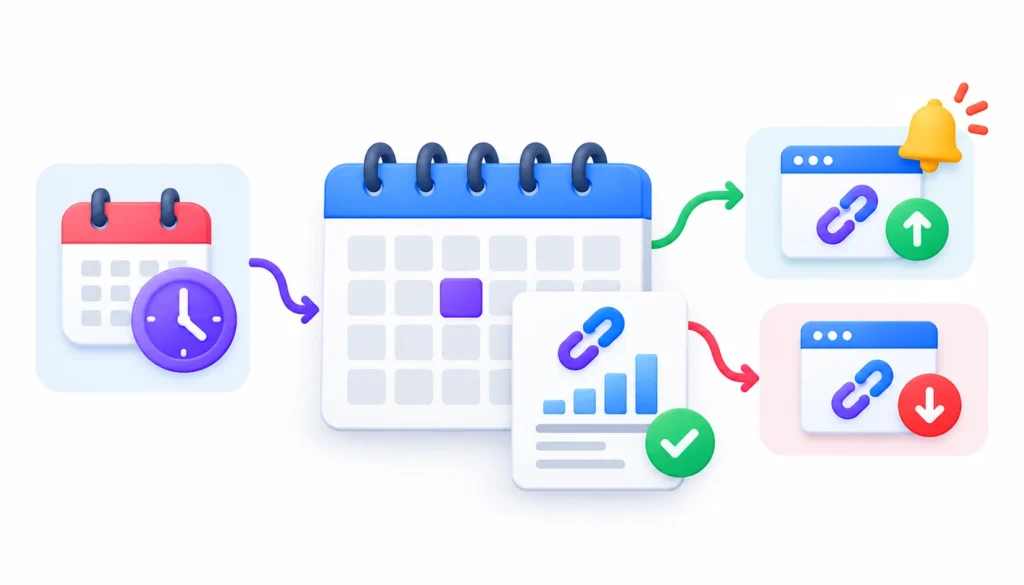
For most campaigns, once a month is a sensible starting point. Check important placements more often, and look at alerts as they arrive.
Here is one way to split it:
| Activity | Suggested rhythm |
| Automated checks on important links | Ongoing, where your tool supports it |
| Review of alerts | Weekly or as needed |
| Full monitoring report | Monthly |
| Trend and competitor review | Quarterly |
These are starting points, not industry rules. A site in the middle of a big outreach push may want weekly updates. A quiet site may be fine with quarterly ones.
Common Backlink Monitoring Report Mistakes
Watching backlink count and ignoring referring domains. Both numbers matter, and they can move in different directions.
Calling every missing link a confirmed loss. Crawlers miss things. Verify first.
Treating a discovery date as an acquisition date. A link found this month may be old.
Leaning only on authority scores. Relevance and context count too.
Reporting numbers with no next step. Readers want to know what to do.
Crediting backlinks for ranking changes. You can note timing, but you rarely have proof of cause.
Skipping data sources and dates. Without them, month-to-month comparisons fall apart.
Disavowing too fast. Google calls its disavow tool an advanced feature and says to use it with care. Investigate a link before you recommend disavowing it.
How to Automate Backlink Monitoring Reports
Automation saves time on collection and alerts. It doesn’t replace your judgment.
Start by setting up recurring checks in your tool for your most important links. Then turn on alerts for lost links and attribute changes. If your tool has an API or scheduled exports, send the data straight into your sheet or dashboard.
Keep a human in the loop. Someone still needs to confirm a flagged loss, decide whether a link is worth recovering, and write the recommendations.
Frequently Asked Questions About Backlink Monitoring Reports
What is a backlink monitoring report?
It’s a regular report that tracks how a site’s backlinks change over time. It covers new and lost links, referring domains, anchor text, and recommended actions.
How do you create a backlink monitoring report?
Pick a reporting period, record a baseline, export your backlink data, and compare it with the last period. Verify important changes, judge link quality, calculate growth, and write down next actions.
What should a backlink report include?
At minimum: total backlinks, referring domains, new links, confirmed lost links, anchor text, link status, and recommended actions. Add referral traffic and search performance if they fit your goal.
How often should you monitor backlinks?
Check important links as often as your tool allows and review alerts weekly. Publish a full report monthly for most projects.
Can you monitor backlinks for free?
Yes, to a point. Search Console and a spreadsheet can cover small sites, though the data is less complete and takes manual work.
Can Google Search Console track all backlinks?
No. Its Links report is useful, but treats it as a sample of what Google knows, not a full or live backlink database.
How do you find lost backlinks?
Compare your current export with the previous one, or use a tool’s lost-links report. Then open each source page to confirm the link is really gone.
Why do tools show different backlink counts?
Each tool crawls the web on its own schedule and stores data in its own way. They find different links and refresh at different times, so gaps are normal.
What should you do when a valuable backlink disappears?
Confirm the loss, find the cause, and decide whether it’s worth a polite message to the publisher. If the page moved or your URL changed, a redirect on your side may fix it.
How do you measure backlink campaign performance?
Count verified live links and new referring domains from the campaign. Then add referral visits from GA4 and any relevant search changes, noting that these don’t prove cause.
Final Thoughts
A good backlink monitoring report is more than a link count. It sets a baseline, records verified changes, explains what they mean, and says what happens next.
Start small. Copy the template, run your first baseline this week, and book the next review. If you build the habit of creating a backlink monitoring report every month, the work gets quicker and your link data gets easier to trust.