
If you’ve ever watched your rankings slide for no obvious reason, a lost backlink is one of the first things worth checking. Links point to your site, then quietly disappear, change to nofollow, or start redirecting somewhere useless, and most site owners don’t notice until traffic has already dropped.
That’s the gap between checking backlinks and monitoring them. A check is a snapshot: here’s what’s linking to you today. Monitoring is a habit: tracking what changes, week over week, so you catch problems while they’re still fixable.
This guide walks through how to monitor backlinks properly. It’s not just about spotting new and lost links; it’s about building a workflow to evaluate them, prioritize the ones that matter, and recover the ones worth fighting for.
What Is Backlink Monitoring?
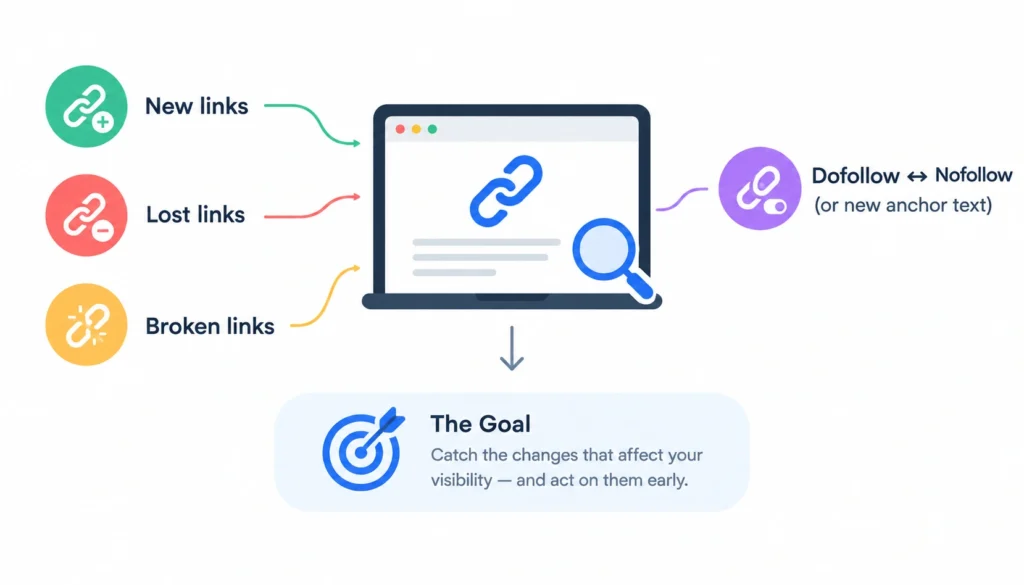
Backlink monitoring is the ongoing process of tracking the links pointing to your website so you know when they appear, disappear, or change. That includes new links, lost links, broken links, and links that switch from dofollow to nofollow or get a new anchor text.
The goal isn’t to obsess over every single link. It’s to catch the changes that actually affect your site’s visibility, and act on them before they cost you traffic.
1. Backlink Monitoring vs. Backlink Checking
A backlink checker gives you a one-time list: these are the links pointing to a URL right now. Run it again next month and you’ll have another list, but the tool won’t tell you what changed in between unless you compare the two manually.
A backlink monitor does that comparison for you. It tracks your link profile over time and flags new links, lost links, and status changes as they happen, usually through alerts or a dashboard you check on a schedule.
Think of it the way you’d think about a bank statement. Checking your balance once tells you what you have. Monitoring your account tells you when money moves.
2. What Changes Should You Monitor?
Most guides stop at “new links” and “lost links.” That misses half the picture. Here’s the fuller list of changes worth tracking:
New backlinks. A page just started linking to you. Worth confirming it’s legitimate and not spam.
Lost backlinks. A link that used to point to you no longer does. The page was deleted, the link was removed, or the whole site went down.
Broken backlinks. The linking page still exists, but the link itself returns an error, often because your target URL moved or was deleted.
Nofollow or dofollow changes. The site added a rel=”nofollow” (or similar) attribute to a link that used to pass full value, or removed one.
Anchor-text changes. The clickable text changed, which can shift how search engines interpret the link’s relevance.
Target-URL changes. The link now points somewhere else on your site, sometimes intentional, sometimes a mistake on the linking site’s end.
Referring-domain disappearance. The entire domain went offline or was deregistered, taking every link on it down with it.
Tracking all seven gives you a far more accurate read on your link profile than just watching a new-vs-lost counter.
Why Should You Monitor Your Backlinks?
1. Protect Valuable Links
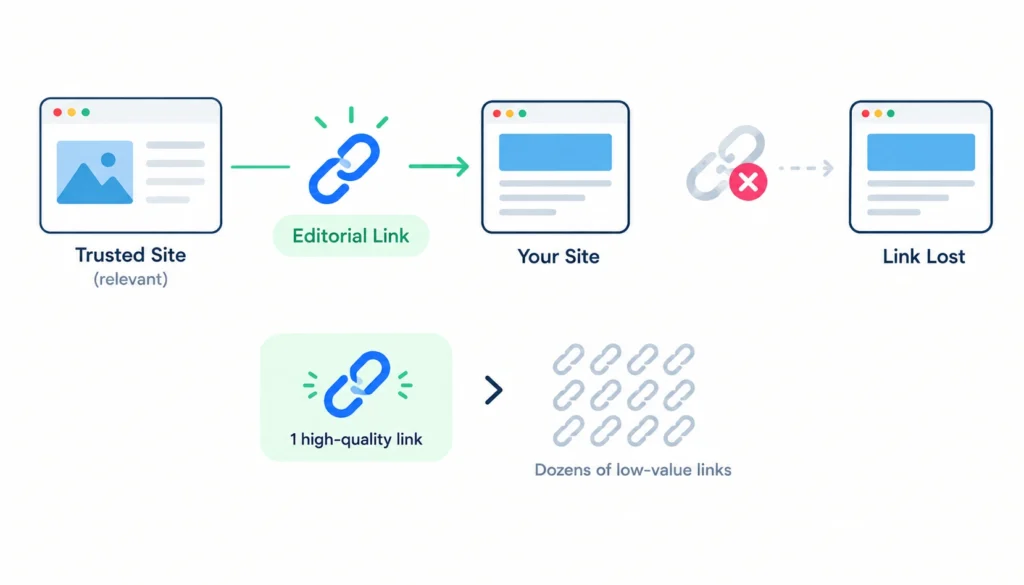
A single editorial link from a relevant, trusted site can carry more weight than dozens of low-value ones. If that link disappears and you’re not watching for it, you lose the value without knowing it happened.
2. Find Lost Backlinks Quickly
The sooner you spot a lost link, the better your odds of getting it restored. A site owner who removed a link by accident, or during a redesign, is far more likely to fix it a week later than six months later.
3. Detect Broken Links
Broken backlinks are a quiet drain. The referring site still wants to send you traffic and link value. The link is just pointing at a dead end because a URL changed.
4. Identify Suspicious Link Patterns
A sudden spike in low-quality, irrelevant, or foreign-language backlinks can signal negative SEO or a scraper picking up your content. Monitoring gives you the chance to investigate before it becomes a pattern search engines notice too.
5. Measure Link-Building Performance
If you’re running outreach or digital PR, monitoring is how you confirm the links you earned actually went live, and stayed live.
6. Discover New Link-Building Opportunities
Sites that link to you once, on their own, often have other pages worth pitching. Monitoring surfaces those relationships as they form.
7. Monitor Competitor Link Growth
Watching where competitors earn new links tells you which sites are open to linking out in your niche, sites you could pitch too.
What Makes a Backlink Worth Monitoring?
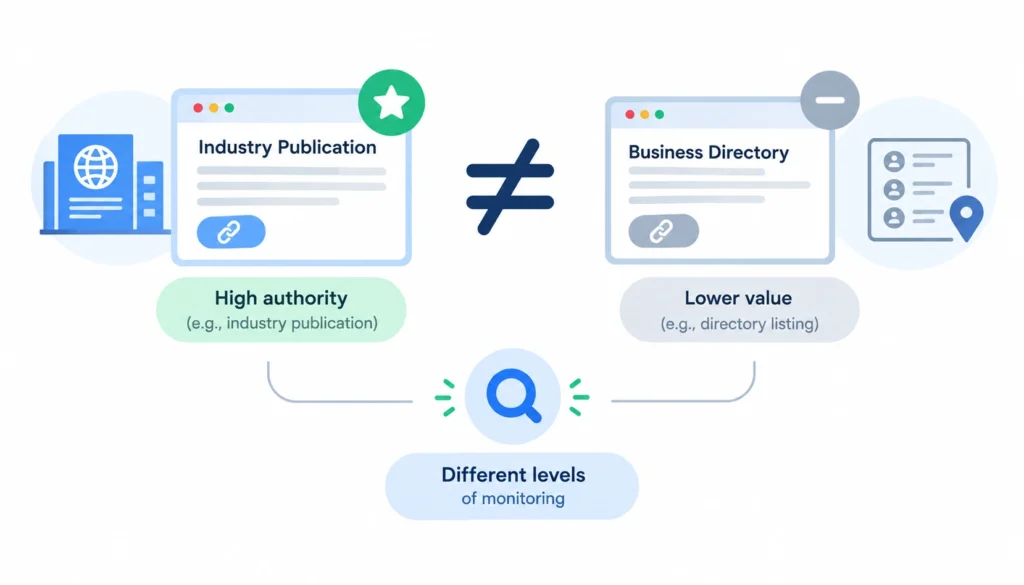
Not every backlink deserves the same attention. A small business with a handful of important partnerships doesn’t need to treat a directory listing the same way it treats a link from a major industry publication.
Here’s a practical framework for prioritizing which links to watch most closely.
Referring-domain relevance. A backlink from a site in your industry is worth more scrutiny than one from an unrelated domain.
Linking-page relevance. Even on a relevant domain, a link buried in an old, unrelated post carries less weight than one in a current, topical article.
Organic traffic. Pages that get real search traffic pass more potential referral value than pages nobody visits.
Link placement. A link in the body of an article, placed naturally, usually matters more than one in a footer or sidebar.
Follow/nofollow status. Dofollow links pass more direct SEO value, though nofollow links can still drive referral traffic and visibility.
Target-page importance. A link to your homepage or a key product page deserves more attention than one to a page you barely update.
Referral traffic. Some links send real visitors, regardless of their SEO weight. Those are worth protecting for business reasons, not just rankings.
Historical value. A link that’s been live for years and has always performed well is worth more monitoring effort than a brand-new one you’re still evaluating.
How to Monitor Backlinks Step by Step
Step 1: Choose a Backlink Monitoring Tool
Start with a tool that can track changes over time, not just list current links. Google Search Console is a reasonable starting point for a small site with a limited budget; dedicated tools like Ahrefs, Semrush, or SEOptimer go further with alerts, historical data, and competitor tracking. More on picking between them below.
Step 2: Add and Verify Your Website
Most tools require you to verify ownership, usually through a DNS record, an HTML file upload, or a meta tag. This confirms the data belongs to your site and unlocks the tool’s full reporting.
Step 3: Build Your Initial Backlink Inventory
Before you can monitor changes, you need a baseline. Export your current backlinks and record the details that matter for tracking:
- Referring domain
- Referring page
- Target URL
- Anchor text
- Link attribute (dofollow/nofollow)
- First-seen date
- Last-seen date
- Status
- Organic traffic to the referring page
- Notes
This becomes your reference point for everything that follows.
Step 4: Categorize Your Backlinks
Sort your inventory into working groups so you know where to focus:
- High-value backlinks: relevant, high-traffic, well-placed
- Standard backlinks: fine, but not a priority to watch closely
- Lost backlinks: previously live, no longer there
- Broken backlinks: link exists, but doesn’t resolve correctly
- Suspicious backlinks: irrelevant, spammy, or from clearly low-quality sites
Step 5: Set Up New and Lost Backlink Alerts
Turn on notifications for new and lost links so you’re not relying on memory to check manually. Most backlink tools support email or dashboard alerts you can set to a daily, weekly, or real-time cadence.
Step 6: Review Backlink Changes
Set aside time on a schedule (weekly is reasonable for most active sites) to actually read through what changed, not just glance at a notification count.
Step 7: Investigate Important Lost Links
When a high-value link disappears, don’t assume the worst. Check whether the page was deleted, redesigned, or just temporarily down before deciding it’s a permanent loss.
Step 8: Recover Valuable Backlinks
If a lost link is worth chasing, work through it methodically:
- Identify the reason it disappeared.
- Find the right contact at the linking site (often the author or webmaster).
- Send a short, specific request to restore the link.
- Update your own target URL first, if that’s what caused the break.
- Record the outcome, whether they fix it or not.
Step 9: Review Suspicious Links
Don’t act on a “toxic score” alone. Open the linking page, look at the site’s overall content, and judge whether it’s genuinely harmful or just low-quality and irrelevant. Most low-quality links aren’t worth disavowing; they’re just noise.
Step 10: Monitor Competitor Backlinks
Track a handful of direct competitors alongside your own site. New links they earn often point to opportunities you could pursue too.
Step 11: Record and Report Changes
Keep a running log of what changed, what you did about it, and the result. This turns monitoring into a record you (or a client) can actually learn from.
How to Monitor Backlinks With Google Search Console
Google Search Console is free, and it’s a reasonable place to start if you’re not ready to pay for a dedicated tool.
1. Where to Find External Links
In Search Console, go to Links in the left sidebar, then look under External links → Top linking sites and Top linked pages. This shows a snapshot of domains and pages currently linking to you, according to Google’s index.
2. What Google Search Console Shows
You’ll see the domains linking to you, the specific pages they link from, and your most-linked pages and anchor text, based on what Google has crawled. This is legitimate, first-party data straight from the search engine itself.
3. What Google Search Console Does Not Show
It doesn’t show historical trends, doesn’t alert you to new or lost links, and doesn’t let you analyze competitor backlink profiles. It also only reflects links Google has actually crawled and indexed, which isn’t necessarily every link that exists.
4. When You Need a Dedicated Backlink Tool
If you need alerts, historical comparisons, competitor data, or bulk filtering by link attribute or anchor text, Search Console won’t get you there. That’s when a paid backlink tool earns its cost.
Here’s a slightly more detailed version that keeps the section concise while making each tool’s use case clearer:
Best Tools for Monitoring Backlinks
1. Google Search Console
Best for: Free, first-party backlink data straight from Google.
Google Search Console is a useful starting point for monitoring your site’s external links without paying for an SEO platform. It can show which websites and pages link to your site and which of your pages receive links. However, its backlink data is more limited than dedicated backlink monitoring tools, particularly for historical tracking, competitor research, and automated alerts. It’s a good baseline tool for smaller websites and anyone starting with backlink monitoring.
2. Ahrefs

Best for: Backlink research, historical growth and decline views, and automated alerts.
Ahrefs provides a deeper backlink database and lets you analyze referring domains, linking pages, anchor text, and changes in your backlink profile over time. Its Alerts feature can notify you about new backlinks and can also be used to monitor competing pages. This makes it useful not only for protecting your existing backlinks but also for discovering new link-building opportunities. Ahrefs Backlink Alerts
3. Semrush
Best for: Backlink monitoring as part of a broader SEO toolkit.
Semrush’s Backlink Analytics and Backlink Audit tools allow you to investigate referring domains, anchor text, link attributes, and changes in your backlink profile. Its main advantage is that backlink monitoring can be combined with keyword research, competitor analysis, site audits, and other SEO workflows in the same platform. This can be convenient for teams already using Semrush for their wider SEO campaigns.
4. SEOptimer
Best for: Straightforward backlink monitoring and change alerts.
SEOptimer focuses on making backlink monitoring relatively simple for agencies, marketers, and site owners. You can use it to track backlinks and identify changes such as newly discovered or lost links. Its reporting-oriented approach can also be useful when you need to communicate backlink activity to clients without building reports manually.
5. SE Ranking
Best for: Structured backlink monitoring and detailed link-status tracking.
SE Ranking’s Backlink Monitoring tool lets you organize and monitor individual backlinks while tracking information such as link status, indexation, anchor text, target URL, and dofollow/nofollow attributes. This makes it useful when you want more than a basic list of referring domains and need to investigate how individual links change over time. SE Ranking Backlink Monitoring Overview
6. Majestic
Best for: Deep, link-focused analysis.
Majestic is particularly focused on backlink and link-graph data rather than being an all-purpose SEO platform. Its Trust Flow and Citation Flow metrics can help you analyze the quality and influence of sites within a backlink profile. It can be useful for SEO professionals who want detailed link intelligence and are comfortable working with dedicated backlink metrics.
7. Moz
Best for: Backlink analysis combined with broader SEO research.
Moz Link Explorer provides backlink and referring-domain data alongside metrics such as Domain Authority (DA) and Page Authority (PA). This makes it useful when backlink monitoring needs to be part of a wider SEO workflow involving keyword research, competitive analysis, and website optimization.
8. Linkody
Best for: Dedicated, no-frills backlink monitoring.
Linkody is designed specifically around backlink tracking rather than trying to provide every possible SEO function. It can help site owners monitor individual links, identify changes, and keep track of important backlink information over time. It’s worth considering if your primary requirement is knowing when backlinks are gained, lost, or changed rather than using a large all-in-one SEO suite.
Backlink Monitoring Tools Compared
| Tool | Free Option | New/Lost Link Tracking | Competitor Monitoring | Alerts | Best For |
| Google Search Console | Yes | Limited | No | Limited | Beginners |
| Ahrefs | Limited | Yes | Yes | Yes | Advanced research |
| Semrush | Limited | Yes | Yes | Yes | SEO teams |
| SEOptimer | Trial/plan dependent | Yes | Yes | Yes | Agencies |
| SE Ranking | Limited/paid | Yes | Yes | Yes | Structured monitoring |
| Majestic | Limited | Yes | Yes | Available | Link analysis |
| Moz | Limited/paid | Yes | Yes | Available | SEO teams |
| Linkody | Paid/trial | Yes | Yes | Yes | Dedicated monitoring |
There isn’t one “best” tool here. The right pick depends on your budget and how much competitor and historical data you actually need. A community discussion on r/SEO shows practitioners split fairly evenly between Ahrefs, Semrush, and free tools depending on site size and budget, which lines up with how situational this choice really is (r/SEO on Reddit).
How to Evaluate Backlink Quality
A new backlink notification tells you a link exists. It doesn’t tell you whether that link is good for you. Work through these factors before deciding.
Relevance. Does the linking site or page relate to your industry or topic? A relevant link from a smaller site often outperforms an irrelevant one from a bigger site.
Authority. Metrics like Domain Authority, Domain Rating, or Trust Flow give a rough sense of a site’s overall strength, though none of them are official Google metrics, so treat them as directional, not definitive.
Linking-page quality. Look at the actual page, not just the domain. A strong domain can still have thin, low-effort pages.
Editorial context. Was the link placed naturally within real content, or does it look inserted, purchased, or part of a link scheme?
Anchor text. Natural, varied anchor text is normal. A pattern of identical, keyword-stuffed anchors across many links is a red flag.
Follow and link attributes. Dofollow links pass more direct value, but nofollow and sponsored links from reputable sites still have real value for traffic and brand visibility.
Traffic and visibility. A page that gets organic visitors is more likely to send you real referral traffic than one that’s indexed but ignored.
Spam signals. Watch for link farms, auto-generated content, and sites stuffed with unrelated outbound links.
Why “Toxic Score” Alone Isn’t Enough
Most backlink tools assign a toxicity or spam score to flag risky links. That score is a starting point for investigation, not a verdict. According to Google’s own guidance on link spam, the company focuses on identifying and devaluing manipulative link schemes rather than penalizing sites for every low-quality link pointing at them, which is part of why most sites never need to disavow anything at all (Google Search Central, Link spam). Treat a high toxicity score as a reason to look closer, not a reason to act automatically.
What to Do When You Lose a Valuable Backlink
1. Confirm the Link Is Actually Lost
Crawl data can lag. Before assuming a link is gone, visit the referring page directly and check whether the link is still there, just not yet re-crawled by your tool.
2. Find Out Why It Disappeared
Common reasons: the page was deleted, the site redesigned its content, the link was replaced with a different source, or the whole domain expired.
3. Check Whether the Page Was Moved
Sometimes the content still exists, just at a new URL. A quick site search or a look at the domain’s sitemap can confirm this.
4. Contact the Website Owner
Find the author, editor, or webmaster contact and send a short, polite note explaining the link is gone and asking whether it can be restored or updated.
5. Request Link Restoration
Make it easy for them. Include the original URL, the new URL if yours changed, and a one-line reason the link still makes sense for their readers.
6. Update Your Own Destination Page if Needed
If your URL structure changed and that’s what broke the link, fix it on your end first. A redirect can sometimes preserve the link’s value even before the site owner responds.
7. Record the Outcome
Log whether the link was restored, ignored, or permanently lost. Over time, this record tells you which kinds of outreach actually work.
How to Monitor Competitor Backlinks
1. Track Competitor Domains
Pick two or three direct competitors and add them to your backlink tool’s tracking list, the same way you track your own site.
2. Track Competitor Pages
Beyond the domain level, watch specific competitor pages that rank for terms you’re targeting. Their backlink sources often reveal exactly what earned them those rankings.
3. Identify New Referring Domains
New sites linking to a competitor are candidates worth pitching yourself, especially if the content angle is one you could match or improve on.
4. Find Links Your Competitors Lost
A competitor losing a valuable link is sometimes an opening, since that site may be receptive to linking to you instead, particularly if your content covers similar ground.
5. Turn Competitor Link Data Into Outreach Opportunities
Build a running list of sites that link to multiple competitors but not to you. Those are usually the highest-probability targets for outreach, since they’ve already shown they’ll link to content like yours.
How Often Should You Monitor Backlinks?
There’s no universal rule here. Google doesn’t require any specific monitoring cadence. This is a practical recommendation based on how active your site and link-building efforts are.
| Website Type | Suggested Review Frequency |
| Small website | Monthly |
| Active content site | Weekly |
| SEO-heavy business | Weekly |
| Active link-building campaign | Several times per week |
| Large agency or enterprise | Automated alerts, plus regular manual review |
When to Monitor More Frequently
Increase your review frequency around a product launch, a digital PR campaign, a site migration, or right after you’ve noticed a ranking or traffic drop. These are the periods when backlink changes are most likely to happen, and most likely to matter.
Backlink Monitoring Spreadsheet Template
If you’re not ready to invest in a dedicated tool, a shared spreadsheet still works for smaller sites. Set up columns for:
- Date discovered
- Referring domain
- Referring URL
- Target URL
- Anchor text
- Link status (live, broken, lost)
- Link attribute (dofollow/nofollow)
- Domain metrics (DA/DR, whichever you use)
- Referral traffic
- Priority (critical/high/medium/low)
- Action required
- Outreach status
- Recovery status
- Notes
Update it on whatever schedule matches your monitoring frequency from the table above. A basic version of this, kept in Google Sheets, is often enough for a site with under a few hundred backlinks.
Common Backlink Monitoring Mistakes
Checking backlinks only after traffic drops. By then, you’re reacting instead of catching the problem early.
Treating every backlink as equally important. Spending an hour investigating a single low-value directory link is time better spent elsewhere.
Automatically disavowing low-quality links. Most low-quality links don’t need action at all; disavowing without investigation can occasionally remove links that were doing you no harm.
Ignoring lost high-value links. These are the ones most worth the effort to recover.
Monitoring only your own website. You’re missing half the intelligence available to you by skipping competitors.
Looking only at domain-level metrics. A high-authority domain can still have a weak, irrelevant linking page.
Ignoring link changes that aren’t new or lost. A dofollow-to-nofollow switch or an anchor-text change can matter just as much as losing the link outright.
Not recording recovery actions. Without a log, you’ll repeat the same outreach mistakes and won’t know what’s actually working.
Backlink Monitoring Checklist
- [ ] Track new backlinks
- [ ] Track lost backlinks
- [ ] Track broken backlinks
- [ ] Review important referring domains
- [ ] Check anchor text for unnatural patterns
- [ ] Check link attribute changes (dofollow/nofollow)
- [ ] Review suspicious link patterns
- [ ] Recover valuable lost links
- [ ] Monitor two or three key competitors
- [ ] Record changes and outcomes
- [ ] Review the whole profile on a set schedule
Frequently Asked Questions About Backlink Monitoring
What is backlink monitoring?
Backlink monitoring is the ongoing process of tracking the links pointing to your site so you know when they’re added, removed, broken, or changed, instead of only seeing a snapshot at one point in time.
How do I monitor backlinks for free?
Google Search Console is free and shows your external links and top linking domains, though it won’t send new/lost alerts or offer competitor data the way paid tools do.
Can I monitor backlinks with Google Search Console?
Yes, for basic visibility. You can see which domains and pages link to you, but you’ll need to check back manually since it doesn’t send change alerts.
How often should I monitor backlinks?
Monthly is enough for a small, low-activity site. Weekly makes sense for active content sites or businesses running SEO campaigns, and several times a week during an active link-building push.
How do I find lost backlinks?
Compare your current backlink export against a previous one, or use a tool with built-in lost-link tracking that flags the difference automatically.
How do I monitor competitor backlinks?
Add competitor domains to your backlink tool alongside your own site, and review new referring domains they earn on the same schedule you use for your own links.
Can bad backlinks hurt my website?
Occasionally, but it’s less common than many site owners assume. Google’s spam policies focus on identifying manipulative link schemes rather than penalizing sites for stray low-quality links they didn’t create themselves.
Should I disavow every toxic backlink?
No. Investigate flagged links individually first. Most low-quality links are simply irrelevant, not manipulative, and don’t need any action at all.
What is the difference between backlink monitoring and backlink checking?
A backlink checker gives you a snapshot of current links. Backlink monitoring tracks changes to that snapshot over time and alerts you when something shifts.
Final Takeaway
Backlink monitoring comes down to a simple, repeatable cycle: discover your links, track changes, evaluate their quality, prioritize the ones that matter, recover valuable links when possible, and learn from the patterns you see. This approach helps you understand not just how many backlinks your site has, but whether your backlink profile is growing, losing important links, or developing issues that need attention.
You don’t need to check every backlink manually every day. Instead, set up a monitoring system that alerts you to meaningful changes, such as a valuable backlink being lost, a link becoming broken, or a new referring domain appearing. Review those changes regularly, focus your time on the links that can make a meaningful difference, and keep a record of what you find.
The goal isn’t simply to collect more backlinks. It’s to protect the links you’ve earned, identify useful opportunities, and maintain a healthy backlink profile over time. With a consistent monitoring process in place, you can spot problems while they’re still manageable and act before a small backlink change becomes a larger SEO issue.