
If you’ve spent any time building backlinks, you already know the annoying truth: getting a link is the easy part. Keeping your backlink profile healthy after that is where most sites fall behind.
That’s the gap backlink management fills. In short, backlink management is the ongoing work of finding, checking, evaluating, organizing, and improving the links pointing to your site. It’s not a one-time cleanup, but a repeatable process you run again and again.
Here’s the quick version of how it works: you discover your backlinks, verify they’re still live, judge their quality, sort them into categories, decide what needs action, recover the ones worth saving, deal with the risky ones, keep watching for changes, and feed what you learn back into your SEO strategy. The rest of this guide walks through each of those steps in detail.
What Is Backlink Management?
Backlink management is the process of tracking every link pointing to your site, judging whether it’s helping or hurting you, and taking action based on that judgment. It covers discovery, quality checks, categorization, monitoring, lost-link recovery, and using backlink data to guide future link building.
A backlink itself is simply a hyperlink on someone else’s site that points to yours. Wikipedia describes it as a hyperlink on one web resource that points back to another, which is where the name comes from.a backlink is a hyperlink on another web resource (the referrer) that points to the referent Search engines have used these links as a trust signal for decades, going back to the original PageRank concept.
Managing that profile involves several ongoing jobs:
- Discovering new backlinks as they appear
- Evaluating each one for quality and relevance
- Sorting links into categories based on what they need
- Watching for lost or broken links
- Recovering links worth saving
- Handling suspicious or manipulative links
- Spotting new link opportunities from the data
- Measuring what impact your links are actually having
Backlink management vs. link building
People mix these up constantly, so it’s worth being precise.
Link building is about acquiring new links: outreach, guest posts, content promotion, PR. Backlink management is what happens after that, and it also covers links you never actively pursued in the first place.
| Link Building | Backlink Management |
| Focused on getting new links | Focused on the whole link profile |
| Outreach and content promotion | Monitoring, evaluation, recovery |
| Mostly proactive | Both proactive and reactive |
| Goal: earn more links | Goal: keep the profile healthy and useful |
You need both. A site that only builds links without managing them ends up with dead links, weak anchors, and no idea which pages are actually pulling their weight. A site that only manages without building just watches a shrinking profile.
Why Backlink Management Matters for SEO
A backlink you earned two years ago doesn’t just sit there working forever. Pages get deleted, sites change owners, content gets rewritten, and links quietly disappear or turn into 404s. If nobody’s watching, you lose value without ever knowing it happened.
There’s also a discovery angle that gets overlooked. When you actually dig into your backlink data, you start seeing which pages attract links, which topics your industry cites, and which publishers keep coming back to you. That’s direct input for your next content plan, not just cleanup work.
And on the risk side, an unmanaged profile can quietly pick up spammy or manipulative links, sometimes from your own outreach going wrong, sometimes from negative SEO attempts, sometimes just from being listed on a low-quality directory that later goes downhill. You won’t catch that without regular checks.
One thing worth saying clearly: not every backlink directly moves your rankings. Some just don’t do much either way. Backlink management isn’t about treating every link as precious cargo. It’s about knowing which ones matter and acting accordingly.
How Backlink Management Works: The 9-Step Process
This is the part most guides skip. They’ll tell you to “check your backlinks regularly,” but not what to actually do once you’re looking at them. Here’s the full workflow.
Step 1: Discover your backlinks
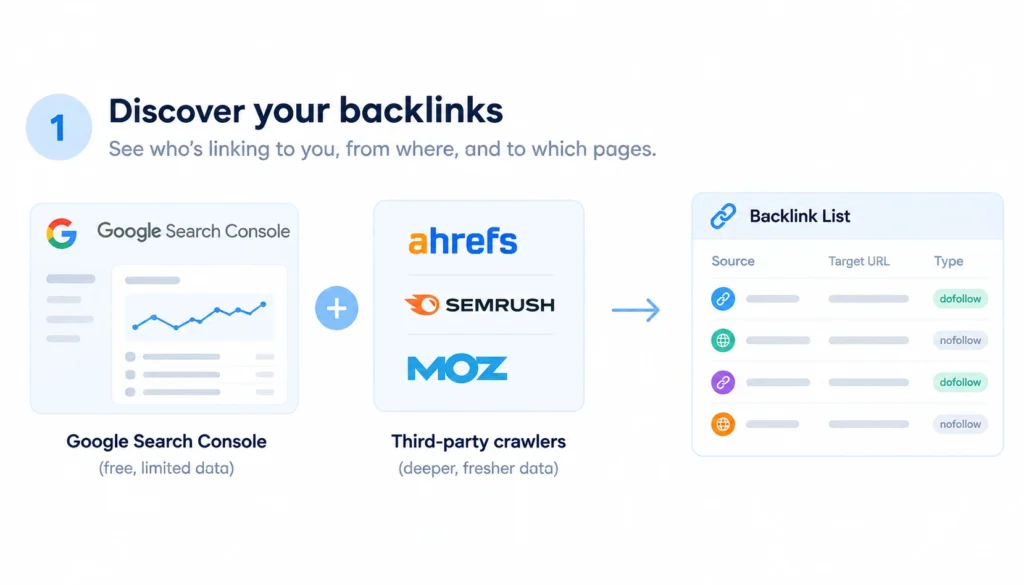
You can’t manage what you can’t see. Start by pulling a full list of who’s linking to you, from where, and to which pages.
Google Search Console gives you Google’s own view of your link profile for free, though it’s not exhaustive. Third-party crawlers like Ahrefs, Semrush, or Moz cast a wider net and update more frequently. Most SEOs use both, Search Console as a baseline and a paid tool for depth.
Step 2: Verify each link is still active
A link on a list doesn’t mean the link still works. Check the HTTP status of the referring page, confirm the link itself hasn’t been removed, and see whether the destination URL still exists or has moved.
This step catches the boring but important stuff: broken destination pages, redirects that quietly lost the link along the way, and pages that got deleted entirely.
Step 3: Evaluate backlink quality
This is where judgment comes in. For each link, look at:
- How relevant the linking page and domain are to your topic
- Whether the placement looks editorial or paid/manipulative
- The quality of the content around the link
- The anchor text used
- Where on the page the link sits (body content vs. footer/sidebar)
- Whether the destination URL actually matches the context
- The rel attribute: a plain follow link, or nofollow, sponsored, ugc
No single metric tells you everything. A link from a small, highly relevant niche blog can matter more than one from a huge but unrelated domain.
Step 4: Categorize your backlinks
Once you’ve evaluated a link, sort it. A simple, practical system:
| Category | What it means | Typical action |
| Valuable | Relevant, editorial, from a quality source | Keep, monitor |
| Relevant but weak | On-topic but low authority or thin content | Monitor, low priority |
| Lost | Was live, now gone | Investigate, try to reclaim |
| Broken | Link works, destination doesn’t | Fix the destination or request a redirect |
| Suspicious | Odd pattern, unclear intent | Investigate further |
| Manipulative | Clear sign of link-scheme behavior | Remove, qualify, or disavow if needed |
| Irrelevant | Off-topic but not obviously harmful | Review context before acting |
This turns a messy spreadsheet into something you can actually act on.
Step 5: Prioritize what needs action
You won’t have time to individually review every link on a large site, so prioritize by a rough formula: how much impact fixing it would have, how relevant it is, how risky leaving it alone is, and how realistic recovery actually is. A lost link from a major industry publication deserves attention today. A lost link from a low-traffic directory can wait, or be ignored.
Step 6: Recover valuable lost backlinks
For links worth saving, work through this sequence:
- Figure out why it disappeared: page deleted, site redesign, content rewrite, broken redirect
- Check whether the source page still exists at all
- Fix your own destination URL if that’s the actual problem
- Reach out to the publisher if the link was simply dropped
- Confirm the link is back once you’ve made a change
Not every lost link is recoverable, and that’s fine. Spend the effort where it’s likely to pay off.
Step 7: Deal with suspicious or manipulative links
Low-quality, irrelevant, and manipulative are three different things, and they call for different responses.
A low-quality but harmless link usually just gets ignored. An irrelevant link needs context before you act; it might be a legitimate mention that just isn’t a perfect topical match. A manipulative link, something built specifically to game rankings, is a different problem.
Google’s own spam guidance is worth reading here rather than relying only on tool vendors, since it names the actual practices that count as manipulation: buying links for ranking purposes, excessive link exchanges, automated link creation, and low-quality directory or paid placements designed to pass ranking signal. If you spot these patterns at scale, the sequence is: investigate, try to get the link removed at the source, and only disavow as a last resort.
Google’s own guidance is direct about this: for most sites, Google’s systems already discount low-quality links on their own, and using the disavow tool is meant for cases you can’t fix any other way.In most cases, Google can assess which links to trust without additional guidance, so most sites will not need to use this tool. Treat disavowal as a scalpel, not routine maintenance. Misusing it can do more harm than the links you’re trying to remove.
Step 8: Monitor continuously
Backlink management isn’t a quarterly chore you finish and forget. Keep an eye on new links, lost links, new and lost referring domains, anchor-text shifts, changes in link status, and what your competitors are picking up. Most backlink tools support alerts for this, which saves you from manually re-pulling reports.
Step 9: Turn the data into strategy
The point of all this tracking isn’t just cleanliness. Use it to answer real questions: which pages attract links without you asking for them? Which topics keep getting cited? Which publishers link to you more than once? Those answers should shape what you write and promote next.
Which Backlink Metrics Should You Track
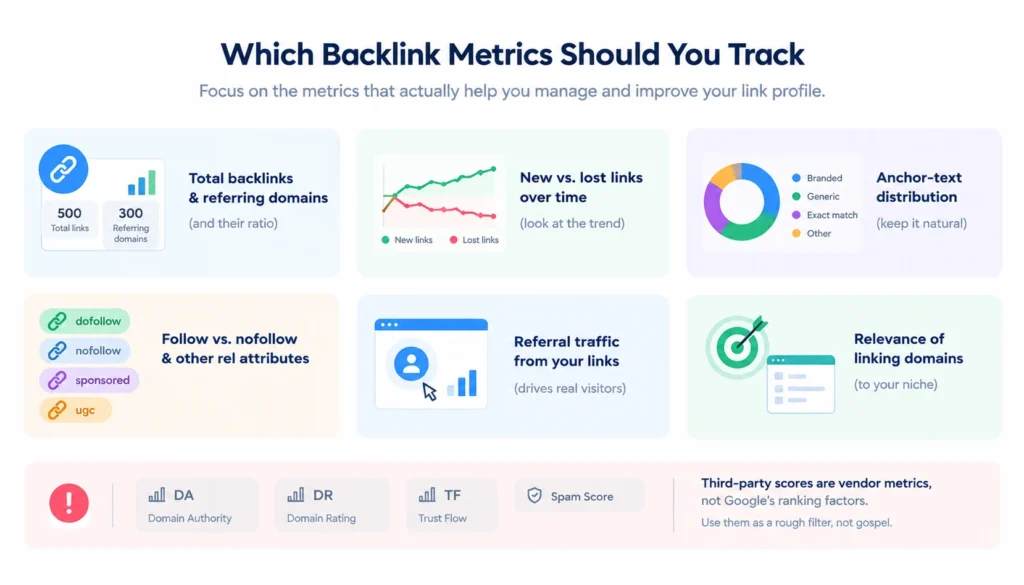
A few metrics matter more than the rest for ongoing management:
- Total backlinks and referring domains, and the ratio between them, since 500 links from 20 domains tells a very different story than 500 links from 300 domains
- New vs. lost links over time: the trend matters more than any single snapshot
- Anchor-text distribution: a natural profile mixes branded, generic, and exact-match anchors
- Follow vs. nofollow and other rel attributes
- Referral traffic from your links: a link that actually sends visitors is doing double duty
- Relevance of linking domains to your niche
One caution worth repeating: third-party scores like Domain Authority, Domain Rating, Trust Flow, and Spam Score are useful for comparison, but they’re vendor metrics, not numbers Google itself uses. Treat them as a rough filter, not gospel.
How to Tell Whether a Backlink Is Worth Keeping
When you’re not sure what to do with a link, run it through a short set of questions:
| Question | If yes | If no |
| Is the source relevant to your niche? | Keep evaluating | Look closer at context |
| Is the linking page genuinely useful to its own readers? | Good sign | Review further |
| Does the link look editorial rather than paid or exchanged? | Good sign | Investigate |
| Does the destination actually match the context? | Good sign | Consider fixing the redirect |
| Is it sending real referral traffic? | Bonus value | Not automatically bad |
| Does it show clear signs of manipulation? | Take action | Keep monitoring |
Most links land somewhere in the middle. Don’t feel like every link needs a firm verdict on day one.
How to Recover Lost Backlinks
Backlinks disappear for a handful of predictable reasons: the source page got deleted, it now returns a 404, the site moved without redirects, the content got rewritten and the link cut, or the whole domain shut down.
The recovery workflow is straightforward: detect the loss, figure out why it happened, contact the publisher if it’s fixable on their end, make the recovery happen, then confirm the link is actually back. Skipping the “why” step is the most common mistake. Reaching out to ask for a link back on a page that no longer exists wastes everyone’s time.
How Competitor Backlink Analysis Fits Into Backlink Management
Managing your own links is only half the picture. Looking at what’s linking to your competitors tells you where the opportunities are.
Pull a competitor’s referring domains and see which pages are earning links. Then find the overlap gap: sites linking to them but not to you. That gap is a practical outreach list, not a guess. It also tells you what content formats are working in your space, whether that’s data studies, tools, or long-form guides.
Backlink Management Tools
No single backlink tool does everything well, so most SEOs use a combination depending on the task. One tool might be better for discovering links, while another is more useful for monitoring changes, auditing a profile, or comparing competitors.
- Google Search Console: A free starting point for checking the backlinks Google has associated with your site. It provides a useful baseline and can serve as a sanity check alongside third-party tools. However, its backlink data is more limited than dedicated link-analysis platforms.
- Ahrefs: Particularly useful for backlink discovery, referring-domain analysis, lost and broken backlink tracking, and competitor research. Its link database can help you identify which pages are earning links and where competitors are getting links that your site doesn’t have.
- Semrush: Useful for backlink audits, competitor comparisons, and link-gap analysis. It can also fit naturally into a broader SEO workflow if you’re already using Semrush for keyword research, technical audits, and rank tracking.
- Moz Link Explorer: Provides backlink and domain-level metrics that can help with profile analysis and link comparisons. It’s useful when you want another perspective on the authority and characteristics of linking domains.
- Majestic: Best known for metrics such as Trust Flow and Citation Flow. These are proprietary metrics rather than Google ranking factors, but they can provide another data point when evaluating the overall characteristics of a backlink profile.
- SE Ranking / Sitechecker: These platforms are useful for teams that want backlink monitoring as part of a broader SEO workflow. They can help track new and lost links and make ongoing monitoring easier than running a completely manual audit.
How to Choose a Backlink Management Tool
Choose the tool based on the job you’re trying to accomplish rather than simply choosing the platform with the most features.
For a one-time backlink audit, prioritize a strong link database, detailed filtering, and export options. For ongoing management, look for reliable monitoring, new/lost-link alerts, and easy reporting. For competitor research, prioritize referring-domain discovery, link-gap analysis, and the ability to identify the pages earning competitors’ backlinks.
For many SEO teams, a combination works better than relying on one platform. For example, Google Search Console can provide a free baseline, while a dedicated backlink database such as Ahrefs or Semrush can provide deeper discovery and competitive analysis. The goal isn’t to collect as many tools as possible—it’s to have enough reliable data to make better backlink-management decisions.
A Practical Backlink Audit Example
Here’s a realistic scenario. Say a site has 500 backlinks from 180 referring domains. Run it through the categorization framework from Step 4 and you might land on something like this:
- 320 healthy, relevant links: leave alone, keep monitoring
- 40 lost links: worth investigating, several likely recoverable
- 25 broken destination links: fixable with redirects or outreach
- 70 low-value but harmless links: no action needed
- 15 suspicious links: worth a closer look
- 30 links needing further review before a call is made
From there, priority goes to the lost links from relevant domains first, since those are both recoverable and valuable. The 25 broken destinations come next since fixing your own redirects is entirely in your control. The suspicious and undecided links get queued for manual review rather than an immediate decision. That’s the difference between a checklist and an actual workflow: everything gets a next step, not just a label.
How Often Should You Manage Your Backlinks?
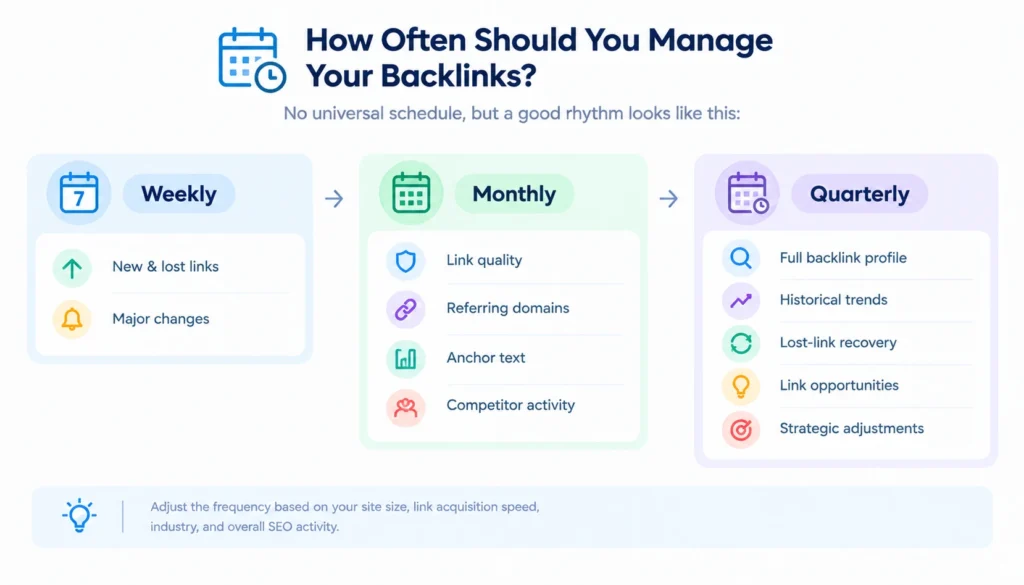
There’s no universal schedule, but a reasonable rhythm looks like this:
Weekly: a quick check for new and lost links, mainly to catch anything urgent early.
Monthly: a proper review of link quality, referring domains, anchor-text shifts, and what competitors picked up.
Quarterly: a full audit covering the entire profile, historical trends, lost-link recovery, and a look at where new link opportunities are.
How often you should actually do this depends on site size, how fast you’re acquiring links, and how competitive your industry is. A site in a niche with heavy SEO activity needs tighter monitoring than a slow-moving local business site.
Common Backlink Management Mistakes
A few patterns show up again and again:
- Obsessing over the raw number of backlinks instead of profile quality
- Treating every unfamiliar link as toxic without checking context first
- Ignoring lost backlinks because nothing seems urgent
- Skipping referring-domain counts and only looking at total links
- Over-optimizing anchor text into obviously exact-match patterns
- Leaning entirely on vendor scores instead of manual review
- Building links without tracking what they actually did afterward
- Using manipulative tactics that fall under Google’s spam policies
That last point matters more than people give it credit for. Google’s spam policies spell out link schemes explicitly, and getting flagged under them costs far more time than the shortcut ever saved.
Frequently Asked Questions About Backlink Management
What is backlink management?
It’s the ongoing process of finding, evaluating, organizing, monitoring, and improving the backlinks pointing to your website, rather than a one-time cleanup.
How does backlink management work?
Discover your links, verify they’re active, evaluate quality, categorize them, prioritize what needs action, recover valuable lost links, handle risky ones, keep monitoring, and feed what you learn into your SEO strategy.
Why is backlink management important?
Links disappear, change, or turn risky over time without you noticing. Managing your profile protects value you’ve already earned and surfaces new opportunities from your own data.
Can bad backlinks hurt SEO?
Manipulative or spammy links can, especially at scale or if they trigger a manual action. Most low-quality links that aren’t part of a manipulation pattern don’t cause meaningful harm on their own.
Should I disavow toxic backlinks?
Only in specific cases: a manual action for unnatural links, or a clear pattern of manipulative links you can’t get removed directly. It’s not a routine step for most sites.
Final Takeaway
Backlink management isn’t about racking up the biggest possible number of links. A large backlink count doesn’t automatically mean a stronger profile. What matters is understanding where your links come from, which ones are genuinely valuable, which have been lost or broken, and which deserve a closer look.
A good backlink-management process helps you protect valuable links, recover links that disappear, identify potential problems without treating every low-quality link as a threat, and use backlink data to guide future content and link-building decisions. It also gives you a clearer picture of which pages and topics are actually earning attention from other websites.
The key is to treat backlink management as an ongoing process rather than a one-off audit. Monitor new and lost links, review important referring domains, revisit your profile periodically, and turn what you learn into your next SEO actions.
Done consistently, your backlink profile stops being a mystery you check once a year and becomes a useful source of information you can actively manage and learn from.