
Most guides on competitor backlinks teach you to pull a list of your rivals’ links once and call it research. That gives you a photo. Competitor backlink monitoring gives you the video.
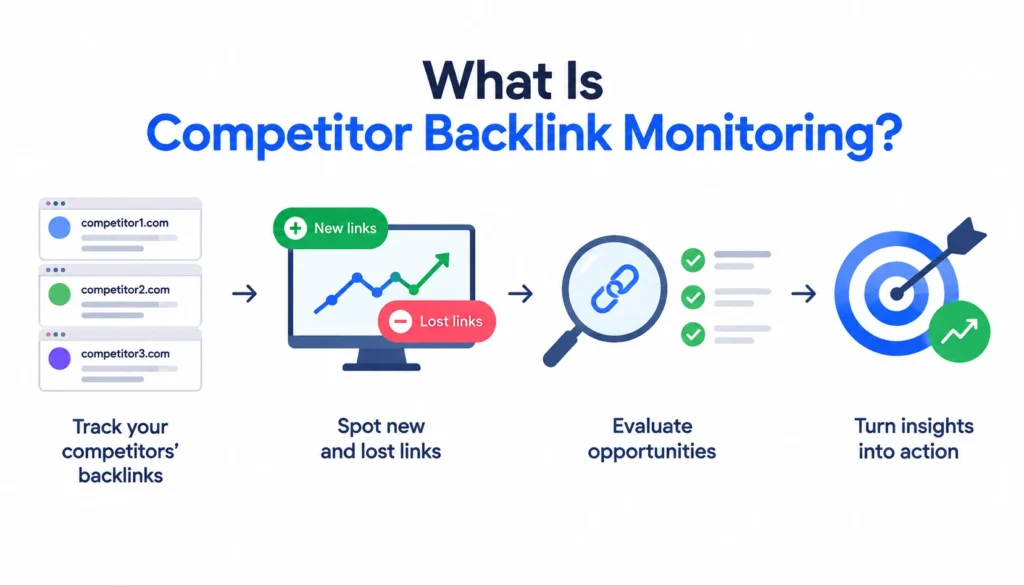
Competitor backlink monitoring is the ongoing process of tracking changes in your competitors’ backlink profiles: which links they gain, which they lose, and which pages earn them. SEO teams use it to spot link-building tactics, find publishers open to their niche, and pick opportunities worth pursuing.
This guide gives you a repeatable workflow: baseline, detect, validate, prioritize, act, measure. You’ll also get a hypothetical worked example, a cadence table, and a monthly checklist.
What Is Competitor Backlink Monitoring?
A backlink is a link from one website to another. Search engines use links to discover pages, and links are one of many signals that can influence rankings. If you want background on the basics, Wikipedia’s backlink entry is a decent primer.
Monitoring adds the dimension of time. You’re not asking “who links to my competitor?” You’re asking “who started linking to them this month, and who stopped?”
Competitor backlink monitoring vs. backlink analysis
Backlink analysis is a snapshot. You look at a competitor’s profile on one day and study what’s there.
Monitoring compares snapshots. You keep a baseline, check again on a schedule, and look at what changed. Analysis tells you where a competitor stands. Monitoring tells you where they’re heading.
Competitor backlink monitoring vs. backlink gap analysis
A backlink gap analysis finds sites that link to your competitors but not to you. It’s a comparison between domains at a single moment. Tools call it Backlink Gap (Semrush) or Link Intersect (Moz and others).
Monitoring uses the same idea but repeats it. A domain that links to three competitors this quarter and didn’t last quarter is a stronger lead than one that has linked to everyone since 2016.
What monitoring can reveal
Watch a competitor’s links for a few months and patterns show up. You’ll see which content attracts links, which publishers keep coming back, and when a digital PR campaign launches. You’ll also see when a competitor loses a link you could take over.
Why Monitor Your Competitors’ Backlinks?
Fresh opportunities. A link earned last week is a live lead. The publisher is active, the topic is current, and the editor has just shown they’ll link to a site like yours.
Publisher intelligence. If a trade magazine is linked to two of your competitors, it covers your topic. You don’t have to guess whether it’s relevant.
Campaign detection. A sudden burst of links to one page usually means a campaign, a data study, or a tool launch. You can see what worked without paying for the experiment.
Early warning. If a competitor gains fifteen referring domains in a month and you’ve gained two, you’ll want to know before their rankings move.
Lessons from lost links. When a competitor loses a link, you learn why. Sometimes the page was deleted. Sometimes the site was redesigned. Sometimes the slot is now open for you.
What Backlink Signals Should You Monitor?
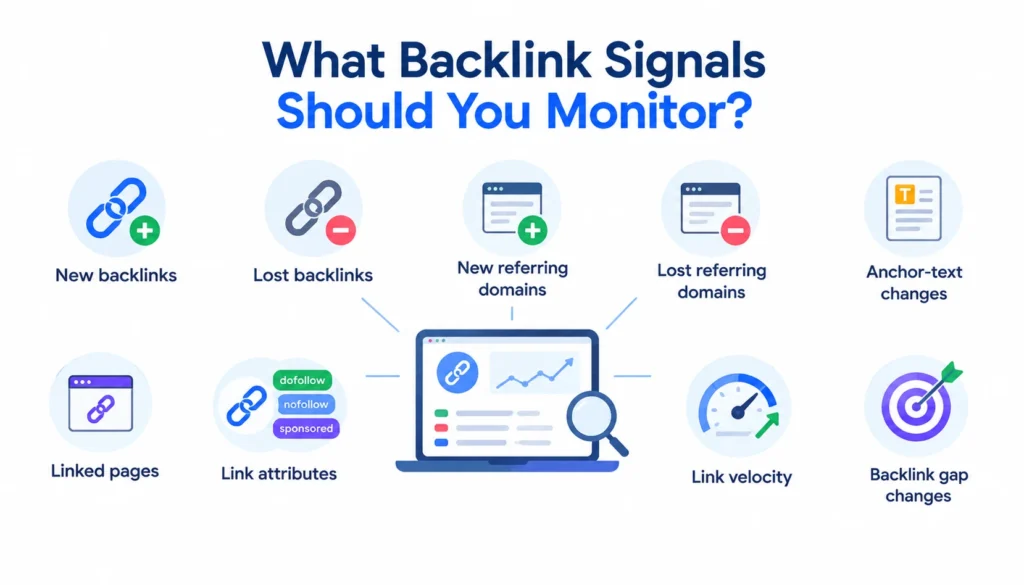
You don’t need to track every number a tool shows you. These are the ones that lead to decisions.
| Signal | What it tells you | What to do |
| New competitor link | A fresh acquisition | Evaluate as an opportunity |
| Lost competitor link | The page or relationship changed | Find out why |
| New referring domain | A new publisher is linking | Check relevance |
| Shared referring domain | A site links to several rivals | Consider outreach |
| Newly linked page | Content is attracting attention | Study the angle |
| Anchor-text change | Positioning may be shifting | Watch for a pattern |
| Link attribute | Dofollow, nofollow, sponsored, or UGC | Judge whether it’s replicable |
A few terms in plain English. A referring domain is a unique website that links to a site, no matter how many times. Link velocity is how fast a site gains links over time. Anchor text is the clickable words of a link.
Referring domains matter more than raw link counts. One site linking 500 times from a footer is still one site.
How to Monitor Competitor Backlinks Step by Step
Step 1: Identify your real SEO competitors
Your business competitors and your search competitors aren’t always the same. A large brand may outsell you but never appear in your search results.
Look at who ranks for your target queries. Those are your SERP competitors. Then check which domains share many of your ranking keywords. Most SEO platforms list these as organic competitors.
How many should you monitor? Three to five is enough for most teams. More than that and you get noise you’ll never act on.
Step 2: Create a backlink baseline
Before you can spot changes, record where each competitor stands today. Pull these numbers into a spreadsheet:
- Total referring domains
- Total backlinks
- Top linked pages
- Referring domains you consider high quality
- Common anchor-text patterns
Date the sheet. You’ll compare against it every cycle.
Step 3: Track new competitor backlinks
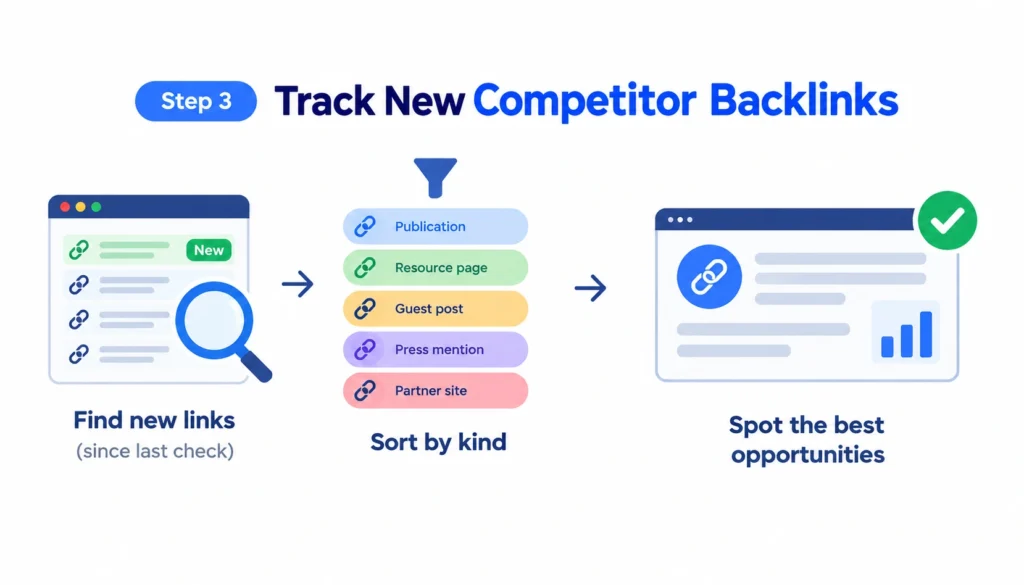
Each cycle, filter for links first seen since your last check. Then sort them by kind. Did they come from a publication, a resource page, a guest post, a press mention, or a partner site?
The type of link tells you the tactic. Five links from five news sites in one week suggests a PR push. Ten links from directory pages suggests routine listings.
Step 4: Track lost competitor backlinks
Lost links are easy to skip because nobody celebrates them. They’re still useful.
Open a few and see what happened. The page might be deleted, the site might have changed URLs, or the editor might have removed the link. If the page still exists with a dead link, you may be able to offer a replacement. That’s the same logic as broken link building.
Step 5: Evaluate each new opportunity
Not every link deserves a response. Check each one against these questions:
- Is the linking site relevant to your topic?
- Is the link editorial, meaning placed by a person because the content deserved it?
- Does the site have real organic visibility?
- Is the linking page itself relevant and indexed?
- Where does the link sit: body copy, sidebar, or footer?
- Could you realistically earn something similar?
If the answer to the last question is no, move on.
Step 6: Identify backlink gaps
Run a gap report against your three to five competitors. Start with domains that link to two or more of them and not to you. Those sites have already shown interest in your niche.
Then look at individual links to pages that compare with yours. If a rival’s product page earned a link that your product page didn’t, ask what the linking page said about it.
Step 7: Work out how they got the link
Try to name the acquisition method for each promising link. The common ones are:
- Editorial mention
- Digital PR
- Guest contribution
- Resource-page placement
- Niche edit (a link added to an existing article)
- Partnership or sponsorship
- Directory or citation
- Natural, unprompted link
Knowing the method tells you how to approach the site. You wouldn’t pitch a resource page the way you’d pitch a journalist.
Step 8: Build an outreach list from the data
Keep a working sheet with these columns:
| Domain | Competitor | Link URL | Target URL | Relevance | Link type | Method | Priority | Status |
The last column matters more than it looks. Without a status column, monitoring turns into a report nobody acts on.
Step 9: Track your own profile alongside theirs
Add your own domain to the same tracking sheet. If you gain four referring domains while a competitor gains twelve, you see the gap in one place.
Your own data can also come from free sources. Google Search Console and Bing Webmaster Tools show links to your own site, though not to competitors’.
How to Evaluate the Quality of a Competitor Backlink
Third-party scores such as Domain Rating, Domain Authority, Authority Score, and Trust Flow are estimates made by each vendor. They aren’t Google metrics. Use them to sort a long list, not to decide whether a link is good.
| Factor | Good sign | Warning sign |
| Topical relevance | Site covers your subject | Unrelated topic |
| Placement | Inside body copy | Footer, sidebar, sitewide |
| Editorial intent | Written for readers | Obvious paid or swapped link |
| Traffic | Site gets organic visits | No traffic, thin content |
| Page context | Link supports a real point | Link is dropped in with no context |
| Anchor text | Natural wording | Exact-match keywords repeated |
| Attribute | Standard link | Sponsored or UGC |
Google has published guidance on how to mark paid and user-generated links with rel attributes, and its spam policies explain what counts as link spam. If a competitor’s link looks bought, don’t copy it. Their risk isn’t yours to inherit.
You can also read Wikipedia’s page on nofollow for the history of link attributes.
How to Find Backlinks Your Competitors Have but You Don’t
Start with a gap tool. Enter your domain and three to five competitors, and the tool lists sites that link to them but not to you.
Then narrow the list. Sort by the number of competitors each domain links to, since a site linking to four rivals is a stronger lead than one linking to one. Remove anything irrelevant, such as scraper sites and generic directories.
What’s left is usually a short list. That’s the point. A list of forty well-chosen prospects beats four thousand pulled from a report.
How to Monitor New and Lost Competitor Backlinks
Most paid SEO tools show a new and lost links view for any domain. Set a date range that matches your cadence, such as the last 30 days, and export the results.
Some tools also send alerts when a tracked domain gains or loses links. Alerts are handy, but they get noisy when you track many competitors. Filter alerts by relevance or referring-domain quality so you only see the ones that matter.
Compare month over month. One quiet month means little. Three months of rising link velocity on one competitor means something changed in their strategy.
A lost competitor link becomes your opportunity when the linking page still exists, the topic is still current, and the site would plausibly link to a good replacement. Check the page first. Then decide whether to suggest your resource.
How Often Should You Monitor Competitor Backlinks?
There’s no official rule here. The right cadence depends on how fast your market moves and how actively you build links. These are working guidelines from practice, not industry standards.
| Situation | Suggested cadence |
| Most small and mid-size sites | Monthly |
| Active link-building campaign | Weekly |
| Fast-moving, highly competitive market | Weekly, with alerts on top competitors |
| Slow, niche market | Every two months |
Daily checks rarely help. Backlink tools crawl the web on their own schedules, so a link may not show up for days or weeks after it was published. Checking daily mostly produces noise and a habit of reacting to nothing.
Best Tools for Competitor Backlink Monitoring
Pick a tool by the job you need done. Prices and feature names change often, so check each vendor’s site before you buy.
Ahrefs. Shows new and lost backlinks for any domain, plus a link intersect report and alerts.
Semrush. Backlink Analytics covers competitor profiles, and Backlink Gap compares domains. Its Backlink Audit tool is aimed at your own site’s profile.
SE Ranking. Includes a backlink checker, competitor comparison, and new and lost link views.
Moz. Link Explorer offers competitor link data and a Link Intersect feature.
Majestic. Known for its own link index and metrics such as Trust Flow and Topical Trust Flow, and useful when you want a second opinion on a profile.
Respona. Built more for prospecting and outreach than for deep backlink analysis. It pairs well with a dedicated backlink tool.
Free and low-cost options. Google Alerts can catch brand mentions and new articles about a competitor. Spreadsheets handle tracking. But Google Search Console and Bing Webmaster Tools only show links to sites you own, so they can’t monitor competitors.
No single tool sees every link. Each has its own crawler and index, so numbers differ between them. If a decision matters, check two sources.
For real-world opinions from practitioners, the r/SEO and r/bigseo communities on Reddit often discuss how people use these tools. Treat those threads as anecdotes, not proof.
Manual vs. Automated Monitoring
A spreadsheet is enough if you track three competitors, check monthly, and already pay for one backlink tool. You export new and lost links, paste them in, and review.
Automation makes sense when you manage many sites, such as an agency with a dozen clients. Look for fresh data, new and lost alerts, filtering, export, and reporting. If a tool can’t filter by relevance or referring-domain quality, you’ll drown in alerts.
How to Turn Competitor Backlink Alerts Into Link-Building Opportunities
Prioritize fresh links from relevant publishers. A link that went live two weeks ago is worth more attention than one from 2019.
Then choose your angle:
- Recreate a format that worked. If a competitor’s data study earned links, consider a better or more current study.
- Pitch a stronger resource. If a resource page lists a competitor’s guide, show the editor what yours adds.
- Use the story. A site that covered a competitor’s launch may cover yours if you have something new to say.
- Track repeat publishers. A site that keeps linking to competitors is worth a longer relationship.
And don’t copy blindly. Some links can’t be replicated, such as a competitor’s own subsidiary or a paid placement. Skip those.
A Competitor Backlink Monitoring Workflow for Agencies
Agencies need the same system with more structure. For each client:
- Agree on the competitor set, usually three to five domains.
- Record a dated baseline for the client and each competitor.
- Set alerts and a review cadence.
- Sort new opportunities into priority tiers.
- Assign outreach to a named person.
- Report month-over-month changes in referring domains for the client and competitors.
- Compare link changes with ranking and traffic changes, without claiming that one caused the other.
That last point matters. A competitor’s ranking rise might follow a link gain, or a content update, or both, or neither. Backlink data shows correlation. It doesn’t prove cause.
Common Competitor Backlink Monitoring Mistakes
Tracking volume instead of change. A total link count tells you little. New and lost referring domains tell you more.
Copying every link. Most competitor links aren’t worth having.
Ignoring relevance. A link from an unrelated high-authority site can be less useful than one from a small niche blog.
Treating DR or DA as Google’s view. They’re third-party estimates.
Skipping lost links. They’re an opportunity source.
Monitoring too many competitors. Ten sets of alerts means none get read.
Never acting. A report that doesn’t lead to outreach is a hobby.
Assuming causation. A competitor’s link doesn’t prove it caused their rankings.
Not recording outcomes. If you don’t log which pitches worked, you’ll repeat the ones that didn’t.
Competitor Backlink Monitoring Example
This is a hypothetical scenario, built to show the decision process.
Say you run SEO for a project-management software company. This month, Competitor A gains eight new referring domains. You review them:
- Two are relevant editorial links from a business-software review site and an operations blog. Both go to the outreach queue at high priority.
- Two are industry directories. You check whether you’re listed. If not, you submit a listing, which takes little effort.
- One is a digital PR placement in a trade publication, based on a survey. You note the angle and consider whether you have similar data.
- Two are low-relevance sites, a travel blog and a coupon page. You skip them.
- One looks questionable, a site with thin content and paid-link language. You skip it.
Out of eight new links, three or four enter your pipeline. That’s normal. The value of monitoring is in the filtering.
Competitor Backlink Monitoring Checklist
Run this every month:
- Review new referring domains for each competitor
- Review lost referring domains
- Check which pages gained the most links
- Run a backlink gap report
- Look for anchor-text changes
- Score high-value opportunities and add them to the outreach sheet
- Update the status of earlier outreach
- Compare competitor link growth with your own
Frequently Asked Questions About Competitor Backlink Monitoring
What is competitor backlink monitoring?
It’s the ongoing tracking of changes in your competitors’ backlinks, including new, lost, and changed links, so you can spot opportunities and tactics.
How do I monitor competitor backlinks?
Pick three to five competitors, record a baseline, then check new and lost links on a fixed schedule. Filter by relevance, score the good ones, and add them to an outreach list.
How often should I monitor competitor backlinks?
Monthly works for most sites. Weekly suits active campaigns or fast-moving markets.
What is the difference between backlink analysis and monitoring?
Analysis is a one-time look at a profile. Monitoring repeats that look over time to find changes.
Can I monitor competitor backlinks for free?
Only partly. Google Search Console and Bing Webmaster Tools show links to your own site, not competitors’. Free tiers of paid tools and manual spreadsheets can cover small jobs, though with limits.
Final Takeaway
Competitor backlink monitoring isn’t about collecting the biggest list of links. It’s about spotting changes early, filtering out the noise, and acting on the few links that fit your site. Set a baseline, pick a cadence you can keep, and record what you do with each lead.
If you want more background on where links fit in search, the Wikipedia article on search engine optimization covers the wider field.