
Outbound links are hyperlinks that point from your website to a page on another website. They are also called external links. You use them to cite a source, back up a claim, or send readers to something more useful than what you can explain yourself.
So are they good or bad for SEO? Short answer: they are not a ranking shortcut, and they will not hurt you when you use them sensibly. Their value comes from making a page more useful and easier to trust.
This guide covers outbound links in SEO: pros, cons, best practices, and examples you can copy. I’ve also marked where something is official Google guidance and where it’s just my editorial advice, because those two often get blended together.
What Are Outbound Links in SEO?
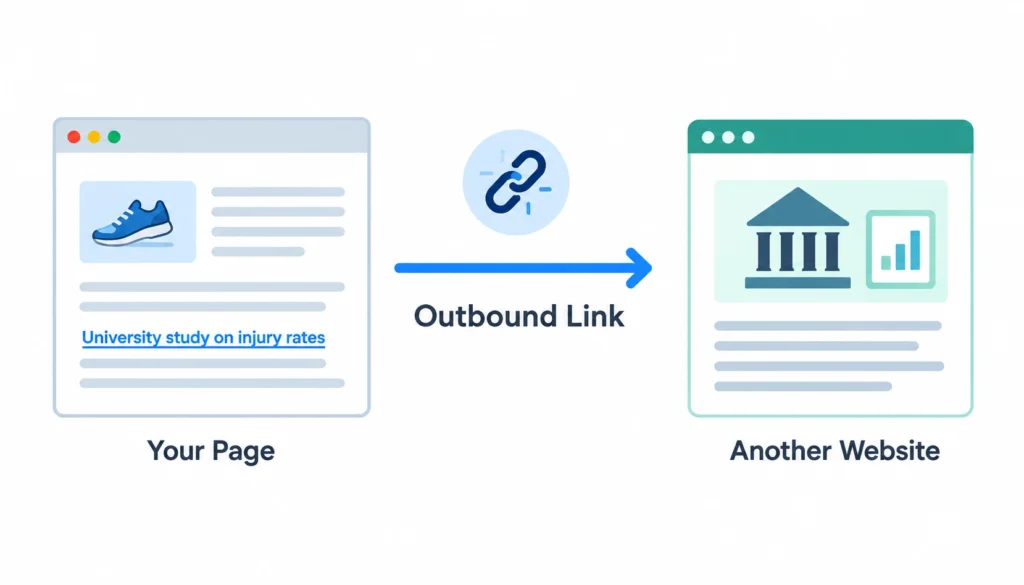
An outbound link takes a reader from your page to someone else’s page. That’s all it is. If your article on running shoes links to a university study on injury rates, that link is outbound.
1. Outbound links vs. inbound links vs. internal links
The three link types differ by direction.
| Link type | Direction | Main purpose |
| Outbound (external) | Your page → another website | Cite sources, give readers more detail |
| Inbound (backlink) | Another website → your page | Referrals, and a signal that others vouch for you |
| Internal | Your page → another page on your site | Navigation, context, helping crawlers find pages |
One wrinkle: a link is only “outbound” from your point of view. The same link is a backlink for the site receiving it.
2. What an outbound link looks like in HTML
In code, a normal outbound link is a plain anchor tag:
<a href=”https://example.com/study”>2024 injury-rate study</a>
The href is the destination. The text between the tags is the anchor text. Google’s documentation on crawlable links says links should be real <a> elements with an href so Google can follow them. Anything built only with JavaScript click handlers may not be followed.
If you want the background on how hyperlinks work, Wikipedia has a solid hyperlink overview.
Do Outbound Links Help SEO?
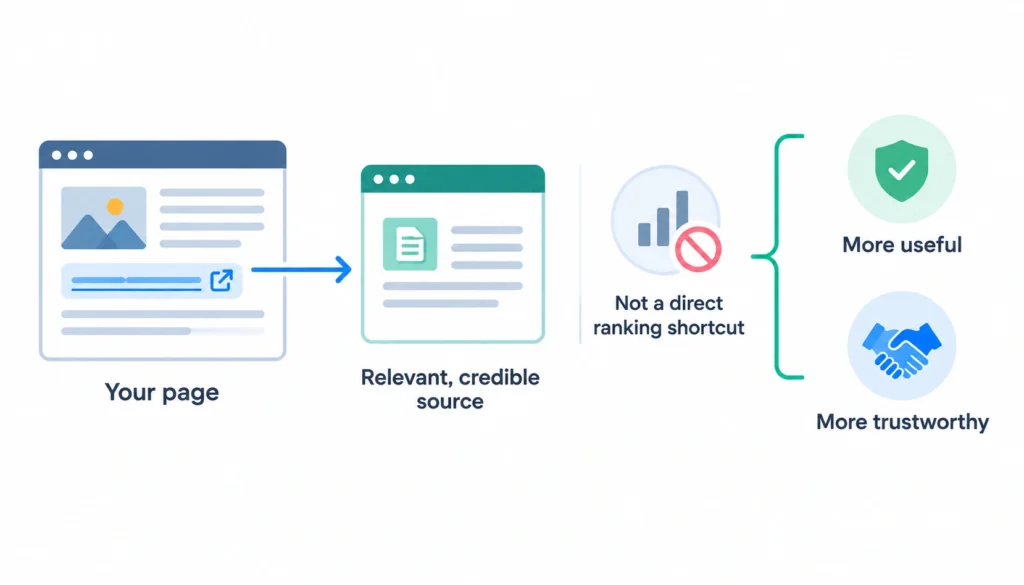
Short answer: Outbound links are not a direct ranking shortcut. They can still make a page more useful and trustworthy when they point to relevant, credible sources.
That difference matters, so let’s pull it apart. Four things get mixed up in most articles on this topic:
- Ranking impact: whether adding a link moves you up in results.
- User value: whether the reader finds the page more helpful.
- Trust: whether citations make your claims easier to believe and verify.
- Link spam risk: whether the way you link breaks Google’s rules.
Outbound links clearly help with the second and third. For the first, there’s no confirmed direct effect. The fourth is something you avoid, not something you gain from.
What Google says about external links
This is official guidance. Google’s documentation says to link to other sites when it makes sense, and that external links can help establish trustworthiness, especially when you cite sources. It also says there is no magical ideal number of links for a page.
Google also recommends descriptive, relevant anchor text. That helps readers and Google understand what the linked page is about.
In August 2023, Google’s John Mueller was asked on Reddit what happens if you link to a big site like Wikipedia. His answer, in short: nothing special. He suggested treating links like content, meaning you add them when they help your reader. You can read the original r/SEO thread yourself.
What outbound links can do
When they’re chosen well, outbound links:
- let readers check your claims instead of taking your word for it
- point to the original source of a statistic or finding
- give people a next step you don’t want to write yourself
- show how your topic connects to other sources and entities
- make your sourcing visible, which matters most on health, money, and legal topics
What outbound links don’t do
They don’t guarantee better rankings. Linking to a famous, high-authority site won’t lend you its authority. And a page packed with links to impressive domains is not a better page than one with three links that actually help.
Pros and Cons of Outbound Links for SEO
Here’s the honest picture. The pros are mostly about quality. The cons are mostly about carelessness.
1. Pros of outbound links
- They support factual claims. A statistic with a source is easier to trust than one without.
- They make the page more complete. You can’t cover everything. A good link fills the gap.
- They help readers dig deeper. People who want the full study can open it.
- They show responsible sourcing. Readers and editors can tell you did your homework.
- They add topical context. The pages you cite say something about what your page is about.
- They make your content more transparent. Readers see where your information came from.
2. Cons and risks of outbound links
- Broken links. A dead link makes your page look neglected.
- Irrelevant destinations. Links that don’t fit the topic confuse readers.
- Weak sources. If you cite a sketchy site, some of that reputation rubs off on you.
- Distraction. Every link is an exit. Too many, placed badly, pull people away mid-thought.
- Commercial links without proper labels. Paid links need rel=”sponsored”. Skipping it can break Google’s rules.
- Link spam patterns. Link swaps, bulk link selling, and forced anchor text can trigger penalties.
- Outdated information. A source that was right in 2019 may be wrong now.
3. Pros and cons at a glance
| Pros | Cons and risks |
| Back up claims with sources | Send readers away from your page |
| Add resources you didn’t write | Broken links hurt user experience |
| Support credibility | Weak sources hurt trust |
| Give context to claims and entities | Paid or exchanged links break Google’s rules if unlabeled |
| Let readers go deeper | Irrelevant links can look spammy |
When Should You Add an Outbound Link?
Add one when a reader would reasonably say, “I want to see that.” Here are the situations where it almost always makes sense.
Citing original research. If you mention a study, link to the study, not to a blog that summarized it.
Supporting a statistic. A number without a source is just a claim. Link to wherever the number came from.
Pointing to official documentation. If you explain how a tool works, link to its documentation so readers can confirm the details.
Giving a useful next step. A tax guide might link to the government’s filing portal. A recipe might link to a food-safety chart.
Explaining something outside your scope. If a concept needs a long detour, link to a good explainer and keep your article on track. For example, Wikipedia’s page on PageRank is a reasonable place to send curious readers.
When you shouldn’t add one
Skip the link when:
- it has no real benefit for the reader
- the source is weak or off-topic
- you’re adding it only because someone said “link out for SEO”
- it’s part of an agreed link exchange
If you’d feel odd explaining to a reader why the link is there, remove it.
How to Choose a High-Quality Outbound Link
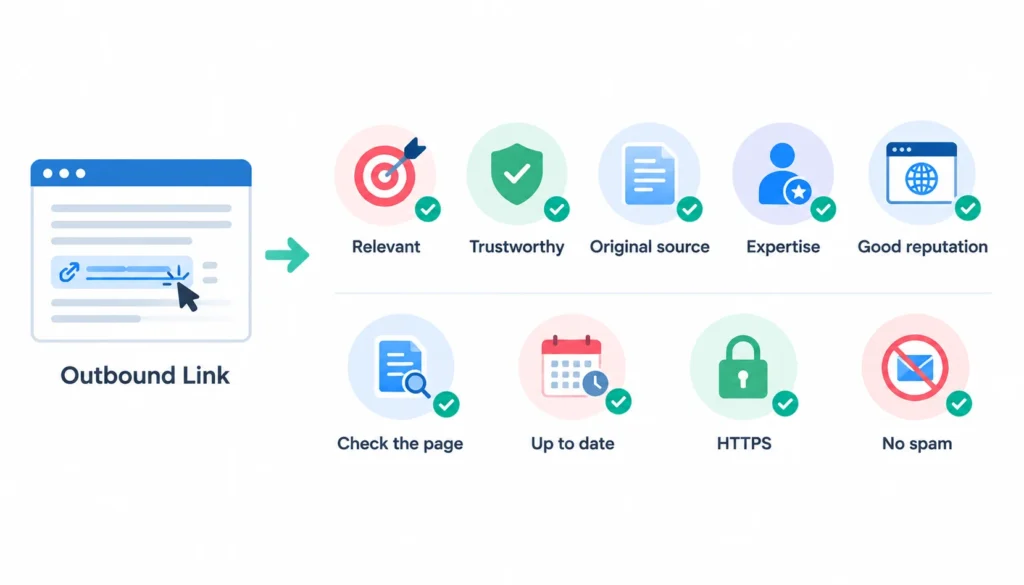
This is the part most guides skip, and it’s where an editor earns their keep. Before you link, run through these checks.
- Is it relevant? The page should match the exact point you’re making, not just the general topic.
- Is it the primary source? Prefer the original. A government report beats a news article about that report. A research paper beats a blog about the research. Google’s own documentation beats an SEO blog describing it.
- Does the author know the subject? Check who wrote it and what qualifies them.
- Is the site reputable? Look at how it presents itself, who runs it, and how it handles corrections.
- Is this specific page good? A strong domain can still host a weak page.
- Is it current? Check the date, especially for fast-moving topics.
- Does it load properly over HTTPS? If a browser warns about the site, don’t send readers there.
- Is it free of manipulative signals? Watch for pages stuffed with ads, thin copy, or unrelated links.
One warning. Don’t rely on a domain authority score as your only filter. Those scores are third-party metrics, not a quality verdict. A small specialist site can be the best source on a narrow topic.
10 Outbound Link Best Practices for SEO
These are practical recommendations for using outbound links well. Where a recommendation comes directly from Google, it is identified as such.
1. Link because it helps the reader
This is the rule the other nine rest on. Add an outbound link when it gives readers useful information, supports a claim, provides evidence, or helps them explore a topic in more depth.
Don’t add a link simply because you think an external link will improve rankings. If the link doesn’t provide a clear benefit to the reader, it probably doesn’t belong on the page.
2. Use descriptive anchor text
Google recommends anchor text that is descriptive, concise, and relevant. The words you link should give readers a reasonable idea of what they will find on the destination page.
Compare these:
- Weak: “click here”
- Better: “Google’s guide to qualifying outbound links”
Good anchor text tells people where they’re going before they click. It also gives search engines useful context about the relationship between the linking page and the destination.
3. Prefer original sources
When you’re supporting a claim, try to trace it back to the original source. For example, if several articles report a statistic from a government study, research paper, or industry report, link to the original document when possible.
It takes a few extra minutes, but it makes your content easier to verify and reduces the risk of repeating an inaccurate or outdated interpretation.
4. Link to relevant, trustworthy pages
Relevance should come first, followed by source quality. A highly relevant page from a smaller but credible website can be more useful than a loosely related page from a famous domain.
Before linking, consider whether the source is credible, current, factually sound, and directly related to the point you’re making. Don’t choose a destination simply because it has a high domain authority or other SEO metric.
5. Keep links in context
Place an outbound link where it naturally supports the surrounding content. If you’re making a specific claim, the supporting source should be close enough that readers can understand why you’ve linked to it.
Avoid filling the end of an article with a long list of unrelated external resources just to create more links. Contextual links are generally more useful because readers can understand their purpose immediately.
6. Don’t pile on links
There is no universal ideal number of outbound links for a page. What matters is whether the links serve a useful purpose.
Too many links can make an article difficult to read, especially when several appear in the same sentence or paragraph. If a paragraph contains five external links, ask whether all five are genuinely necessary. Keep the sources that add the most value and remove the rest.
7. Check links before publishing
Click every important outbound link before the page goes live. Check for spelling errors in URLs, redirects, missing pages, and destinations that no longer contain the information you intended to reference.
A link that looks correct in your CMS can still lead to a 404 page or an unrelated destination. A quick check before publishing can prevent avoidable user-experience problems.
8. Check them again after publishing
Outbound links can become outdated even when your original article is still accurate. Websites redesign their URLs, remove content, change domains, or stop publishing altogether. If you’re also managing the backlinks pointing to your own site, learning how to reclaim lost backlinks can help you recover valuable links after URL changes, content removals, or site migrations.
This is sometimes called link rot. Add external-link checks to your regular content maintenance process so you can find broken or outdated references and update them when necessary.
9. Label commercial and user-generated links
Not every outbound link represents a normal editorial recommendation. Google provides specific rel values for different types of links.
For example, paid or sponsored links should use rel=”sponsored”, while links added by users in comments or forums can use rel=”ugc”. rel=”nofollow” may also be appropriate when you don’t want to associate your site with a destination.
Use the appropriate attribute based on the relationship between your site and the linked page rather than adding nofollow to every external link automatically.
10. Fix or remove dead and outdated links
When you find a broken or outdated outbound link, first look for a suitable replacement. If the original source has moved, update the URL. If another credible source now provides the same information, link to that instead.
If no useful replacement exists, you don’t have to keep the link. Remove it and rewrite the sentence if necessary so the content still makes sense without the external reference.
The goal is not to preserve every outbound link forever. The goal is to keep the links on your website useful, relevant, accurate, and trustworthy.
How to Use Nofollow, Sponsored, and UGC Links
Most outbound links need no special attribute. A link you chose for editorial reasons should stay a normal link.
Google’s guidance on qualifying outbound links gives you three attributes for the exceptions:
| Situation | Attribute |
| Editorial link you stand behind | None (normal link) |
| Paid, advertised, or sponsored placement | rel=”sponsored” |
| Link in comments, forums, or other user content | rel=”ugc” |
| Link you don’t want to vouch for, with no better category | rel=”nofollow” |
Here’s what each looks like in code:
<!– Normal editorial link –>
<a href=”https://example.com/report”>annual report</a>
<!– Paid placement –>
<a href=”https://example.com/” rel=”sponsored”>partner site</a>
<!– Link posted by a commenter –>
<a href=”https://example.com/” rel=”ugc”>commenter’s site</a>
<!– A link you don’t want to endorse –>
<a href=”https://example.com/” rel=”nofollow”>example</a>
You can combine values. For instance, rel=”ugc nofollow” is valid, and Google supports multiple rel values on one link. For background on where the attribute came from, see Wikipedia’s page on nofollow.
Since 2020, Google treats these attributes as hints rather than strict commands, but you should still use the correct one.
A common mistake is nofollowing every outbound link “to be safe.” Mueller has said there’s no ranking benefit to that, and that normal links are part of how a regular website looks to Google. See Search Engine Journal’s write-up.
Outbound Link Examples: Good vs. Bad
Theory is easy. Here are ten situations you’ll actually run into.
1. Citing original research. Good: you write “a 2023 survey found 40% of readers skip long intros” and link to the survey itself. Bad: you link to a content farm article that mentions the survey in passing.
2. Citing government information. Good: a page about workplace safety links straight to the relevant agency page. Bad: the same page links to a third-party summary that may be outdated.
3. Linking to documentation. Good: a tutorial on setting up a plugin links to the plugin’s official docs for settings. Bad: it links to a forum thread from three years ago.
4. Linking to a competitor. It can make sense when the competitor has the best resource, such as a free industry report, and the link serves the reader. It doesn’t make sense when it’s a direct product pitch for a rival and you’re sending buyers away for nothing.
5. Affiliate links. A link that earns you a commission is a commercial link. Mark it rel=”sponsored” (Google’s guidance lists affiliate links under paid links) and disclose the relationship to readers.
6. Sponsored placement. Good: a paid mention carries rel=”sponsored” and a clear label. Bad: a paid link looks like a normal editorial link.
7. User-generated links. Good: links in blog comments carry rel=”ugc”. Bad: anyone can drop links in your comments and they all pass as editorial endorsements.
8. Low-quality external links. A link to a thin affiliate site or a page full of pop-ups should be removed. If you must reference it, use nofollow.
9. Broken outbound links. A “source” link returns a 404. The fix: search for the content at a new address, replace it with a better source, or delete the link and rewrite the sentence.
10. Overdone anchor text. Forced: “best cheap running shoes online store” pointing to a shop. Natural: “this retailer’s size guide.”
How Many Outbound Links Should You Have?
Short answer: There is no fixed number of outbound links that is ideal for SEO. Add external links when they help the reader or support a claim. Remove links that are irrelevant, broken, or added only to influence rankings.
Google says the same thing: there’s no magic number of links per page.
A better way to decide
For each link, ask:
- Does it add something the page can’t?
- Is it relevant to this exact point?
- Is it the best available source?
- Would a reader benefit from clicking?
If the answer is yes to all four, keep it.
Why “one link per 500 words” is a weak rule
Rules like this sound precise but have no support from Google. A 300-word news brief and a 5,000-word research guide have different needs. Link density is the same kind of idea as keyword density: easy to measure, not useful to chase.
Do Outbound Links Dilute PageRank?
This fear has a history. In the original PageRank model, a page passed a share of its value across its links, so more links meant smaller shares. Wikipedia has a good explanation of how PageRank works.
From that, SEOs concluded that outbound links “leak” value from your page. It’s an old worry, and Google’s guidance today doesn’t tell site owners to avoid linking out for that reason. It tells them to link when it makes sense for users.
What’s worth your attention instead:
- link quality and relevance
- manipulative linking, such as exchanges and paid links
- user experience
- labeling commercial links correctly
If you’re counting links to protect PageRank, you’re optimizing for the wrong thing.
Can Outbound Links Hurt SEO?
Yes, in specific cases. Normal, relevant editorial links are fine. The trouble comes from how some sites use them.
- Linking to spammy sites. It associates you with them and sends readers somewhere bad.
- Link schemes. Google’s spam policies list excessive link exchanges, and buying or selling links that pass ranking credit, as violations.
- Selling links without sponsored. Google’s link-tagging reminder explains why paid links need qualifying.
- Linking to irrelevant pages. It confuses readers and looks sloppy.
- Publishing masses of low-value external links. Think thin pages built around lists of links.
- Manipulative anchor text. Keyword-stuffed anchors read as engineered.
None of these come from ordinary linking. They come from linking for the wrong reasons.
How to Audit Outbound Links on Your Website
An audit keeps your links healthy. While outbound links need regular checks, the same principle applies to the links pointing to your own site. A practical backlink management process helps you track link status, anchor text, redirects, and other changes over time.
- Crawl your site. Use a crawler such as Screaming Frog, Semrush Site Audit, or SE Ranking’s Website Audit.
- Export all external links. You want a list of source page, destination URL, anchor text, and rel attributes.
- Find broken URLs. Filter for 404s and other error codes.
- Check redirects. If a link redirects, point it straight to the final URL.
- Review source quality. Open the destinations you don’t recognize.
- Review anchor text. Rewrite anything vague or stuffed.
- Check rel attributes. Make sure paid, affiliate, and user-generated links are labeled.
- Fix. Replace, update, or remove.
If you’re managing a larger link portfolio, backlink management tools can also help you track link status, monitor changes, and organize link data in one place.
Ahrefs can also help you spot which of your outbound links point to pages that have changed. Google Search Console is useful for your inbound links and site health, but it isn’t a full outbound-link audit tool.
What an audit looks like in practice
Here’s an illustrative example. Say you review a 2,000-word guide with 18 external links.
You find that three return 404 errors, two redirect through old URLs, and four go to blog summaries when the original study is available. One affiliate link has no rel attribute. And a handful of anchors say “read more.”
Your fixes: replace the 404s with working sources, update the redirects, swap the four summaries for primary sources, add rel=”sponsored” to the affiliate link, and rewrite the vague anchors. You end with 17 links, because one source wasn’t worth saving.
The count barely changed. The page got more reliable.
Should Outbound Links Open in a New Tab?
This is a user-experience choice, not an SEO tactic. Google doesn’t rank pages based on whether links open in a new tab.
Some sites open external links in a new tab so readers don’t lose their place. Others leave it alone because many people prefer to choose for themselves. Whatever you choose, be consistent. If you do use target=”_blank”, adding rel=”noopener” is a sensible habit, even though modern browsers apply it by default.
Outbound Links and E-E-A-T
E-E-A-T stands for experience, expertise, authoritativeness, and trustworthiness. It’s a framework Google’s quality raters use to judge content. It is not a score you can raise by adding links.
Citations support trust because they let readers verify what you say. This is most important on YMYL topics (your money or your life), such as medical, legal, and financial advice, where bad information can hurt people.
Experts should cite evidence too. A doctor who links to the clinical trial behind a claim is more convincing than one who just asserts it.
But outbound links alone don’t create E-E-A-T. A page with accurate content, real authorship, and honest sourcing builds it. The links are part of that, not a substitute.
Outbound Linking Checklist
Use this before you publish:
- The link is relevant to the exact point
- A reader would benefit from clicking
- The source is trustworthy
- It’s the primary source where possible
- The anchor text is descriptive
- The URL works and goes directly to the final page
- The right rel attribute is in place
- I’m not linking to influence rankings
- The link is on my review schedule
Frequently Asked Questions About Outbound Links
Do outbound links help SEO?
Not directly. They help by making your page more useful and credible when they cite relevant sources. Google hasn’t called them a ranking shortcut.
Are outbound links bad for SEO?
No. Relevant, well-chosen links are fine. Problems come from spammy destinations, link schemes, and unlabeled paid links.
How many outbound links should a page have?
There’s no ideal number. Google says there’s no magic count. Add what helps readers.
Should all outbound links be nofollow?
No. Use normal links for sources you stand behind. Use sponsored for paid links, ugc for user content, and nofollow when you don’t want to vouch for the destination.
Do outbound links pass PageRank?
Links can pass signals to the pages they point to, which is why paid and exchanged links are regulated. For your own pages, Google doesn’t advise avoiding links out of PageRank fears.
Should you link to competitors?
Sometimes. Link when the competitor’s page is truly the best resource for the reader, such as a free dataset. Don’t link to them just to be polite.
What is the difference between an outbound link and a backlink?
They’re the same link seen from two ends. It’s outbound for the site that places it and a backlink for the site that receives it.
What is an example of an outbound link?
A health blog linking to a government nutrition database is an outbound link.
Can too many external links hurt SEO?
They can make a page cluttered and spammy-looking if they’re irrelevant or excessive. There’s no confirmed limit, so judge by usefulness.
What makes a good outbound link?
It’s relevant, points to a credible primary source, uses descriptive anchor text, works properly, and has the right rel value.
Final Verdict: Should You Use Outbound Links for SEO?
Yes, use outbound links when they improve the page for readers. That’s the whole answer to the outbound links SEO question: pros, cons, best practices, and examples all point to it.
The pros come from citations and context. The cons come from careless or manipulative linking. Don’t chase a number or a ranking boost.
Instead of asking “how many outbound links should I add?”, ask “which external sources genuinely make this page better?” Link to those, check them regularly, and label the ones that need labels.