
At around ten clients, backlink tracking starts to hurt. Every client has a different spreadsheet, a different campaign, and a different report due date. A link goes missing in week two and nobody notices until the client asks why rankings dipped.
This guide shows how to track backlinks for multiple clients with one repeatable system. You’ll set up client projects, decide what to measure, handle lost links, pick tools, and report results without overselling them.
The short version: standardize the process, automate the routine checks, and have a person verify anything important before you report it.
What Is Backlink Tracking for Multiple Clients?
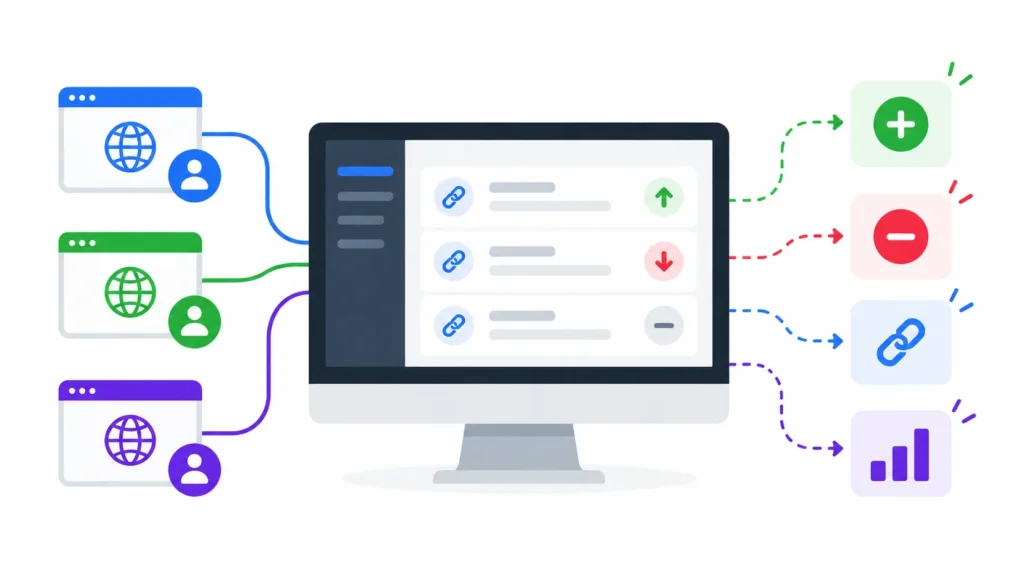
Backlink tracking for multiple clients means monitoring the links that point to several client websites from one organized system. That system can be a monitoring platform, a spreadsheet, or both. It helps you spot new and lost links, confirm that published placements are still live, and report results client by client.
A backlink is simply a link from one website to another. Search engines use links to discover pages and as one of many signals when judging them. Nobody outside Google can say exactly how much a single link is worth, so treat any claim of precise link value with caution.
Backlink tracking vs. backlink analysis
Tracking is ongoing. It answers the question “what changed since last week?”
For a broader overview of organizing, monitoring, and evaluating your link profile, read our guide to backlink management.
Analysis is periodic. It answers “is this link profile healthy, and what should we do next?” You need both, but they happen on different schedules. Tracking runs constantly (mostly by software), while analysis is a monthly or quarterly sit-down.
Why agencies need a shared system
When each link builder tracks their own clients in their own way, three things go wrong. Losses go unnoticed. Reports look different from client to client. And when someone leaves or goes on holiday, their tracking knowledge leaves with them.
A shared system fixes this. Everyone uses the same fields, the same alert rules, and the same report layout.
What Should You Track When Monitoring Client Backlinks?
Start with a short list of metrics. More data does not mean better decisions. Here is the set I’d track for every client:
| Metric | What it tells you | What to do with it |
| New backlinks | Links discovered since the last check | Verify important placements and log the date |
| Lost backlinks | Links that were found before and now aren’t | Recheck, then investigate the valuable ones |
| Referring domains | Number of distinct sites linking to the client | Watch growth and diversity, not only totals |
| Target URL | The page receiving the link | Confirm it points where you intended |
| Anchor text | The clickable words | Review the overall mix, not single links |
| Link attributes | nofollow, sponsored, ugc or none | Record them and flag unexpected changes |
| Source relevance | How closely the linking page fits the client’s topic | Prioritize relevant, editorial placements |
| Dates | First found, last checked, status changed | Keep all three, separately |
Two of these trip people up, so here is the plain-English version.
Total backlinks vs. referring domains. Fifty links from one site count as fifty backlinks but only one referring domain. For most clients, the number of different sites linking to them says more than the raw link count.
Link attributes. A nofollow attribute tells search engines not to treat the link as an endorsement in the usual way. Google also supports sponsored and ugc values. A nofollow link can still send visitors and help people discover your client, so record it rather than ignore it.
Build a priority watchlist
You can’t give every link the same attention. For each client, mark the links that matter most: a placement you paid real effort for, a link from a highly relevant publication, or a link pointing to a money page. Those go on a watchlist with tighter alerts and faster follow-up.
How to Track Backlinks for Multiple Clients Step by Step
Here is the full process in short form:
- Create a separate project for each client.
- Run a baseline backlink audit.
- Import existing backlink and outreach records.
- Set up automated monitoring.
- Configure alerts for important changes.
- Verify new and lost links.
- Assign investigation and recovery tasks.
- Generate client-specific reports.
- Review the results and refine the process.
Now the detail behind each step.
Step 1: Create a separate project for each client
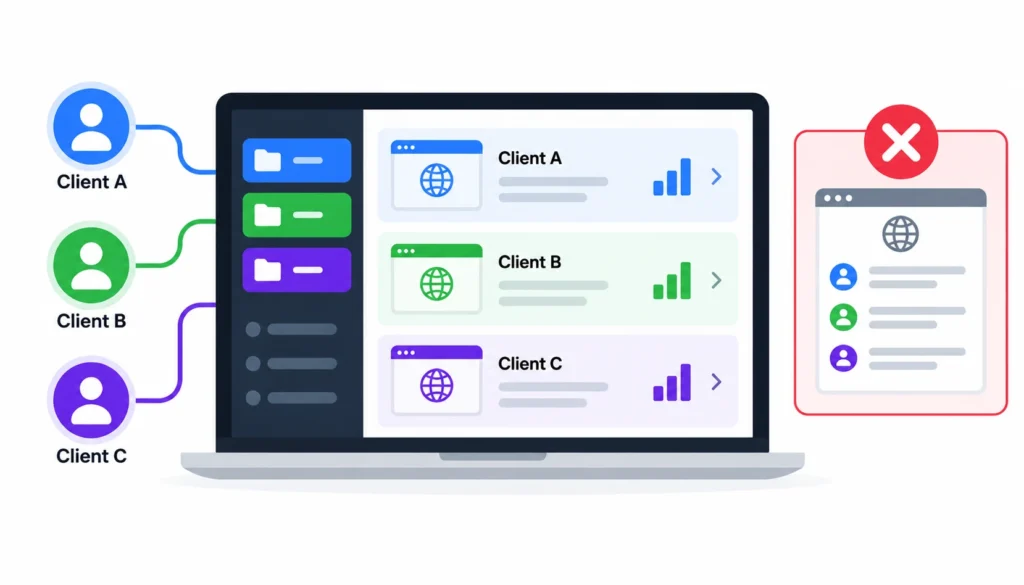
Give every client their own project, workspace, or tab, depending on your tools. Never pool several clients into one list and filter later. That is how data gets mixed up.
Use a naming pattern and stick to it. For example: ClientName | Domain | Campaign. When you have 40 projects, consistent names are the only thing that makes them searchable.
Keep access tight too. Only team members who work on a client should see that client’s data, and a client should never see another client’s.
Step 2: Run a baseline backlink audit
Before a campaign starts, take a snapshot of what exists. Export the current backlinks and referring domains, note the best existing links, and record the main anchor text patterns.
This baseline is what makes your later reports honest. Without it, you can’t show what changed because of your work and what was already there.
Step 3: Import existing backlink and outreach records
Monitoring tools find links on their own, but they don’t know your outreach history. Your records do. For each placement, log the publisher, the campaign, the target URL, the date the link went live, and the attributes you expect.
If you manage backlinks for SaaS clients, our guide to backlink management for SaaS websites explains how to organize link records, monitor important placements, and manage backlinks across different page types.
Match these records against the tool’s data. If a link you built never shows up in the tool, that is worth a manual check.
Step 4: Set up automated monitoring
Connect each client’s domain to your monitoring tool and add your watchlist links. Check how often the tool refreshes its data. Refresh speed varies by product and plan, and no tool sees every link on the web.
Because tools crawl differently, two platforms will often report different totals for the same site. That is normal. Pick one source of truth for reporting and stay consistent, so month-to-month comparisons mean something.
Step 5: Set alerts for important changes
Alert on what needs action, not on everything. A good starter set:
- A watchlist link is lost.
- A link’s target URL changes.
- A link’s attributes change (for example, a followed link turns nofollow).
- A large burst of new links appears suddenly.
Skip instant alerts for every ordinary new link. Those belong in a weekly digest. If your team gets pinged all day, people start ignoring the alerts that matter.
Step 6: Verify new and lost links
An alert is a lead, not a verdict. A tool may say a link is lost when the page was down for a day, the crawler was blocked, or the link moved lower on the page.
Before you act, open the page yourself. Check that the page loads, search the page source for the client’s domain, and look at where the link points. Then recheck a few days later if the first result was a failure.
Step 7: Assign tasks with owners and dates
Every confirmed issue needs a person and a due date. “Someone should email that publisher” never gets done.
A simple rule works: the link builder who placed the link owns the first follow-up, and the account manager owns client communication. Write down who does what, once, in your standard operating procedure.
Step 8: Generate client-specific reports
Filter by client and by reporting period, then build the report from the same template every time. The reporting section below covers what to include.
Step 9: Review and refine
Once a quarter, look back at what the alerts caught and what they missed. If a type of alert never leads to action, turn it off. If you keep finding problems manually that the tool missed, add a check for them.
Best Backlink Tracking Tools for Agencies Managing Multiple
Choosing the right backlink tracking tool depends on your agency’s client portfolio, link-building workflow, reporting requirements, and budget. Some platforms focus on outreach and link-building management, while others specialize in backlink discovery, monitoring, competitor analysis, or client reporting.
Before selecting a platform, evaluate whether it supports separate client projects, tracks new and lost backlinks, maintains historical data, provides automated alerts, and allows data exports or API integrations. If you deliver reports under your agency’s brand, consider white-label reporting and client access.
1. Linkcolab: Link-Building Outreach and Backlink Management
Linkcolab is a platform to consider when managing backlink acquisition and outreach activities across multiple clients. For SEO agencies, link building involves more than acquiring placements. Teams also need to organize outreach opportunities, manage publisher relationships, record completed placements, and coordinate follow-ups.
A structured link-building workflow helps agencies maintain visibility into which opportunities are being pursued, which placements have been completed, and which tasks still require attention. Organizing these activities by client and campaign can also make it easier to maintain consistent records as an agency’s portfolio grows.
When evaluating Linkcolab, consider how its available features fit your existing workflow. Review its client and campaign organization, outreach management capabilities, placement records, integrations, and reporting options.
It is also important to distinguish outreach management from automated backlink monitoring. Recording a completed placement does not automatically confirm that the backlink remains live. If you need ongoing detection of new and lost backlinks, verify Linkcolab’s current monitoring capabilities or consider integrating it with a dedicated backlink monitoring tool where supported.
Best for: Link-building agencies, outreach specialists, and teams looking to organize backlink acquisition activities.
What to check: Client management, campaign organization, outreach workflows, placement tracking, backlink verification, integrations, and reporting capabilities.
Explore the platform: Linkcolab
2. Ahrefs: Backlink Research and Monitoring
Ahrefs is widely used for backlink analysis, competitor research, referring-domain discovery, and identifying link-building opportunities. Its backlink analysis capabilities help agencies understand which websites link to their clients and how their backlink profiles change over time.
Agencies can use Ahrefs to investigate newly discovered backlinks, review lost links, examine referring domains, and identify competitors that attract links from relevant websites. Backlink alerts can also help users monitor changes without repeatedly checking every domain manually.
For agencies managing multiple clients, Ahrefs is worth considering when backlink research and competitor analysis are central to the SEO workflow. However, project limits, alert availability, historical data, and reporting capabilities depend on the current product offering and subscription plan.
Best for: Agencies that need detailed backlink research, competitor analysis, and link-building opportunities.
What to check: Project limits, alert frequency, data freshness, historical reporting, export allowances, and subscription restrictions.
3. Semrush: Backlink Analytics and Integrated SEO Tracking
Semrush combines backlink research with a broader set of SEO tools, making it useful for agencies that manage keyword rankings, competitor research, site audits, and link-building campaigns within one platform.
Its Backlink Analytics capabilities help agencies examine referring domains, anchor text, backlink attributes, and competitor link profiles. The Backlink Audit tool provides additional functionality for reviewing potentially problematic backlinks and investigating link-profile patterns.
For agencies managing multiple clients, this combination can simplify reporting because backlink information can be considered alongside other SEO metrics. Teams already using Semrush for keyword tracking and site audits may find it convenient to keep much of their SEO analysis within the same ecosystem.
However, backlink auditing and ongoing backlink monitoring are not identical. Agencies should verify which features provide ongoing alerts, which require manual reviews, and which are available under their selected subscription.
Best for: Agencies that want backlink analysis alongside broader SEO research and campaign management.
What to check: Project limits, backlink monitoring features, audit allowances, reporting options, integrations, and plan-specific restrictions.
4. SE Ranking: Backlink Monitoring for Agency Workflows
SE Ranking provides backlink analysis and monitoring capabilities within a broader SEO platform. It can help agencies review referring domains, inspect backlink profiles, identify changes, and evaluate link-building opportunities.
Its agency-oriented features make it worth considering for teams that manage multiple client websites and need to organize SEO projects alongside reporting activities.
Agencies should evaluate how its backlink monitoring fits into their existing processes. For example, determine whether the selected plan supports the required number of projects, how frequently backlink data is updated, and whether alerts and historical information meet client reporting requirements.
SE Ranking may be particularly useful when an agency wants backlink monitoring alongside keyword tracking, competitor analysis, and website auditing rather than maintaining separate tools for every SEO task.
Best for: Agencies seeking a combined SEO platform with backlink analysis and monitoring features.
What to check: Project allowances, backlink monitoring limits, alert functionality, reporting options, historical data, and white-label capabilities.
5. Moz Pro: Link Research and Tracking
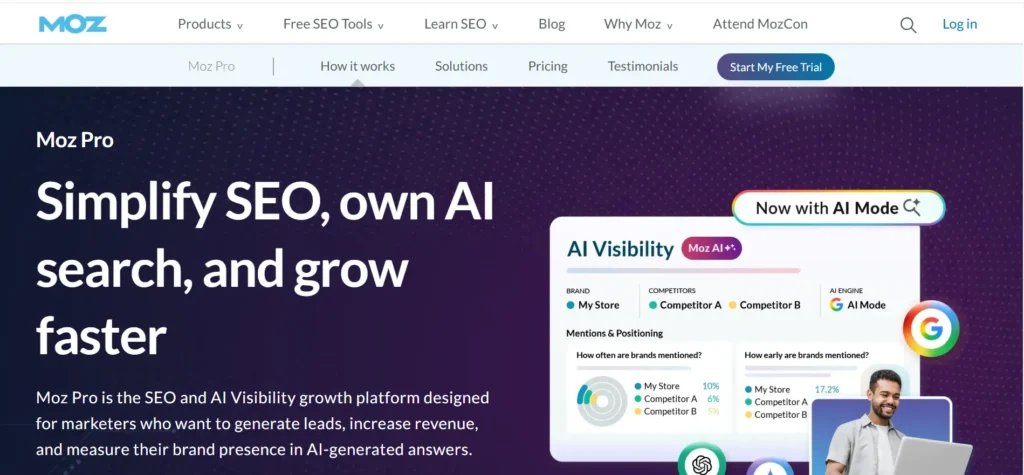
Moz Pro offers link research capabilities that help SEO professionals examine backlink profiles, referring domains, and link-related metrics. Its link analysis features can support competitor research and help agencies evaluate potential link-building opportunities.
For agencies that need to maintain visibility into selected important links, Moz’s link research and tracking capabilities may form part of a broader monitoring workflow.
However, agencies should distinguish between analyzing a backlink profile and continuously verifying every individual link placement. If your workflow requires frequent lost-link alerts or detailed monitoring across numerous client websites, confirm that the current product features and plan limits meet those requirements.
Best for: SEO teams that need backlink research and link-related analysis as part of their wider optimization process.
What to check: Link analysis features, monitoring capabilities, project limits, historical data, and reporting options.
6. Google Search Console: Free Backlink Data
Google Search Console is a free resource for reviewing information Google provides about a website’s search performance and links. Its Links report helps website owners examine reported external links, internally linked pages, and commonly used linking text.
For agencies, this data provides a useful reference point when working with verified client properties. It can help teams understand which pages Google reports as receiving external links and identify pages that attract links.
However, Google Search Console is not a complete backlink monitoring solution for multi-client agencies. Its Links report is not a comprehensive, continuously updated inventory of every backlink, and it does not provide the same dedicated individual-link monitoring and competitor research workflows offered by specialized backlink platforms.
Best for: Agencies that need free, Google-provided link data for client websites they are authorized to access.
What to check: Property verification, report limitations, available data, and the need for a separate tool to monitor individual backlink changes.
7. Google Sheets: Lightweight Backlink Tracking
Google Sheets can be a practical starting point for freelancers, smaller agencies, and link-building teams that want to maintain an organized record of published placements.
A spreadsheet can store client names, referring domains, source URLs, target URLs, anchor text, link attributes, acquisition dates, verification dates, current status, and follow-up tasks. Filters allow the team to separate records by client, campaign, status, or responsible team member.
The main limitation is that Google Sheets does not independently discover backlinks or verify their status. Those tasks require manual checks, data imports, scripts, or integrations with external tools.
Best for: Freelancers and smaller agencies that need a low-cost way to organize backlink placements and follow-up activities.
What to check: Data consistency, duplicate records, access permissions, verification dates, automated imports, and maintenance requirements.
8. AgencyAnalytics: Client Reporting and White-Label Dashboards
AgencyAnalytics focuses on consolidating marketing performance information into client-facing dashboards and reports. For SEO agencies, reporting platforms can reduce the work involved in presenting data from multiple tools in a consistent format.
A reporting platform may help teams bring backlink metrics together with other SEO indicators, such as keyword rankings, organic traffic, and website performance. White-label reporting can also help agencies maintain their own branding when delivering recurring reports to clients.
However, reporting platforms and backlink monitoring tools serve different roles. A reporting dashboard typically depends on connected data sources to supply backlink information. Its ability to display new or lost backlinks depends on the available integration and the data provided by that integration.
Best for: Agencies that need branded client reports and consolidated SEO dashboards.
What to check: Supported integrations, backlink data availability, report scheduling, white-label options, client access, and subscription limits.
How to Choose the Right Backlink Tracking Tool
The best setup depends on what you need to accomplish. An outreach platform can help organize link-building activities, a backlink research platform can help discover and analyze links, a monitoring tool can identify changes over time, and a reporting platform can present the results to clients.
Some products combine several functions, while others specialize in one part of the workflow.
Before committing to a subscription, test the tool with a representative client account. Check how it records new and lost backlinks, whether it retains useful historical data, how frequently its data is refreshed, and how easily you can export information for reporting.
If you manage several client websites, also consider user permissions, project limits, data separation, and the cost of adding more accounts. A platform that works well for five clients may not remain the most efficient choice for fifty.
Ultimately, the goal is not simply to collect backlink metrics. It is to establish a reliable process for identifying important changes, verifying link status, assigning follow-up actions, and explaining results clearly to each client.
Spreadsheet or software?
| Situation | Spreadsheet | Dedicated software |
| Few clients, few active campaigns | Usually enough | Often more than you need |
| Automatic discovery of new links | Manual work | Built in, depending on the tool |
| Lost-link alerts | Manual checks or custom scripts | Often built in |
| Many team members | Needs careful coordination | Easier with user roles |
| Branded client reports | Manual formatting | Often available |
| Cost | Low software cost, high time cost | Subscription cost, less manual time |
A spreadsheet is a fine start. Move to software when you spend more hours updating the sheet than acting on what’s in it, or when you miss a lost link that you should have caught.
Estimate the real cost per client
Use a simple formula:
Monthly cost per client = share of software cost + API or usage fees + staff time + reporting and upkeep time.
Staff time is the number people forget. If a client’s tracking takes three hours a month by hand and a tool cuts that to one, the subscription may pay for itself quickly. Run your own numbers rather than trusting anyone’s generic estimate.
How to Monitor Lost Backlinks and Recover Valuable Links
Links disappear for ordinary reasons. The publisher updates or deletes the article. The site migrates and changes its URLs. An editor trims the link during a rewrite. Sometimes the page is simply down when the crawler visits.
1. Confirm the loss first
Work through these checks in order:
- Does the source page still load?
- Is the client’s link still on the page?
- Does it still point to the right URL, or does it redirect?
- Did the attributes change?
- If the page failed to load, recheck in a few days.
Only after this should you call it a confirmed loss.
2. Decide which losses deserve effort
Not every lost link is worth chasing. Weigh the relevance of the source, how prominent the placement was, how important the target page is, and whether the link sent real visitors. A lost link from a niche industry publication pointing to a key service page beats a lost link from a generic directory.
3. Reclaim the link
For a valuable loss, find the right contact, explain what happened, and ask politely for the link to be restored. If the page moved, offer the new URL. If the client’s own page was removed or redirected badly, the fix may be on your side. Log the outcome and recheck the link after the publisher responds.
For a more detailed recovery process, follow our guide on how to reclaim lost backlinks, including how to prioritize missing links and track recovery efforts.
A lost link does not automatically mean a ranking drop, so keep the client message calm and factual.
How to Evaluate Backlink Quality Across Multiple Clients
Quality is a judgment call, and tools only help with the first pass.
Look at the linking page itself. Is it relevant to your client’s topic? Is the link part of real content, or is it dumped into a list of unrelated links? Does the site look like something a real audience reads?
Watch for patterns that warrant a closer look: many links from unrelated sites, repeated exact-match anchors, or sudden spikes of links from low-quality pages. Google’s spam policies describe what it treats as link spam, and they are worth reading before you make quality calls.
Be careful with scores and disavowing
Authority scores such as Domain Rating or Domain Authority are third-party estimates. Google does not use them. Toxicity scores are also vendor-made. Treat them as a way to sort a list, not as proof that a link hurts anyone.
Google’s disavow tool exists for specific situations, such as a manual action related to unnatural links. It is not meant for routine cleanup. Many low-authority links are harmless, so verify by hand before you recommend a disavow.
How to Automate Backlink Tracking Across Multiple Clients
Automation should remove busywork, not judgment. Good candidates:
- Scheduled link discovery and status checks by your monitoring tool.
- Alert rules per client, with stricter rules for watchlist links.
- Weekly digests of new and lost links.
- Scheduled exports into a central sheet or database, if your tools support it.
- Tasks created automatically from confirmed issues, with an owner and due date.
If you use APIs or scheduled imports, plan for messy data. Give every link a consistent ID, store timestamps, and remove duplicates when you import. Otherwise the same link appears three times and your report numbers drift.
Not every tool offers an API, webhooks, or integrations, so confirm what your plan includes before building a workflow around it.
How to Create a Backlink Tracking Spreadsheet for Multiple Clients
If you’re starting with a spreadsheet, build one master tab with one row per link and a Client column, then filter by client. Or give each client a tab with identical columns. Either way, keep the columns the same.
These columns cover most needs:
| Client | Referring domain | Referring page | Target URL | Anchor text | Attributes | Status | First found | Last checked | Priority | Owner | Next action |
| Client A | example-publisher.com | /guide/ | /service-page/ | example anchor | Followed | Active | 2026-09-02 | 2026-10-20 | High | Maya | Keep monitoring |
| Client B | industry-blog.com | /roundup/ | /product-page/ | example anchor | Followed | Needs verification | 2026-08-14 | 2026-10-19 | Medium | Sam | Recheck source page |
These rows are examples, not real records.
A few habits keep the sheet useful:
- Never overwrite a status without recording the change. Add a note or a history tab.
- Use dropdowns for Status and Priority so the values stay consistent.
- Add filters for client, status, owner, and last-checked date.
When you notice you’re spending more time maintaining the sheet than reading it, it’s time to move to software.
How to Create Monthly Backlink Reports for Clients
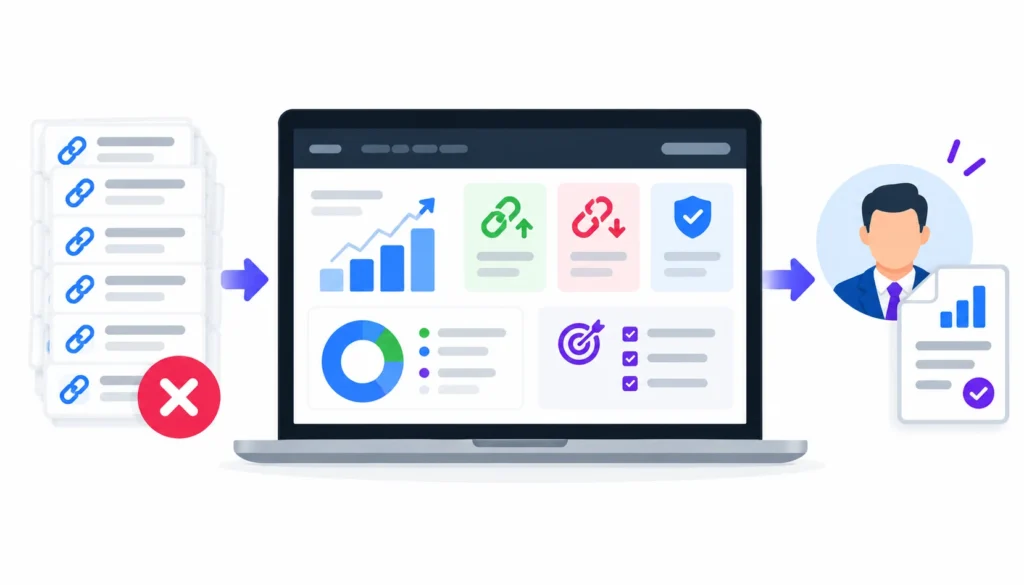
Clients don’t want a list of 400 links. They want to know what you did, what held, what was lost, and what happens next.
A solid monthly report has these parts:
- Reporting period and a short summary in plain language.
- New backlinks and new referring domains.
- Lost links, what you found, and what you did about them.
- Status of priority links.
- Quality notes on the links you built.
- Organic traffic and ranking trends, shown separately.
- Work completed.
- Open issues.
- Priorities for next month.
Keep link activity and SEO results in separate sections. Rankings and traffic move for many reasons, including content changes, seasonality, and algorithm updates. If both go up in the same month, you can say they happened together. Claiming one caused the other is something you usually can’t prove.
If you’re using white-label reports, keep the layout identical across clients and change only the data.
How Often Should You Track Backlinks for Each Client?
Use this as a starting point and adjust it for each client:
| Activity | Suggested frequency |
| Alerts on watchlist links | Automatic, as often as your tool checks |
| Review of new and lost links | Weekly |
| Investigating lost links | Weekly, sooner for priority links |
| Backlink profile and quality review | Monthly |
| Competitor link comparison | Monthly or quarterly |
| Client report | Monthly, or as agreed |
| Process review | Quarterly |
These are suggestions, not rules. A client in a competitive market or running an active campaign may need closer attention. A quiet site with few changes may need less.
Common Backlink Tracking Mistakes Agencies Should Avoid
Counting links instead of domains. Total backlinks can rise while referring domains stay flat. Look at both.
Treating every missing link as lost. Recheck before you report or email a publisher.
Relying on one authority score. Read the linking page.
Mixing client data. Separate projects and permissions prevent embarrassing mistakes.
Skipping dates. Without first-found and last-checked dates, you can’t tell a new link from an old one or a fresh failure from a long-standing one.
Assuming every link moves rankings. Some will, some won’t, and most results have several causes.
Disavowing too fast. Unnecessary disavow files can remove links that were helping.
Sending data without explanation. A report that doesn’t say what the numbers mean leaves clients guessing.
Frequently Asked Questions
How do you track backlinks for multiple websites?
Create a separate project for each site, take a baseline, turn on automated monitoring with alerts, verify changes by hand, and report on a fixed schedule. A shared template keeps every client consistent.
What is the best backlink monitoring tool for agencies?
It depends on how many clients you manage, how fresh you need the data to be, and whether you need white-label reports. Compare two or three tools against the same checklist and test them on a real client.
Can I monitor backlinks for multiple clients from one dashboard?
Yes, several agency-focused platforms support multiple client projects. Project limits and features differ by plan, so check before you buy.
How often should agencies check backlinks?
Let software check automatically, review changes weekly, and run a deeper audit monthly.
How do you know if a backlink has been removed?
Open the source page, look for the link in the page source, and check where it points. If the page didn’t load, try again in a few days.
Is Google Search Console enough for backlink monitoring?
It’s useful for sites you’ve verified, but it isn’t designed for multi-client monitoring, lost-link tracking, or competitor research. Most agencies use it alongside a dedicated tool.
How can I track backlinks without paying for software?
Combine Search Console data with a spreadsheet and regular manual checks of your placements. It works for small portfolios, but it takes time and won’t catch everything.
How do you report backlinks to clients?
Show new links and domains, retained and lost links, actions taken, and SEO performance in a separate section. Explain what the numbers mean in plain language.
Can backlink tracking be automated?
Much of it can. Discovery, status checks, alerts, and report generation are commonly automated. Verification and outreach still need a person.
What should an agency do when a valuable backlink disappears?
Confirm it’s gone, work out why, contact the publisher if it’s worth recovering, record the result, and recheck later.
Final Thoughts
Learning how to track backlinks for multiple clients comes down to a handful of habits. Keep each client in a separate project. Take a baseline. Automate discovery and alerts. Verify before you act. Give every issue an owner. Report in plain language.
Start with the workflow, even if it lives in a spreadsheet at first. Add software and automation as your client list grows. The aim is simple: know what happened to every important link, and be able to explain it to the client.