
Most people searching for backlink management tools want one thing: software that tells them who links to their site, what changed, and what to do about it.
The trouble is that “backlink management” means different things to different vendors. Some tools are giant SEO suites. Some only send alerts. Some are outreach CRMs. Some, oddly, are URL shorteners.
So the useful question isn’t “which tool is best?” It’s “which job do I need done?” This guide helps you answer that first, then compares the main options, then gives you a workflow you can start using this week.
The Main Tools, Briefly
1. LinkColab
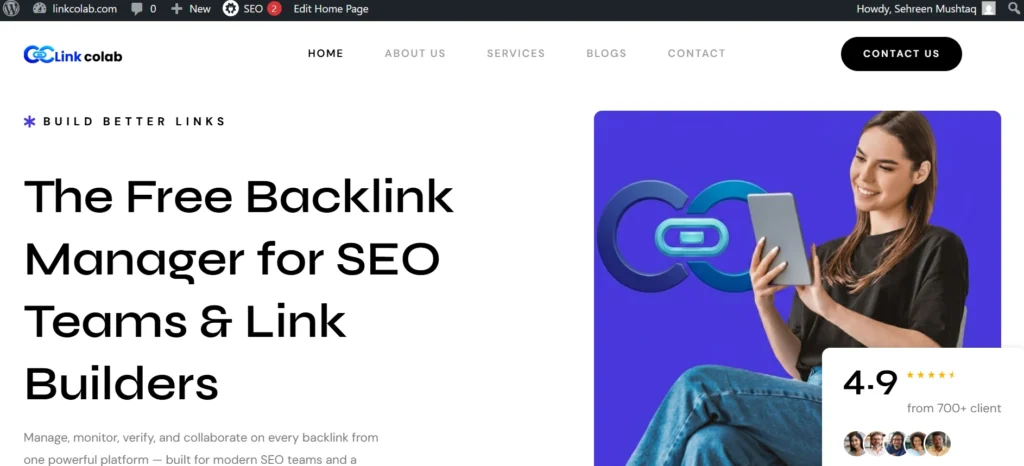
LinkColab is focused specifically on backlink management and monitoring rather than trying to serve as a complete SEO suite. It can help you organize acquired backlinks, monitor whether links remain active, and keep track of important link details in one place.
This makes it particularly useful after the link-building stage, when the challenge shifts from finding opportunities to maintaining and managing the links you’ve already earned.
A backlink management workflow can become difficult to maintain when you’re working across multiple websites, campaigns, link partners, or clients. LinkColab is designed to centralize that information and reduce the need for manually maintained spreadsheets.
Its monitoring features can help identify changes to existing backlinks, while link-quality checks provide additional information for reviewing the links in your portfolio. The platform also supports collaboration, which can be useful for agencies and teams where several people are involved in link building and backlink management.
The main distinction is that LinkColab complements tools such as Ahrefs and Semrush rather than serving exactly the same purpose. Ahrefs and Semrush are particularly useful for discovering backlinks, researching competitors, and analyzing large link datasets.
LinkColab is more focused on managing the backlinks you’ve acquired and keeping track of their status over time. That makes it a practical option for teams that already have a link-building process but need a more organized way to monitor and manage the resulting backlink portfolio.
2. Ahrefs
Ahrefs is well known for backlink research, competitor analysis, and site-audit style reports. It works particularly well when you need to dig into a competitor’s backlink profile, identify referring domains, or study a large number of links.
Because it combines a large amount of data with many SEO features, it can feel overwhelming if you’re new to SEO. Ahrefs also offers a free webmaster product for verified site owners, giving you access to basic information about your own site’s SEO and backlinks.
3. Semrush
Semrush combines backlink features such as Backlink Analytics, Backlink Gap, and Backlink Audit with keyword research, content, technical SEO, and other marketing tools. That makes it useful if you want to manage several parts of your SEO workflow from one platform rather than paying for multiple specialized tools. The trade-off is that if backlinks are your only concern, you may be paying for features you rarely use.
4. Ubersuggest
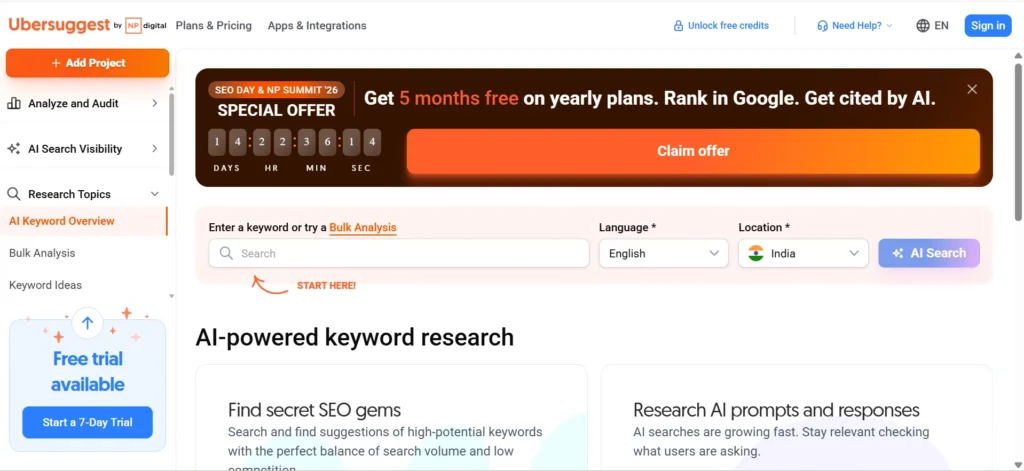
Ubersuggest is a more approachable and budget-friendly option for basic backlink research. It can help you discover backlinks, review referring domains, and perform simple competitor checks without the learning curve of some larger platforms. For a small website, freelancer, or first SEO project, that level of data may be enough. However, larger websites and teams doing detailed backlink audits may eventually need a more advanced database and deeper filtering options.
5. Moz Link Explorer
Moz Link Explorer is focused on backlink discovery and analysis and is closely associated with Moz’s Domain Authority (DA) metric. You can use it to examine links pointing to your site or competitors and review Moz’s proprietary link metrics. These scores can be useful for comparing domains within the same workflow, but they should be treated as supporting signals rather than a standalone measure of backlink quality.
6. Majestic
Majestic specializes heavily in link intelligence rather than trying to be a complete SEO suite. It is particularly known for metrics such as Trust Flow and Citation Flow, along with tools for exploring link relationships and backlink profiles. This makes it a useful option for SEOs who want to focus specifically on link data, link graphs, and the authority signals within a backlink profile.
7. SEOptimer
SEOptimer puts more emphasis on SEO reporting and easy-to-understand presentation. This can be useful for agencies and consultants that need to turn backlink and SEO findings into clean, client-ready reports. It provides backlink research and monitoring capabilities, but it is generally more focused on practical reporting and audits than on the depth of raw link research offered by larger specialist platforms.
8. Linkody and Monitor Backlinks
Linkody and Monitor Backlinks are more focused on backlink monitoring than on being full SEO suites. They can alert you when backlinks are gained or lost, making them useful when your main concern is keeping track of changes in your existing link profile. For a business that mainly wants to know when an important backlink disappears, a dedicated monitoring platform can be simpler than paying for a large SEO suite. Linkody also integrates with Google Search Console, which can help bring additional first-party search data into the workflow.
9. SEO PowerSuite
SEO PowerSuite takes a different approach because it is primarily desktop-based software. Its SEO SpyGlass tool focuses on backlink analysis, while LinkAssistant supports link prospecting and outreach management. This setup can appeal to SEO professionals and agencies that prefer working with locally installed software and want more control over their data and workflow rather than relying entirely on a browser-based platform.
10. Pitchbox and BuzzStream
Pitchbox and BuzzStream are primarily outreach and relationship-management tools rather than complete backlink databases. They help teams find relevant prospects, organize contact information, manage outreach campaigns, and track communication. They are useful once you’ve identified websites you want to approach, but they generally work best alongside a backlink research platform rather than replacing one.
11. Local SEO Options
If your SEO work focuses heavily on local businesses, Whitespark is worth considering. It is particularly useful for citation research, local search opportunities, and discovering relevant local links. Local SEO often involves a different mix of directories, citations, local organizations, and geographically relevant websites, so a tool designed around those workflows can complement a general backlink platform.
What Are Backlink Management Tools?
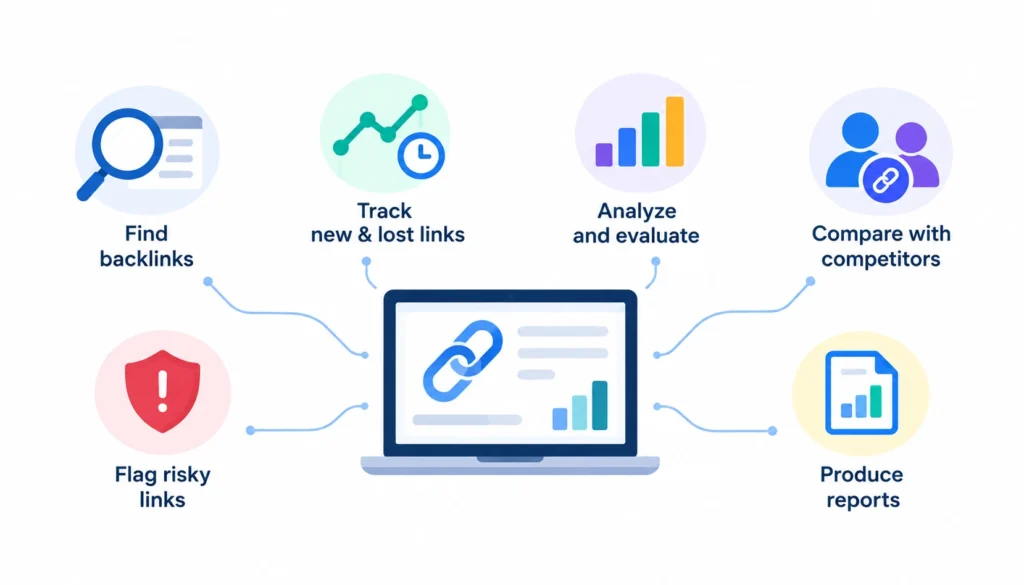
A backlink management tool is SEO software that helps you find, track, analyze and evaluate the links pointing to your website. Depending on the product, it may also alert you to new and lost links, compare your profile with competitors, flag risky links, and produce reports.
A backlink is simply a link from another site to yours. Search engines have used links as a ranking signal since the early days, most famously through PageRank. That is why people bother tracking them.
1. Backlink management vs. backlink monitoring
Monitoring tells you what changed. Management is deciding what to do about it.
A tool that emails you when a link disappears is a monitoring tool. It becomes part of management when you can review the link, judge whether it matters, assign a follow-up, and confirm the fix later.
2. Backlink management vs. backlink analysis
Analysis is a snapshot. You look at a domain’s links, anchor text and referring domains at a point in time, often to study a competitor.
Management is ongoing. You come back to the same profile every week or month and act on what you see.
3. Backlink management vs. link building
Link building is the work of earning new links. Backlink management is keeping track of the links you already have, and the ones you’re trying to get. Outreach tools like Pitchbox and BuzzStream sit closer to link building. Your link building plan and your management tool should feed each other, but they aren’t the same product.
4. Backlink management vs. URL link management
This one trips people up. Tools like Bitly and Rebrandly manage short links, branded links, redirects and campaign tracking. They don’t tell you who links to you. If your goal is SEO, ignore them. If you also run paid or email campaigns, you might need one of each.
| Function | Monitoring | Analysis | Management |
| Track new and lost links | Yes | Yes | Yes |
| Compare competitors | Limited | Yes | Yes |
| Judge link quality | Limited | Yes | Yes |
| Take action on findings | Limited | Limited | Yes |
| Outreach workflow | No | Sometimes | Sometimes |
| Reporting | Yes | Yes | Yes |
Best Backlink Management Tools at a Glance
Pricing changes often, so I’ve left prices out. Check each vendor’s pricing page and note the date you checked before you decide.
| Tool | Best for | Monitoring | Competitor analysis | Outreach |
| Ahrefs | Deep backlink research | Yes | Yes | No |
| Semrush | All-in-one SEO work | Yes | Yes | Some |
| Ubersuggest | Beginners and small budgets | Basic | Yes | No |
| Moz Link Explorer | Link metrics and discovery | Yes | Yes | No |
| Majestic | Link-focused research | Yes | Yes | No |
| SEOptimer | Agency-style reporting | Some | Yes | No |
| Linkody | Simple monitoring | Yes | Limited | No |
| Monitor Backlinks | Straightforward monitoring | Yes | Yes | No |
| SEO PowerSuite | Desktop-based workflows | Yes | Yes | Yes |
| Pitchbox | Outreach at scale | No | No | Yes |
| BuzzStream | Digital PR and outreach | No | No | Yes |
The “Yes/No” values are general product positioning, not a feature-by-feature audit. Confirm details on each vendor’s site before buying.
What Should a Backlink Management Tool Do?
Here is the checklist I’d use before paying for anything. A solid tool should:
- Discover the backlinks pointing to your site.
- Show new and lost links over time.
- Group links by referring domain.
- Break down anchor text.
- Give you signals for judging link quality.
- Compare your profile with competitors.
- Find broken backlinks (links that point to pages returning errors).
- Flag links that look risky or spammy.
- Let you organize opportunities and follow-ups.
- Report changes in a way you can share.
No single tool is best at all ten. Decide which three or four you truly need and weight your choice toward those.
Backlink Management Tools vs. General Link Management Tools
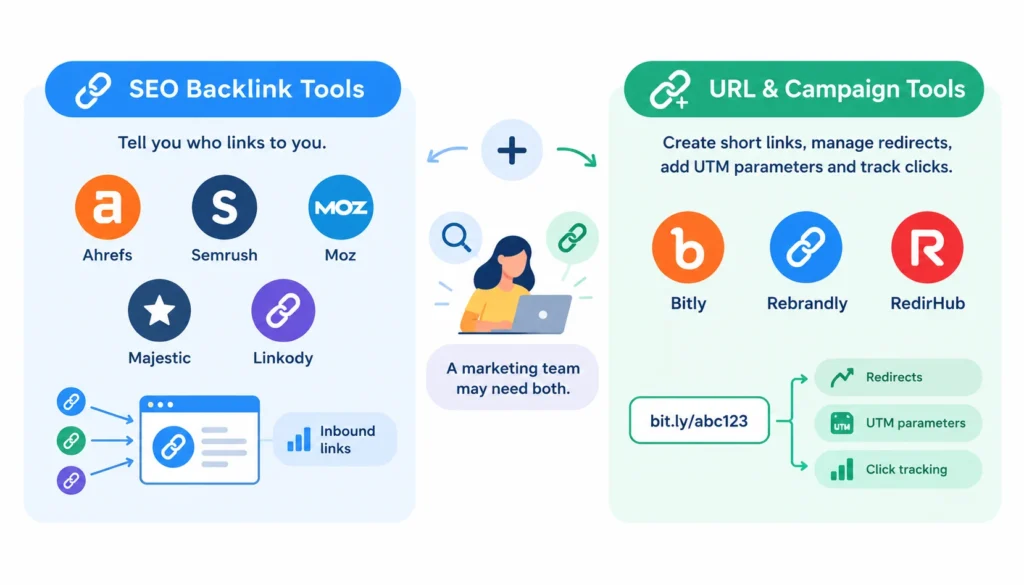
Two different product categories show up under the same search term.
SEO backlink tools (Ahrefs, Semrush, Moz, Majestic, Linkody) tell you who links to you.
URL and campaign tools (Bitly, Rebrandly, RedirHub) create short links, manage redirects, add UTM parameters and track clicks.
A marketing team may need both. The SEO tool watches your inbound links. The URL tool tidies the links you send out in emails, ads and social posts. Just don’t buy one expecting the other’s features.
How to Choose the Right Backlink Management Tool
Start with the job, not the brand.
| If you need to… | Look for… |
| Catch lost links | Alerts and historical data |
| Study competitors | A backlink gap or link intersect report |
| Audit a large site | A big index, good filters and exports |
| Run outreach | Prospecting plus a CRM |
| Serve clients | Multiple projects and shareable reports |
| Stay on a tight budget | Affordable monitoring or a free tier |
| Judge link quality | More than one quality signal |
| Track campaign URLs | URL and UTM management |
Then run this short process:
- Write down your main use case in one sentence.
- Shortlist two or three tools built for it.
- Compare data freshness and history.
- Check alerts, exports, integrations and reporting.
- Count your domains and team members, since many plans limit both.
- Add up the real monthly cost.
- Run a trial on your own site before committing.
Step 7 matters most. Load a site you know well and see whether the tool finds the links you already know exist.
Why Backlink Tools Show Different Numbers
Look up the same domain in three tools and you’ll get three different link counts. That’s normal.
Each tool runs its own crawler. They crawl at different speeds, cover different parts of the web, keep history for different lengths of time, and handle duplicates and redirects in their own ways. Some hide links they consider junk. Others show everything.
That leads to a few practical rules:
- Don’t judge a tool by its headline backlink count.
- Compare tools on the same site, on the same day.
- Pay attention to freshness. A tool that reports a link that vanished months ago isn’t helping.
- Use one tool consistently for trend tracking. Switching tools mid-year makes your charts meaningless.
Also be careful with marketing claims like “largest database” or “most accurate.” Unless the vendor explains how it measured that, treat it as a sales line, not a fact.
Which Backlink Metrics Should You Watch?
You don’t need every number. These are the ones I’d check regularly:
- Referring domains. The count of unique sites linking to you. This usually says more than raw backlink totals, because fifty links from one site aren’t fifty votes.
- New and lost backlinks. Your trend line.
- Anchor text. What the linking text says. An unnatural pile of exact-match anchors can look manipulated.
- Follow and nofollow attributes. Google supports rel values like nofollow, sponsored and ugc, explained in its documentation. See also the Nofollow overview.
- Relevance of the linking page. A link from a page on your topic beats a random one.
- Traffic to the linking page. A rough sign the page is real and read.
Proprietary scores are not Google’s scores
Domain Authority, Authority Score, Trust Flow and similar numbers are each vendor’s own estimate. Google doesn’t use them. They’re handy for sorting a long list, but a high score doesn’t make a link good, and a low score doesn’t make it bad.
When a link matters, open the page and look. Is it editorial? Does it make sense in context? Would a real reader click it?
How to Use Backlink Management Tools Step by Step
- Set a baseline. Export your current referring domains and top linked pages. Save the file with today’s date.
- Watch new links. Skim them weekly. Note which pages attract links and why.
- Investigate lost links. Don’t react to every one. Check first whether the loss is real.
- Review your best referring domains. Know who your top linkers are and which pages they link to.
- Check competitor gaps. Find sites linking to competitors but not to you.
- Reclaim the links worth reclaiming. Details below.
- Review suspicious links. Look for patterns, not single odd links.
- Report changes. Monthly is enough for most teams.
A realistic example
Say you open your tool and see 500 lost backlinks. Contacting 500 publishers would waste weeks.
Instead, filter the list. Keep links from relevant sites, pointing to pages that matter to your business, on pages that still get traffic. That might leave you with 30. Now sort by loss reason. A few will be pages you moved without a redirect, which you can fix yourself in an afternoon. A few will be removed edits that need a polite email. The rest, you leave alone.
How to Monitor and Reclaim Lost Backlinks
- Find the loss. Use your tool’s lost-links report.
- Confirm it’s real. Visit the linking page. Tools sometimes report a link as lost when the page was temporarily down or restructured.
- Find the cause. Common reasons: the linking page was deleted, the link was edited out, or your own page now returns a 404 or redirects poorly.
- Fix what’s on your side. If your URL changed, add a 301 redirect to the closest matching page. Restore accidentally deleted pages.
- Contact the publisher when it’s worth it. Keep it short and specific. Tell them what changed and where the page lives now.
- Verify recovery. Check again after the tool’s next crawl.
Free Backlink Management Tools and Workflows
You can get a long way without paying.
Google Search Console has a Links report showing top linking sites, top linked pages and common anchor text for a site you’ve verified. It’s free and comes straight from Google. It doesn’t give you competitor data, and it isn’t built to be a complete list of every link, so don’t expect it to match a paid database.
Free tiers and free tools. Several commercial vendors offer limited free access, often for your own verified site. Limits change, so check current terms.
A spreadsheet. For a small site, a sheet with columns for linking URL, target URL, date found, status and notes works fine.
Free is enough when you have one site, a small link profile and no competitor research needs. Move to paid software when you manage several sites, need alerts you can rely on, or want to study competitors regularly.
Best Backlink Management Tools by User Type
- Solo SEOs usually want one all-around platform, or a cheaper analysis tool plus Search Console.
- Small businesses do well with simple monitoring and a short checklist. Skip enterprise suites.
- Agencies need multiple projects, exports and reports they can show clients.
- In-house teams benefit from shared access, integrations and history that survives staff changes.
- Enterprise teams should test data limits, API access and export volume before signing.
Best Backlink Management Tools by Use Case
- Monitoring: Linkody and Monitor Backlinks are built for it.
- Analysis and competitor research: Ahrefs, Semrush, Moz and Majestic are the usual candidates.
- Audits: Larger platforms with filtering and exports.
- Outreach: Pitchbox, BuzzStream or SEO PowerSuite’s LinkAssistant.
- Local SEO: Whitespark.
- Reporting: SEOptimer or the reporting features inside larger suites.
I’m deliberately not naming an overall winner. The right answer changes with your site, budget and workflow.
Common Mistakes
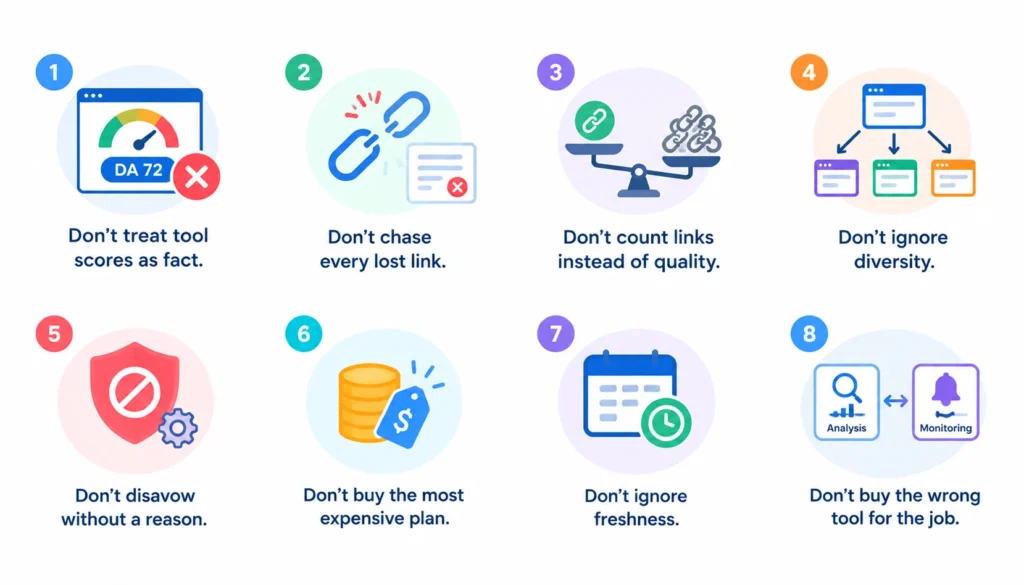
- Treating tool scores as fact. They’re estimates.
- Chasing every lost link. Most aren’t worth the effort.
- Counting links instead of quality. Ten good referring domains can beat a thousand junk links.
- Ignoring diversity. A profile dominated by one or two sites looks fragile.
- Disavowing without a reason. Google’s own disavow guidance warns that this is an advanced feature and that most sites don’t need it. Google’s spam policies explain what it considers link spam.
- Buying the most expensive plan by default.
- Ignoring freshness. Stale data leads to wasted outreach.
- Buying a monitor when you needed analysis, or the other way round.
A Simple Workflow for an SEO Team
Daily: Glance at alerts for major new or lost links.
Weekly: Review new links, check competitor movement, and flag important losses.
Monthly: Review referring-domain growth, work through recovery opportunities, and send a short report.
Quarterly: Run a full audit, redo the competitor gap analysis, review link quality and adjust the plan.
If you want real-world opinions from working SEOs on which tools hold up, r/SEO and r/bigseo have long threads comparing them. Read them for patterns, and remember that any single comment is one person’s experience.
Frequently Asked Questions
What are backlink management tools?
They’re SEO tools that help you find, track, analyze and act on the links pointing to your site. Some also cover competitor research, audits and reporting.
What is the best backlink management tool?
It depends on your job. Ahrefs and Semrush suit deep research. Linkody and Monitor Backlinks suit simple monitoring. Pitchbox and BuzzStream suit outreach.
Are backlink management tools worth it?
If links matter to your traffic and you’d otherwise miss lost or new links, yes. For a tiny site with few links, Search Console may be enough.
What is the best free option?
Google Search Console for your own site, plus any free tiers from paid tools. Neither gives full competitor data.
What’s the difference between backlink analysis and monitoring?
Analysis is a one-time look at a profile. Monitoring tracks changes over time.
Final Verdict
The best backlink management tools aren’t the ones with the biggest databases or the longest feature lists. They’re the ones that fit the job you actually do: monitoring, research, audits, outreach or reporting.
Pick your main use case, shortlist two or three tools, and test them on a site you know. Then set a simple weekly and monthly routine and stick with it. That habit will do more for your links than any subscription.