

Most outreach campaigns fail before anyone writes the first email. The problem is rarely the pitch. It is usually the list: wrong sites, wrong people, or an inbox nobody reads.
Learning how to find relevant website owners and publishers fixes that. It is the skill behind every good guest post, link insertion, and partnership. And it is more than a WHOIS lookup. You need to find the right sites first, then the right person on each one.
Quick answer: To find relevant website owners and publishers, search for sites in your niche, then identify who runs and edits them using About pages, author bios, LinkedIn, and WHOIS records. Next, find and verify their professional email, check that the site is worth contacting, and save everything in a prospect list before you reach out.
What Are Website Owners and Publishers?
These two words get mixed up all the time. They are not the same job, and the difference decides who you should email.
1. What Is a Website Owner?
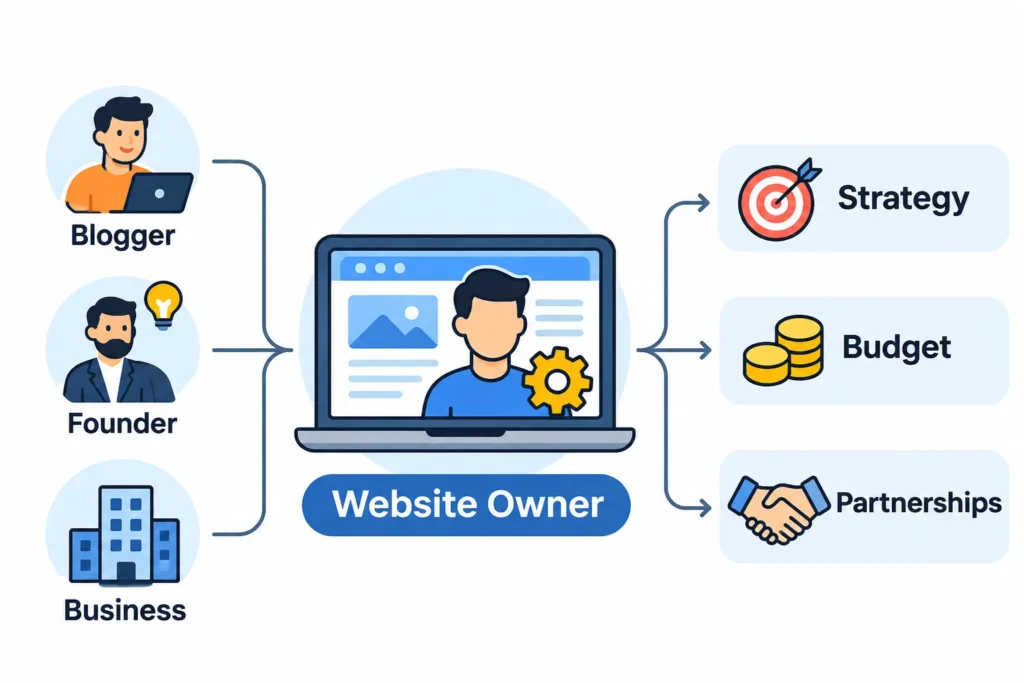
A website owner is the person or company that controls the site. That might be a solo blogger, a founder, or a business that runs the site as part of a bigger brand. Owners decide strategy, budget, and partnerships.
2. What Is a Website Publisher?
A website publisher is an individual, company, or organization responsible for managing and distributing content through a website. Publishers oversee editorial decisions, content production, contributor management, and day-to-day publishing.
On a small blog, the owner and publisher are often the same person. On a larger media site, they are usually different people on different teams.
3. Website Owner vs Publisher vs Author vs Editor
Here is a simple way to tell the roles apart.
| Role | Main responsibility | Contact them for |
| Website owner | Owns or controls the site | Business partnerships, sponsorships |
| Publisher | Oversees publishing operations | Publishing collaborations |
| Editor | Reviews and approves content | Guest posts, editorial pitches |
| Content manager | Runs content operations | Content partnerships, link insertions |
| Author | Writes individual articles | Feedback on a specific article |
A domain registrant, the name in a WHOIS record, is a fourth thing again. It tells you who registered the domain, not who approves guest posts.
4. Why Find the Right Contact?
Sending your pitch to the right person saves time on both sides. You get faster replies, better-fit partnerships, and fewer bounced or ignored emails. A pitch sent to a generic “info@” inbox rarely reaches anyone with the power to say yes.
Why Is Finding Relevant Website Owners Important?
Relevance is what separates a useful contact from a wasted one. Here is where the right contact pays off.
- Relevant backlinks. A backlink from a site your audience already reads is worth more than a random link from an unrelated blog. Understanding the difference between backlinks and inbound links can also help you better evaluate linking opportunities and their role in your overall SEO strategy.
- Guest posting. Guest blogging only works if you reach the editor who accepts contributions.
- Link exchanges and insertions. These need a site owner or content manager who is open to a fair, transparent trade.
- Industry relationships. An editor who trusts you once is likely to answer you again. Building a strong link building network can help you maintain relationships with relevant website owners, publishers, and SEO professionals for future collaboration opportunities.
- Wider partnerships. The same contacts can lead to co-marketing, interviews, and sponsored content.
The SEO community discusses these tactics openly. If you want honest opinions on what works, threads in SEO and DigitalMarketing are a good place to see what practitioners actually say.
How to Find Relevant Websites in Your Industry
Most guides start with a site you already know. In real prospecting, you start with a niche and an empty spreadsheet. So let’s begin there.
1. Use Google Search Operators
Google search operators are short commands that narrow your results. Combine your niche with phrases that publishers use on their own sites.
- “write for us” “your niche”
- “guest post” “your industry”
- “submit an article” “your niche”
- “contribute” “your industry”
- intitle:resources “your niche”
- inurl:blog “your industry”
Say you sell project-management software. You could search “write for us” “project management” or the title:resources “remote work”. Open each promising result in a new tab, then add it to your list.
One caution. Sites that shout “write for us” the loudest are often the most crowded with pitches. Mix these searches with the methods below.
2. Find Sites Through Competitor Backlinks
Your competitors have already earned links from relevant publishers. You can borrow the map.
- List three to five competitors that rank well in your niche.
- Enter each domain into a backlink tool such as Ahrefs or Semrush.
- Open the referring domains report.
- Look for blogs, publications, and resource pages in your topic area.
- Export the ones that fit.
Sites that link to several of your competitors are strong prospects. They clearly cover your topic and are willing to link out.
3. Explore Industry Blogs, Publications, and Directories
Trade magazines, niche blogs, and industry newsletters are often more relevant than big general sites. Use Google News to find established publications, and check industry directories and association pages for member blogs.
Google Alerts help here too. Set one for your key topics and you will see new publishers as they appear.
4. Check Social Media and Professional Communities
LinkedIn groups, X accounts, and niche forums show you who is actively publishing in your space. Watch who gets shared often. Reddit threads in your niche can also point to blogs and newsletters worth a look.
For more on how experienced link builders think about finding prospects, Ahrefs has a solid link outreach guide.
How to Find Relevant Website Owners and Publishers
Once you have a list of sites, the next job is putting names to them. Work through these methods in order. The first few are free and quick. Move down the list only when you need to.
1. Check the About Page
Start here. Look for founder names, a company name, an editorial team, or a line about who runs the site. Small blogs often name the owner outright.
2. Check the Contact Page
Look for an editorial or partnerships address, not just a general inbox. Some sites list separate emails for advertising, guest posts, and press.
3. Look at the Footer
Footers often show a copyright line with a company name, plus a registered address or a parent brand. That company name is a useful search term for later steps.
4. Read the Privacy Policy and Terms of Service
Legal pages usually name the company that operates the site. They are dull to read, but they often give you the legal entity when the About page does not.
5. Use a WHOIS Lookup
WHOIS is a public system for looking up who registered a domain. You can run a lookup on the official ICANN Registration Data Lookup tool.
Here is the catch. Many records now hide personal details because of privacy rules such as the GDPR and privacy services. ICANN has also been moving domain registration data to a newer system called RDAP. So treat WHOIS as one clue, not proof. The registrant is not always the publisher.
6. Search LinkedIn
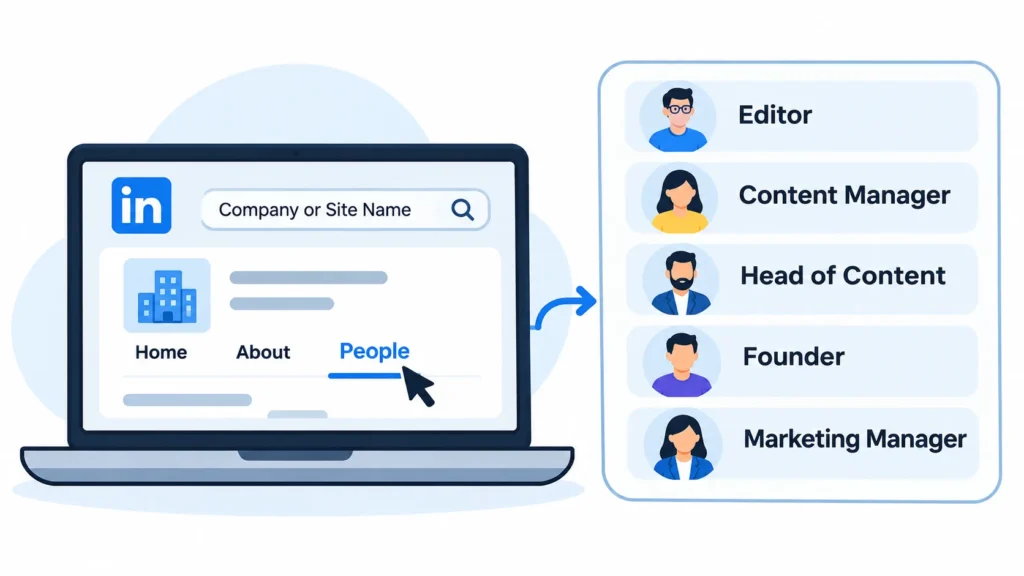
LinkedIn is often the fastest way to find a real person. Search the site or company name, then open its company page and click “People.” Filter by titles such as editor, content manager, head of content, founder, or marketing manager.
Try searches like:
- “Editor” “Company Name”
- “Content Manager” “Company Name”
- “Founder” “Company Name”
LinkedIn’s paid Sales Navigator adds advanced filters such as seniority level and function, which helps when you are searching at scale.
7. Check Author Profiles and Editorial Pages
Open a few recent articles. The byline often links to an author page, and some authors list their role, such as managing editor. A repeated name across many posts is usually a staff editor or the owner.
8. Use Google Search Operators on the Site Itself
- “website name” founder
- “website name” editor
- “website name” “content manager”
- site:domain.com “editorial team”
- site:domain.com “contributor guidelines”
The last one often leads straight to a guest post policy and the person to send it to.
9. Look at Social Media Profiles
Check the site’s LinkedIn page, X account, and other profiles. The account bio or pinned post sometimes names the editor or founder. Active social accounts also show you whether the site is still alive.
10. Use Company Databases and Archives
If the site belongs to a company, look it up in a business database such as Crunchbase or OpenCorporates. These can show the parent company and its leaders.
The Wayback Machine is useful too. An older version of the About page may name people who have since been removed.
A Quick Example
Imagine you find a small cybersecurity blog with no About page. The footer shows “© Northwind Media Ltd” (a made-up name for this example). A LinkedIn search for that company shows a managing editor. The author pages confirm the same person writes the weekly roundups.
That is three small clues pointing to one person. Never rely on a single clue. Confirm a name with at least two sources before you write to someone.
Best Tools to Find Website Owners and Publishers
You can do all of this by hand. Tools just make it faster when your list grows past a few dozen sites. Pick by job, not by brand.
| Tool | Best use | Category |
| ICANN Lookup | Domain registration records | Domain research |
| LinkedIn Sales Navigator | Finding decision-makers by role | Prospecting |
| Hunter.io | Finding and verifying business emails | Email discovery |
| Snov.io | Email discovery plus outreach sequences | Outreach |
| Apollo.io | Company and contact data | Lead generation |
| Ahrefs | Competitor backlinks, relevant sites | SEO research |
| Semrush | Backlink and organic visibility research | SEO research |
| Similarweb | Traffic estimates for competitor sites | Competitive research |
| Crunchbase | Company and ownership background | Business research |
| Wayback Machine | Older versions of a website | Website history |
A few notes on using them well:
- Start with the free steps. Your own research on About pages and LinkedIn often beats a tool’s guess.
- Treat traffic numbers as estimates. Third-party tools model traffic. They are useful for comparing sites, not for exact counts.
- Check current features and limits. Plans and data coverage change often, so confirm on each tool’s own site before you buy.
- Use one tool for each job. You rarely need five email finders.
How to Find Website Owners’ Email Addresses
A name is only half the job. You still need a way to reach that person. Try these in order.
- The website itself. Check the Contact page, the contributor guidelines, and author pages. Many editors publish a direct address.
- An email finder. Tools such as Hunter.io, Snov.io, or Apollo.io can find the likely address for a person at a domain. Treat the result as a suggestion until you verify it.
- LinkedIn. Some people list a work email in their contact info. Only use details people have chosen to make public.
- Common formats. Many companies use a pattern such as first name at the domain. Use this only as a last resort, and always verify before sending.
Verify Before You Send
A bad address hurts you twice. The email bounces, and too many bounces can damage your sender reputation.
Run each address through an email verification tool. Watch for two problems:
- Invalid addresses. The mailbox does not exist.
- Catch-all domains. The server accepts any address, so a tool cannot tell if the person is real. Be extra careful with these.
Keep your approach respectful. Use public business contact details only, contact each site once with a relevant message, and follow the privacy and anti-spam rules that apply where you and your prospect live.
How to Evaluate Whether a Website Is Relevant for Link Building
Finding the owner does not mean the site deserves your time. Run each prospect through these checks before you add it to your list.
- Topical relevance. Does the site cover your subject or a closely related one? This matters most. A relevant site with modest numbers beats a big unrelated one.
- Organic traffic. Use an SEO tool to see if the site gets steady search traffic. A sharp, unexplained drop is a warning sign.
- Domain Rating and Domain Authority. These are third-party scores. Domain Rating comes from Ahrefs and Domain Authority from Moz. Google does not use either as a ranking factor, so use them to compare sites, never as the only test.
- Referring domains and backlink quality. Look for links from real, relevant sites. A profile full of spammy or unrelated links is a red flag. Reviewing a website’s backlink profile can help you identify suspicious links, understand referring domain quality, and determine whether a potential publishing partner is worth contacting.
- Content quality and freshness. Is the writing original and edited? Has the site published something recently?
- Outbound links. Be careful if every article links to casino, loan, or other off-topic sites.
- Credibility. Look for a real business name, real authors, a working contact page, and an actual audience.
If a site fails two or three of these, skip it. A shorter, cleaner list almost always performs better than a long, noisy one.
How to Build a Website Owner and Publisher Prospect List
A good prospect list is your campaign’s memory. It stops duplicate emails, keeps notes, and shows you what is working. Google Sheets is enough to start.
1. Set Your Criteria First
Decide your niche, target country, minimum traffic, and site type before you collect anything. Clear rules make saying “no” to bad sites easy.
2. Collect, Identify, and Verify
- Add every promising URL from Google, competitor backlinks, and directories.
- Find the owner or publisher using the methods in section 4.
- Find the right contact person and their email.
- Verify the email and note where you found it.
3. Use a Simple Structure
These columns cover most needs. The two rows below are made-up examples.
| Website | Niche | Owner | Contact person | Email status | DR | Traffic | Source | Status |
| example-tech.com | Technology | Company A | Editor A | Verified | 55 | 20K | Contacted | |
| example-marketing.com | Marketing | Company B | Publisher B | Verified | 48 | 15K | Author page | Pending |
Always record the source of each contact detail. If someone asks how you found their address, you will have a clear answer.
4. A Realistic Scenario
Suppose an agency wants 50 technology sites for guest posts. A sensible path:
- Gather about 150 candidates from search operators and competitor backlinks.
- Remove sites that are inactive or off-topic. Expect to lose a large share.
- Find editors for the remaining sites.
- Verify emails and check backlink profiles.
- Keep the best 50 and start outreach in small batches.
Starting with three times your target is a practical rule of thumb, because many prospects will not pass your checks.
How to Approach Website Owners and Publishers for Collaboration
A good list only helps if your message earns a reply. Keep these habits in mind.
- Personalize. Mention a specific article you read and say why your idea fits their readers. One real detail beats three paragraphs of flattery.
- Pitch a clear guest post idea. Offer two or three specific titles that fill a gap on their site.
- Suggest link insertions carefully. Find an existing article where your resource genuinely adds value, and explain why.
- Be open about link exchanges. If you propose one, say so plainly and make sure it benefits both audiences.
- Follow up once or twice. Wait several days, send a short, polite nudge, then stop.
- Play the long game. Editors remember people who are easy to work with. A thank-you and a good article often lead to the next opportunity.
Always read the site’s contributor guidelines first. Ignoring them is the quickest way to get deleted.
Common Mistakes to Avoid
Finding website owners and publishers is only the first step. You also need to make sure you’re contacting the right people and choosing websites that offer genuine value. Avoid these common mistakes during your prospecting and outreach process.
1. Contacting Websites That Have Nothing to Do With Your Niche
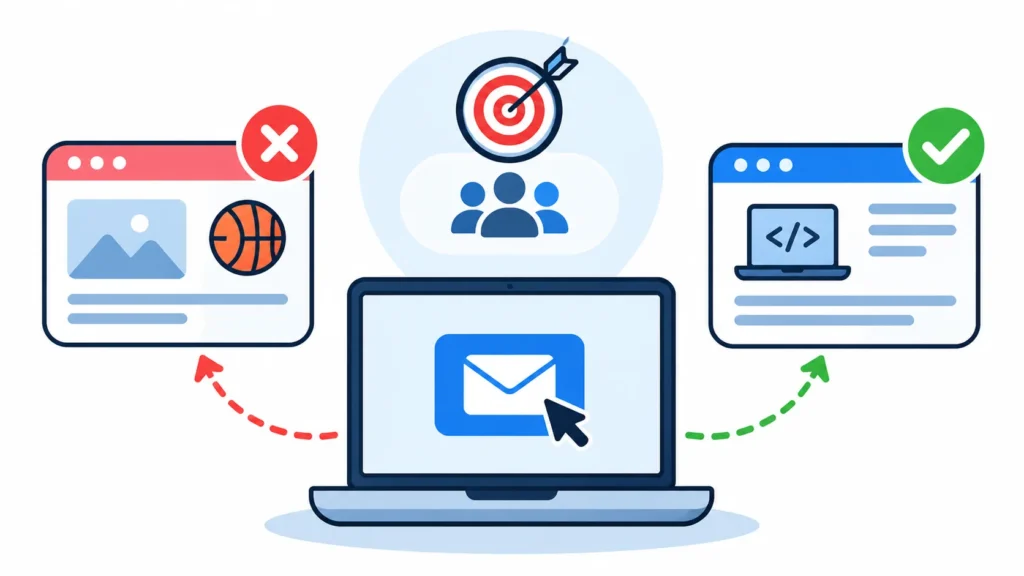
Not every website is a suitable prospect for link building or collaboration. Contacting websites with unrelated topics can result in irrelevant backlinks and low response rates. Focus on websites that cover subjects related to your industry and attract an audience interested in your content.
2. Confusing an Author With the Publisher
An author writes articles, while a publisher or editor may be responsible for managing content and approving contributions. Contacting an author when you need editorial approval can delay your outreach. Check the website’s editorial team, author profiles, and contact pages to identify the right person.
3. Assuming a WHOIS Name Is the Person Who Approves Content
WHOIS records provide domain registration information, but they don’t necessarily identify the person responsible for publishing decisions. A domain may be registered under a company, hosting provider, or privacy protection service. Use WHOIS as a starting point and verify the relevant contact through the website or professional profiles.
4. Judging a Website by Domain Rating Alone
A high Domain Rating (DR) doesn’t automatically make a website a good link-building prospect. A website may have strong backlink metrics but little topical relevance, poor content quality, or declining organic traffic. Evaluate multiple factors, including niche relevance, organic visibility, backlink quality, and publishing standards before adding a website to your prospect list.
5. Sending Emails to Unverified Addresses
Using incorrect or outdated email addresses can lead to bounced messages and wasted outreach efforts. Repeatedly sending emails to invalid addresses can also affect your sender reputation. Use email verification tools to check addresses before starting your campaigns.
6. Skipping a Review of Website Content Quality
Before contacting a publisher, spend some time reviewing their existing articles. Check whether the content is informative, original, regularly updated, and relevant to its audience. Avoid websites filled with thin articles, excessive promotional content, or unrelated outbound links.
7. Using the Same Generic Template for Everyone
Sending identical outreach messages to every website makes your communication feel automated and impersonal. Publishers are more likely to consider relevant proposals when you demonstrate familiarity with their content. Mention a specific article, suggest a relevant topic, or explain why your collaboration would benefit their audience.
8. Emailing Multiple People at the Same Website With the Same Pitch
Contacting several employees at one company with identical messages can create confusion and make your outreach appear unprofessional. Identify the most relevant decision-maker first, whether that’s an editor, publisher, or content manager. If you don’t receive a response, follow up appropriately before approaching another contact.
9. Treating Every Website as a Potential Link-Building Partner
A website accepting guest posts or link insertions isn’t necessarily a suitable partner. Some websites may have irrelevant audiences, questionable backlink profiles, or poor editorial standards. Prioritize websites that offer genuine topical relevance, useful content, and a credible audience rather than focusing only on the number of available link-building opportunities.
Practical Workflow: Find and Qualify Website Owners in 5 Steps
- Discover relevant websites. Use search operators, competitor backlinks, and industry directories.
- Identify owners and publishers. Use About pages, author bios, LinkedIn, and WHOIS as a clue.
- Find professional contact details. Check the site first, then an email finder, then verify.
- Evaluate quality. Check relevance, traffic, backlinks, content, and credibility.
- Organize and contact. Log everything in your prospect list and send personalized outreach in small batches.
Frequently Asked Questions
How do I find out who owns a website?
Check the About page, footer, and privacy policy first. Then search LinkedIn for the company name and try a WHOIS lookup. Confirm any name with at least two sources.
How do I find the publisher of a website?
Look for the editorial team, author pages, and the company named in the footer or legal pages. LinkedIn titles such as editor or content manager usually point to the person who runs publishing.
What is the difference between a website owner and a publisher?
The owner controls the site and its business. The publisher manages what gets published. On small blogs they are often one person. On larger sites they are different people.
How do I find relevant websites for link building?
Use Google search operators, study your competitors’ backlinks, and browse industry publications and directories. Then check each site for topical fit and quality.
How can I find website owners for guest posting?
Search for the site’s contributor guidelines, then find the editor on the author page or LinkedIn. Pitch the person named in the guidelines.
How do I find a website owner’s email address?
Start with the site’s contact and author pages. If you do not find one, use an email finder and verify the result before you write.
Is WHOIS lookup free?
Yes. Official tools such as ICANN’s lookup are free to use. Some third-party tools offer extra features for a fee.
Can I find a website owner if WHOIS is private?
Often, yes. Use the About page, legal pages, LinkedIn, author bios, company databases, and older versions of the site in the Wayback Machine.
What are the best tools to find website owners and publishers?
LinkedIn, an email finder such as Hunter.io or Snov.io, and a backlink tool such as Ahrefs or Semrush cover most needs. See section 5 for a full comparison.
How do I check whether a website is suitable for link building?
Check topical relevance, steady organic traffic, backlink quality, content quality, outbound links, and basic credibility. Do not rely on one score.
Conclusion
Knowing how to find relevant website owners and publishers comes down to three habits. Discover sites that truly match your industry. Identify the people who make editorial and publishing decisions. And evaluate every prospect before you spend time on outreach.
A small list of relevant, credible sites with verified contacts will beat a huge list of random emails every time. Build your list carefully, keep notes, and treat each editor as a long-term relationship rather than a one-off ask.
Note on sources: tool features, pricing, and metrics change often. Confirm current details on each tool’s official site before relying on them.