
If you’ve pulled up your backlink profile in Ahrefs or Search Console and started sweating over a list of unfamiliar domains, take a breath first.
Not every strange-looking link is a threat, and treating your whole profile like a crime scene usually does more harm than good.
This guide walks through how to actually tell the difference between a toxic backlink, a low-quality one, and one that just looks ugly but isn’t hurting you at all.
You’ll get a practical way to sort every link you find into a category, a real classification framework, worked examples, and a clear answer on when disavowing is actually worth the risk.
What Is a Toxic or Spammy Backlink?
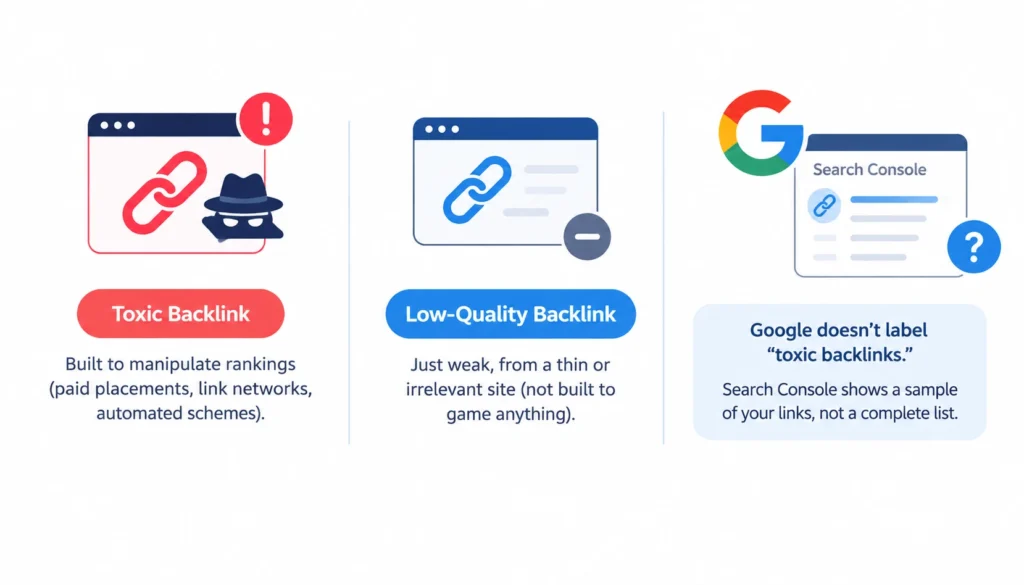
A toxic backlink is a link built to manipulate your rankings, usually through paid placements, link networks, or automated schemes that break Google’s link spam policies.
That’s the narrow, useful definition. A low-quality backlink is different: it’s just weak, from a thin or irrelevant site, but it wasn’t built to game anything.
Here’s the part most guides skip. Google doesn’t publish a “toxic backlink” score. That term comes from the SEO tool industry, not from Google itself.
Search Console’s Links report shows you a sample of your backlinks, not a complete database, and it certainly doesn’t flag anything as “toxic” for you.
1. Spammy vs. toxic vs. unnatural
These three words get used interchangeably, but they mean slightly different things in practice:
- Spammy describes the source, a low-effort, often automated site built for link volume, not readers.
- Unnatural describes the pattern: links that don’t look like something an editor would add on their own.
- Toxic is the SEO industry’s catch-all for links likely to cause harm, whether through a manual action or a broader spam signal.
A link can be spammy without being toxic to your site. A single comment-spam link on some abandoned blog is spammy junk, but it’s not going to trigger a manual action against you.
2. Does Google have an official toxicity score?
No. Google’s own guidance says it can generally tell which links to trust on its own, and that most sites never need to touch the disavow tool. Third-party toxicity scores are useful for triage, since they help you decide what to look at first, but they’re not a verdict from Google.
Can Toxic Backlinks Actually Hurt Your SEO?
Sometimes, yes. Most of the time, no. Google’s systems are built to devalue or ignore obviously manipulative links rather than punish the site receiving them, because otherwise anyone could tank a competitor’s rankings by pointing spam at their site.
The situation changes when the links form a pattern tied to your own actions: paid link campaigns, a private blog network you built, or large-scale exchanges.
That’s when a manual action for unnatural links becomes a real possibility, and that’s the scenario Google’s disavow guidance is actually written for.
A sudden spike in backlinks isn’t automatically a red flag either. Viral content, a mention on a big publication, or a product launch can all cause a jump in referring domains overnight.
Before assuming the worst, check where the spike came from and whether the new links share a pattern: same anchor text, same template, same small cluster of domains.
12 Warning Signs of Potentially Toxic Backlinks
None of these signs is automatically damning on its own. Look at them together, and look for repetition across many links, not one isolated case.
- The link was clearly built to manipulate rankings, placed with no editorial reason, often through a paid arrangement.
- Paid links with no disclosure, sponsored content that doesn’t use rel=”sponsored” or nofollow.
- Excessive reciprocal linking, “link to us and we’ll link to you” arrangements at scale.
- Links from private blog networks, a cluster of thin sites that exist mainly to pass links between each other.
- Automated link generation, links dropped by bots into forums, comment sections, or scraped directories.
- Link farms, networks of low-value sites built purely for interlinking, with little real content.
- Completely irrelevant placements, a plumbing company linked from a gambling site with no shared topic.
- Keyword-stuffed anchor text, the same exact-match commercial phrase repeated across dozens of domains.
- Hidden or sitewide template links, links buried in a footer or sidebar across an entire site’s pages.
- Spammy forum or comment links, dropped in unrelated threads purely to plant a URL.
- Hacked or compromised sites, your link sitting next to injected pharmaceutical or adult content that clearly doesn’t belong there.
- Large-scale unnatural patterns, hundreds of links sharing the same anchor, template, or acquisition method.
How to Identify Toxic Backlinks, Step by Step
Step 1: Export your backlink data
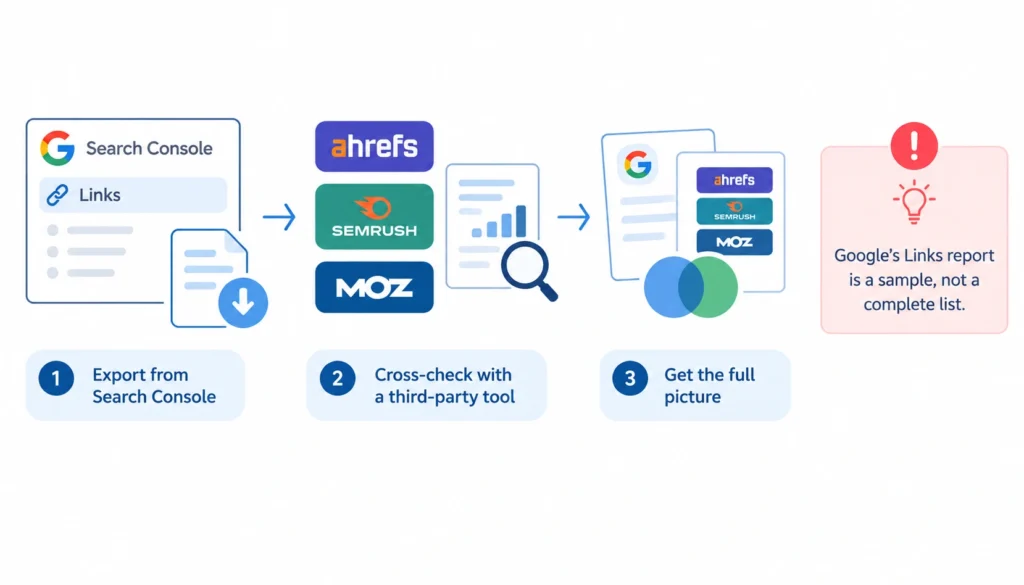
Start with Search Console’s Links report, then cross-check with a third-party tool like Ahrefs, Semrush, or Moz. No single source gives you the full picture. Google itself says its Links report is a sample, not a complete list of every link pointing at your site.
Step 2: Group backlinks by referring domain
Sort your export by domain rather than by individual URL. This makes patterns obvious fast. If fifty links all trace back to twelve nearly identical domains, that’s worth a closer look before you even open a single page.
Step 3: Inspect the referring website
Open the domain itself, not just the linking page. Ask whether it has real content, a recognizable business or author behind it, and normal traffic patterns, or whether it looks thrown together purely to host outbound links.
Step 4: Inspect the specific referring page
A weak domain can still have one genuinely good page, and a strong domain can have one spammy corner. Judge the page, not just the domain score. Check the surrounding text, where your link sits on the page, and whether a human reader would find it useful.
Step 5: Analyze the anchor text
Branded anchors (“according to Acme Tools”) and generic ones (“read more here”) are normal. Exact-match commercial phrases repeated identically across many domains are the pattern worth flagging. One weird anchor by itself rarely means much.
Step 6: Check link attributes
Look at whether the link uses rel=”nofollow”, rel=”sponsored”, or rel=”ugc”. These attributes tell Google how to treat the link and are completely normal on paid placements, user-generated content, and guest posts when used correctly.
Step 7: Check the acquisition pattern
This is the question that matters most: did you build this link, pay for it, trade for it, or automate it? A link you had no hand in creating is much less concerning than one tied to your own outreach or a vendor you hired.
Step 8: Check Search Console for manual actions
Go to Security & Manual Actions in Search Console. If Google has flagged unnatural links specifically, that changes the calculus entirely and moves you toward active remediation rather than routine monitoring.
Don’t Make This Mistake: Low DA or DR Doesn’t Mean Toxic
Domain Authority and Domain Rating are Ahrefs’ and Moz’s own estimates of a site’s link strength. They’re useful for prioritizing your review, but Google doesn’t use either metric, and neither one measures whether a link was built to manipulate rankings.
A small, genuine niche blog with a DR of 8 that links to you because it actually likes your product is a fine link. A DR 70 site stuffed with paid placements and exact-match anchors is a real problem.
Authority score and manipulative intent are two different questions, and treating a low score as proof of toxicity leads people to remove or disavow links that were never a problem in the first place.
How to Classify Every Backlink You Find
Instead of sorting backlinks into simply “good” and “bad,” classify them based on their quality, relevance, acquisition method, and potential risk. This makes it easier to decide which links need action and which can safely be left alone.
1. Keep
Keep backlinks that are relevant to your website, appear naturally within useful content, and were not created primarily to manipulate search rankings. A link from a legitimate industry publication, relevant blog, business partner, or other genuine website can remain even if the referring domain does not have a particularly high authority score.
Example: A small marketing blog naturally references your SEO guide because it provides useful information for its readers.
2. Monitor
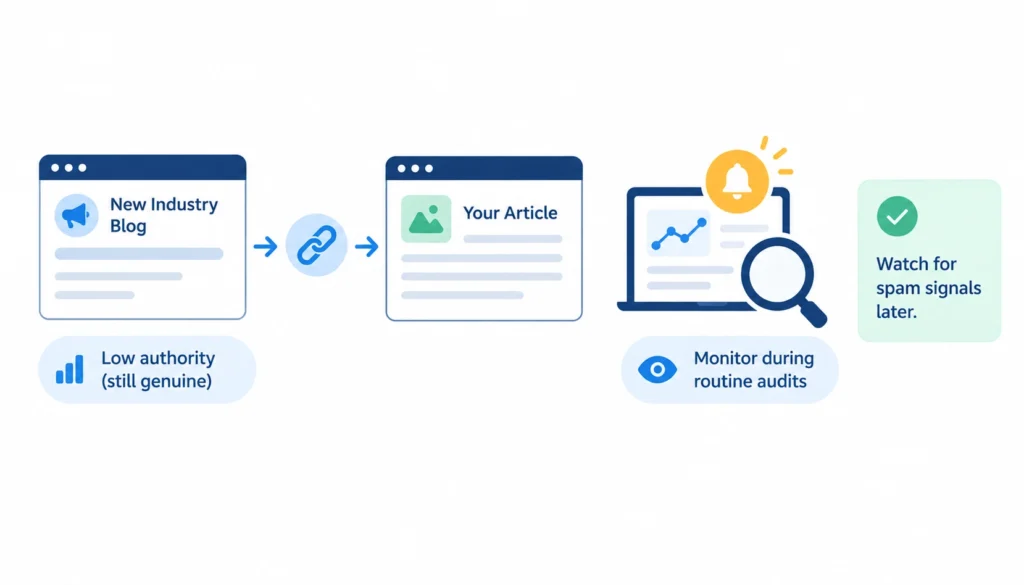
Monitor backlinks that are relatively weak but do not show clear signs of manipulation. A link may come from a low-authority or small website, but that alone does not make it toxic. Keep an eye on these links during routine backlink audits, especially if the referring domain later develops obvious spam signals.
Example: A new industry blog with modest traffic links to one of your relevant articles naturally.
3. Review
Put a backlink into the review category when it has one or more warning signs but you cannot yet determine whether it is genuinely harmful or manipulative. Inspect the referring page, anchor text, placement, relevance, and the reason the link appears before taking action.
Example: An unrelated website links to your homepage using a commercial keyword, but there is not enough evidence to determine how the link was created.
4. Request Removal
Consider requesting removal when you can establish that a backlink was intentionally created through a manipulative practice, such as a paid link intended to pass ranking signals, an artificial link network, or a link you previously created as part of an SEO campaign.
Document the links you want removed and contact the site owner where practical. However, do not waste significant resources trying to remove every random spam link that you did not create.
Example: You discover hundreds of backlinks from websites that were created as part of a previous link-building campaign.
5. Consider Disavow
Disavowal should be treated as a specialized option, not a routine part of every backlink audit. Google recommends considering the disavow tool in situations involving a substantial number of spammy, artificial, or low-quality links that have caused or are likely to cause a manual action, particularly when you cannot get the links removed. Google Search Central: Disavow links to your site
Before using the tool, review the evidence carefully. Do not disavow links simply because an SEO tool labels them “toxic” or because they come from domains with low authority.
6. A Simple Decision Framework
| Category | What to look for | Typical action |
| Keep | Relevant, natural, editorial | Leave it alone |
| Monitor | Low authority but legitimate | Check during routine audits |
| Review | One or more uncertain red flags | Investigate manually |
| Request removal | Clear evidence of artificial/manipulative creation | Contact site owner where practical |
| Consider disavow | Substantial manipulative pattern + relevant Google criteria | Evaluate disavow carefully |
The key principle is evidence before action. A backlink should not be classified as toxic simply because it has a low Domain Rating, low Domain Authority, little traffic, or an unfamiliar domain name. Look at the context, relevance, placement, anchor text, acquisition method, and overall backlink pattern before deciding what to do.
| Question | If yes | If no |
| Is the link genuinely editorial? | Usually keep | Continue checking |
| Is it topically relevant? | Positive signal | Look closer |
| Was it built to manipulate rankings? | High concern | Continue checking |
| Is there a wider unnatural pattern across many domains? | Escalate review | Continue checking |
| Is there an active manual action? | Follow Google’s remediation steps | Don’t rush to disavow |
Toxic Backlink Examples: 10 Links Compared
| Example | What you’d notice | Likely action |
| Industry publication covering your product launch | Relevant, editorial, real traffic | Keep |
| Small niche blog run by one person | Low authority, genuinely interested | Keep |
| Foreign-language directory listing | Weak relevance, unclear purpose | Review |
| Paid guest post with exact-match anchor | Disclosed nowhere, built for ranking | Request removal |
| PBN link from a thin, ad-heavy site | Part of a network pattern | Request removal, consider disavow if part of a manual action |
| Spam comment on a random blog | Dropped automatically, no context | Review, often no action |
| Genuine forum mention of your brand | Real conversation, natural anchor | Keep |
| Hundreds of links with identical exact-match anchor | Clear pattern across many domains | High priority, likely disavow |
| Hacked page linking next to pharmacy spam | Injected content, unrelated topic | Investigate, request removal |
| Sitewide footer link from a template site | Scaled, non-editorial placement | Review |
How to Find Toxic Backlinks With SEO Tools
Search Console is free and shows you Google’s own sample of your links, plus any manual actions. Beyond that, Ahrefs, Semrush’s Backlink Audit, Moz Link Explorer, Majestic, and SE Ranking each maintain their own index and score links differently, which is exactly why cross-checking matters. No single tool sees the whole web.
An automated toxicity score is a starting point for prioritizing your review, not a final verdict. Semrush itself frames its tool this way: it surfaces candidates worth checking, and a human still has to decide what to do with each one. Treat a “high toxicity” flag as a reason to look closer, not a reason to disavow on sight.
What to Do After You Identify a Toxic Backlink
Finding a suspicious backlink does not automatically mean you need to remove or disavow it. First, determine whether the link is actually manipulative, whether you had any involvement in creating it, and whether it forms part of a larger unnatural linking pattern.
You generally have four options, roughly in order of how often you’ll actually use them:
1. Leave It Alone
Most low-quality, irrelevant, or unsolicited spam links fall into this category. If you did not create the link and there is no evidence that it is part of a manipulative link-building campaign, there may be nothing you need to do.
Google’s systems can often identify and ignore links that should not influence ranking. A backlink from a weak or unrelated website is therefore not automatically a reason to contact the site owner or submit a disavow file.
Example: A random website with little authority links to one of your pages using a generic anchor text. You did not request the link, and there is no broader pattern of manipulation. In most cases, simply monitoring it is sufficient.
2. Request Removal
If you have evidence that a backlink was intentionally created through a manipulative practice, you can contact the website owner and request that the link be removed.
This can be particularly useful when the link came from a previous SEO campaign, paid placement, link exchange, or other activity that your business was directly involved in. Keep a record of your removal requests, including the date, website, URL, and response.
However, you do not need to spend large amounts of time trying to remove every unsolicited spam link on the internet. Focus your effort on links that are genuinely relevant to the issue you’re trying to resolve.
Example: A previous SEO provider created hundreds of keyword-rich links across unrelated websites. Contacting those site owners and requesting removal may be appropriate.
3. Ask for Proper Qualification
Not every questionable link needs to disappear. Sometimes the better solution is to ensure that the link is properly qualified.
For example, links that are paid or sponsored should generally use rel=”sponsored” (or nofollow), while user-generated links can use rel=”ugc”. These attributes help search engines understand the nature of the link.
Example: A website publishes a sponsored article about your company and includes a followed backlink. Instead of removing the article or link entirely, the publisher can appropriately qualify the link.
This option is particularly useful when the relationship or content itself is legitimate but the link should not pass ranking signals.
4. Disavow
Disavowal is the most specialized option and should not be the default response to a list of “toxic” links generated by an SEO tool.
Google recommends considering the disavow tool when your site has a substantial number of spammy, artificial, or low-quality links that have caused or are likely to cause a manual action, particularly when you have been unable to get the links removed. Google Search Central: Disavow links to your site
Before using it, review the links and the circumstances carefully. Do not disavow backlinks simply because they have low Domain Authority, low Domain Rating, little traffic, or were flagged as “toxic” by a third-party tool.
Example: Your website has a large-scale pattern of artificial links created through a previous link scheme, you cannot get the links removed, and the situation is connected to a manual action. In that situation, disavowal may be worth considering as part of your remediation process.
The Practical Rule
Think of the process as:
Identify → Investigate → Classify → Take the least aggressive appropriate action
In many cases, that means leaving an unsolicited low-quality link alone. For links you intentionally built or acquired through manipulative practices, removal or proper qualification may be appropriate. Disavowal should be reserved for situations where Google’s criteria make it relevant rather than used as a routine backlink-cleanup exercise.
When Should You Disavow Toxic Backlinks?
Google’s own guidance sets a two-part bar for this: you need a considerable number of spammy, artificial, or low-quality links, and those links need to have caused (or be likely to cause) a manual action. If you don’t meet both conditions, the disavow tool probably isn’t the right move.
1. When disavow makes sense
You’ve received a manual action for unnatural links, you’ve already tried to get the worst offenders removed, and a chunk of them won’t budge. That’s the textbook case.
2. When you probably shouldn’t disavow
You found a handful of odd-looking links, no manual action exists, and a tool flagged them as “toxic.” In that situation, disavowing is more likely to strip value from the profile than protect it. Google’s own documentation warns that misusing the tool can hurt performance rather than help it.
3. Domain-level vs. URL-level disavow
Disavowing a specific URL only affects that one page. Disavowing an entire domain (using domain:example.com in your file) removes every link from that site, which makes sense for link farms and PBNs but is overkill for a single bad page on an otherwise normal site.
A disavow file is a plain text file, one entry per line, uploaded through the disavow links tool in Search Console. Uploading a new file replaces your old one entirely, so keep a running record of everything you’ve ever disavowed.
How to Prevent Spammy Backlinks in the Future
- Check new referring domains on a regular schedule, not just when something looks wrong.
- Watch your anchor-text distribution for anything skewing too heavily toward exact-match commercial phrases.
- Audit links after any link-building campaign, whether you ran it or hired someone else to.
- Vet guest-post and outreach requests before accepting them. A quick look at the site’s other outbound links tells you a lot.
- Avoid link schemes entirely: paid links without disclosure, large-scale exchanges, and PBNs all carry real risk for limited upside.
How Often Should You Audit Your Backlinks?
There’s no single correct interval, but here’s a reasonable baseline. Small, stable sites can check quarterly. Sites actively growing or publishing content often benefit from a monthly glance. Sites running active link-building campaigns should review after each one wraps. And any site recovering from a manual action needs ongoing, frequent checks until the action clears.
Toxic Backlink Audit Checklist
- Referring domain reviewed
- Referring page reviewed
- Relevance checked
- Anchor text checked
- Link placement checked
- nofollow / sponsored / ugc attributes checked
- Acquisition method investigated
- Pattern across domains checked
- Manual actions checked in Search Console
- Removal attempted where appropriate
- Disavow considered only if the two-part criteria are met
Frequently Asked Questions
What is a toxic backlink?
A link built to manipulate rankings, usually paid, automated, or part of a link network, that risks a manual action or spam penalty.
How can I tell if a backlink is spammy?
Check the referring site for real content and a legitimate purpose, look at anchor text for exact-match repetition, and see whether the link fits a wider pattern across other domains.
Can spam backlinks hurt my rankings?
They can, but mainly when they’re tied to your own actions or form a large, repeated pattern. An isolated spammy link someone else planted rarely does anything.
Are low-DA backlinks toxic?
No. Domain Authority measures link strength as estimated by a third-party tool, not manipulative intent. A low-authority link can still be perfectly genuine.
Should I remove every toxic backlink?
No. Reserve removal requests for links you’re fairly confident were built to manipulate rankings, not for every low-quality or irrelevant link you find.
Final Verdict
Identifying toxic and spammy backlinks is about understanding context, not relying on a single metric. Consider the referring site’s relevance, how the link was acquired, where it appears on the page, its anchor text, and whether it is part of a larger manipulative pattern.
Not every low-quality or unfamiliar backlink requires action. A better approach is to identify, investigate, classify, and prioritize each link before deciding what to do.
Leave harmless links alone, request removal when appropriate, and treat disavowal as a specialized option rather than a routine part of backlink cleanup. The goal is to maintain a healthy backlink profile without overreacting to links that search engines can simply ignore.