
If you’ve ever pulled up a backlink report and felt more confused than informed, you’re not alone. Two numbers sit right next to each other, total backlinks and referring domains, and they rarely match.
Understanding referring domains vs backlinks is one of the first things you need to sort out before you can actually read a link profile correctly.
Here’s the short version: a backlink is one individual link. A referring domain is one unique website sending you links. A single website can send you dozens of backlinks and still only count as one referring domain.
That distinction sounds small, but it changes how you should interpret almost every backlink report you’ll ever look at.
This guide walks through the difference with real numbers, shows you when each metric actually matters, and gives you a framework for judging link quality instead of just counting links.
Referring Domains vs Backlinks at a Glance
Before going deeper, here’s the quick comparison:
| Backlinks | Referring Domains | |
| Definition | Individual hyperlinks pointing to your site | Unique websites linking to you |
| How it’s counted | Every qualifying link counts | Each unique domain counts once, no matter how many links it sends |
| Example | 20 links | 5 domains |
| Best used for | Analyzing individual links, placement, anchor text | Analyzing source diversity and competitor comparisons |
Neither number tells the whole story on its own. That’s really the point of this whole article.
What Is a Backlink?
A backlink is a hyperlink on someone else’s website that points to yours. It’s also called an inbound link or an incoming link.
Wikipedia’s entry on the subject describes it plainly: a backlink is a hyperlink on another web resource that points to a given web resource, and it’s sometimes described as a reference comparable to a citation.
That “citation” comparison is a useful mental model. When another site links to you, it’s a bit like an academic paper citing a source, a signal that someone found your content worth pointing to.
1. How Backlinks Work
Every time an external page adds a link to your site, that’s one backlink. If the same page links to you twice, that usually still counts as one backlink in most tools (though this can vary slightly between platforms).
If ten different pages on the same website link to you, that’s ten backlinks, but only one referring domain, since they all come from the same site.
2. Simple Backlink Example
Say a cooking blog publishes three articles over the year, and each one links to your recipe site. That’s three backlinks from one website.
3. Types of Backlinks
Not every backlink looks the same. You’ll run into:
- Editorial links: a writer links to you naturally because your content supports their point
- Contextual links: placed within the body of an article, surrounded by related text
- Nofollow links: carry a rel=”nofollow” attribute telling search engines not to pass ranking credit
- Sponsored links: marked with rel=”sponsored” for paid placements
- UGC links: tagged rel=”ugc” for user-generated content like forum posts or comments
- Directory links: from business or resource listings
- Image links: where the hyperlink is attached to an image rather than text
What Is a Referring Domain?
A referring domain is a unique external website that links to your site at least once. It doesn’t matter how many individual links that site sends you, it still only counts as one referring domain.
1. How Referring Domains Are Counted
This is the part that trips people up. If cnn.com links to you from five different articles, that’s five backlinks but just one referring domain. If cnn.com and bbc.com each link to you once, that’s two backlinks and two referring domains.
2. Simple Referring-Domain Example
Picture three different blogs, a marketing blog, a tech blog, and a small business newsletter, each linking to your article once. That’s three backlinks and three referring domains, since each link comes from a different website.
3. Referring Domain vs Referring Page
These two terms get mixed up constantly. A referring domain is the website-level source (example.com). A referring page is the specific page on that site containing the link (example.com/blog/some-post). One domain can have many referring pages, each contributing its own backlink.
Referring Domains vs Backlinks: The Key Difference
Here’s where the math actually helps. One domain can generate many backlinks, so the two numbers diverge fast once a site has any real link history.
| Scenario | Backlinks | Referring Domains |
| 10 links from 1 website | 10 | 1 |
| 10 links from 10 websites | 10 | 10 |
| 100 links from 5 websites | 100 | 5 |
| 100 links from 100 websites | 100 | 100 |
Ahrefs’ own help documentation makes the same point directly: if you get 10 backlinks from a single page or website, you have 10 backlinks but only 1 referring domain, whereas 10 backlinks from 10 different websites would mean you have both 10 backlinks and 10 referring domains.
Why the Numbers Can Tell Different Stories
A site with 1,000 backlinks and only 20 referring domains is probably getting most of its links from a handful of sources, maybe sitewide footer links, or a few large partner sites linking across dozens of their pages.
A site with 300 backlinks spread across 100 referring domains has a much broader base of independent sites vouching for it. Same general “link count,” very different profile.
Backlinks vs Referring Domains: Which Metric Matters More?
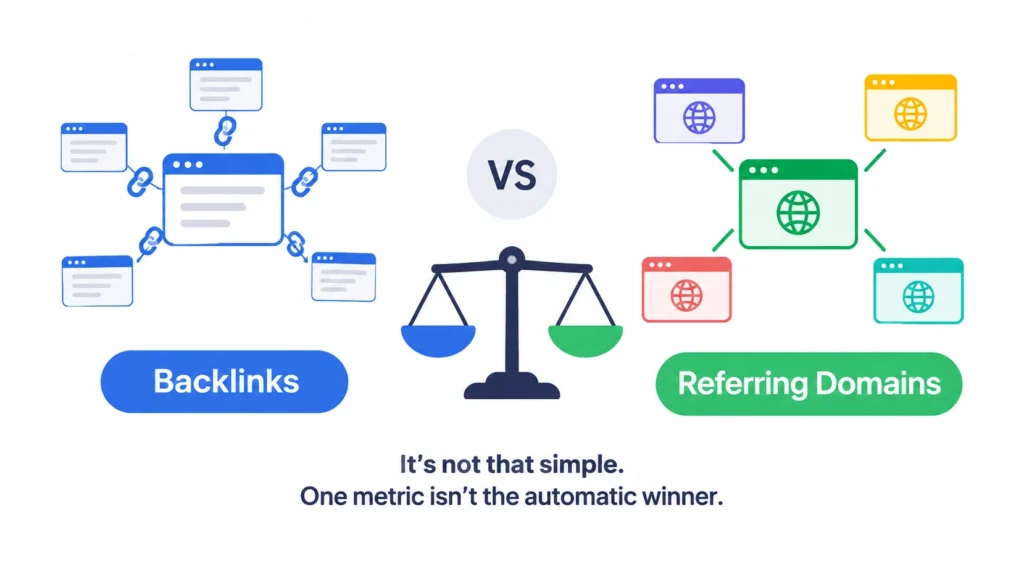
This is where a lot of SEO content oversimplifies things by declaring one metric the automatic winner. It isn’t that simple, and treating it that way will lead you to bad conclusions.
1. When Backlink Count Is Useful
Backlink totals are useful when you’re looking at:
- Individual link placement and context
- Anchor text patterns on specific links
- Which exact pages are receiving links
- Link attributes (dofollow, nofollow, sponsored, UGC)
2. When Referring-Domain Count Is Useful
Referring domains are more useful when you’re looking at:
- How diverse your link sources actually are
- Competitor comparisons at a domain level
- Prospecting for new link-building opportunities
- Spotting over-reliance on a small handful of sites
3. Why You Should Analyze Both Together
Neither metric replaces the other. A high backlink count with a low referring-domain count might mean you have a small but very engaged set of partners, or it might mean a handful of sites are sending you sitewide links that don’t carry much editorial weight.
You can’t tell which without digging further, which is exactly why the ratio below is worth calculating.
How to Calculate Your Backlink-to-Referring-Domain Ratio
This is a simple but genuinely underused way to read a link profile at a glance.
Backlinks ÷ Referring Domains = Average Backlinks per Referring Domain
A few worked examples:
- 500 backlinks ÷ 50 referring domains = 10 backlinks per domain
- 500 backlinks ÷ 250 referring domains = 2 backlinks per domain
What a High Ratio Can Tell You
A high ratio (many backlinks per domain) often means a smaller number of sites are linking to you repeatedly, through sitewide links, multiple articles, or partnership arrangements. That’s not automatically bad, but it’s worth investigating why.
Why There’s No Universal “Good” Ratio
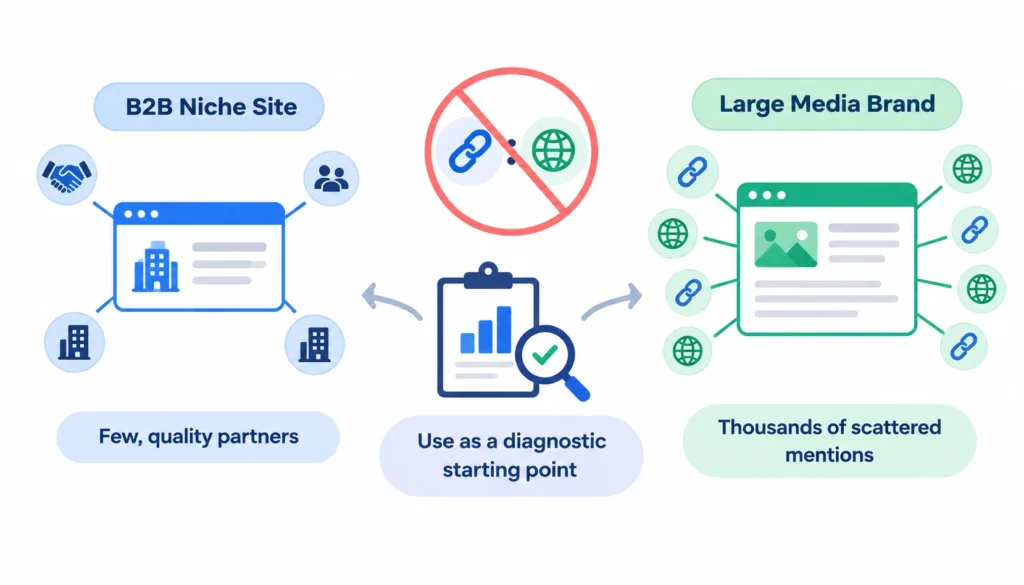
There’s no fixed number that applies across every industry or site type. A niche B2B site with a handful of deeply engaged partners will look very different from a large media brand with thousands of scattered mentions. Use the ratio as a diagnostic starting point, not a scorecard.
Does Having More Referring Domains Improve SEO?
More unique referring domains often correlates with stronger organic performance, but correlation isn’t the same as causation, and it’s worth being precise about that.
Ahrefs is careful to frame it this way in its own documentation, noting that the correlation between referring domains and Google rankings doesn’t mean referring domains directly cause better rankings, it’s an observed pattern, not a guaranteed lever you can pull.
1. Why Link Quality and Relevance Still Matter More Than Raw Count
A single relevant, editorially-earned link from a site your audience actually reads can outweigh dozens of links from low-quality or unrelated domains.
Piling up referring domains without regard to relevance or quality is a good way to end up with a link profile that looks impressive in a spreadsheet and does nothing for your rankings, or worse, draws scrutiny.
2. How Google Treats Links
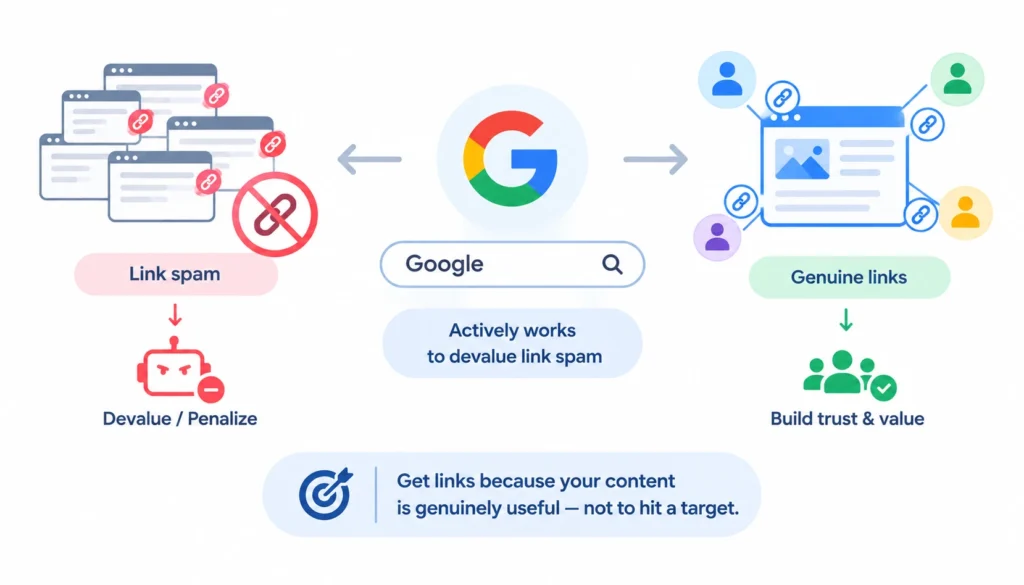
Google has been public for years about link spam being something it actively works to devalue or penalize, and its Search Central documentation on link spam policies is worth reading if you want the primary source rather than secondhand interpretation.
The safest framing: build links because people genuinely find your content useful, not to hit a referring-domain target.
What Makes a Referring Domain Valuable?
Not all referring domains carry the same weight. A large number of referring domains can look impressive in a backlink report, but the number alone doesn’t tell you whether those links are useful, relevant, or naturally earned.
When you’re evaluating a link profile, yours or a competitor’s, look at several factors together:
- Topical relevance: Does the linking website cover a subject related to your industry, audience, or content? A relevant link generally provides more useful context than a link from a completely unrelated website.
- Editorial context: Look at why and where the link was included. A link naturally referenced within useful editorial content is different from one placed in a generic sidebar, footer, directory, or page that appears to exist mainly to host links.
- Linking-page quality: Evaluate the specific page containing the link, not just the overall domain. Check whether the page provides useful information, appears legitimate, is indexed where appropriate, and is relevant to the page receiving the backlink.
- Referral traffic: A link that sends relevant visitors can have value beyond SEO. Traffic from a referring domain can also help you determine whether the link is genuinely useful to users rather than existing solely as an SEO signal.
- Natural anchor text: Review the words used in the link. A natural backlink profile usually contains a mixture of brand names, URLs, descriptive phrases, and other anchors rather than repeatedly using the same exact-match commercial keyword.
- Link attributes: Check whether the link is marked nofollow, sponsored, or ugc, or whether it is a standard followed link. These attributes provide important context about the relationship between the linking site and your site and should be considered during backlink analysis.
- Sitewide vs. contextual placement: A link appearing on hundreds of pages through a footer, sidebar, or template is very different from a link naturally included in one relevant article. Multiple links from the same domain may increase your backlink count without increasing your referring-domain count.
Ultimately, evaluate the quality and context of the referring domain and the individual link, rather than judging a domain solely by its authority score or the number of backlinks it provides.
A smaller, highly relevant website can be more meaningful to your analysis than a large number of unrelated or low-quality referring domains.
Does Domain Authority or Domain Rating Matter?
You’ll often see Domain Rating (Ahrefs), Domain Authority (Moz), or Authority Score (Semrush) mentioned alongside referring domains. It’s worth being clear: these are proprietary, third-party metrics, not Google ranking signals.
Ahrefs describes Domain Rating specifically as a metric representing the strength of a website’s backlink profile compared to other sites in its index, a modeled score, not something Google publishes or uses. Don’t treat any of these scores as if they were an official Google number, and don’t chase a specific score as an end in itself.
How to Check Backlinks and Referring Domains
1. Google Search Console
Search Console’s Links report shows your top linking sites, top linked pages, and linking text. It’s a genuinely useful free starting point, but Google is upfront that it’s a sample rather than a full inventory, the Links report is a valuable but non-comprehensive list of links to your site, so don’t treat it as the complete picture of your link profile.
2. Third-Party Tools
Ahrefs, Semrush, and Moz each maintain their own crawled index of the web and report backlinks and referring domains from their own data sets, which is why the numbers you see in each tool will never match exactly.
Semrush, for instance, breaks its backlink reporting down by referring domains, referring IPs, anchor text distribution, and country, useful for looking at link diversity from multiple angles rather than one flat number.
How to Analyze Your Referring-Domain Profile
A practical walkthrough, step by step:
- Export your backlinks from whichever tool you use.
- Group links by referring domain so you can see concentration at a glance.
- Calculate your ratio using the formula above.
- Review domain relevance: are the linking sites in or near your niche?
- Check link placement and context: sitewide, footer, or in-content?
- Review anchor text for natural variation versus repetitive exact-match phrasing.
- Identify new and lost domains over the past few months.
- Compare against competitors to see where the gaps are.
Referring Domains vs Backlinks: Real-World Examples
| Website | Backlinks | Referring Domains | What to Investigate |
| Site A | 1,000 | 20 | Link concentration, is this from a few partners or sitewide placements? |
| Site B | 500 | 100 | Genuine domain diversity, a good sign if links are relevant |
| Site C | 300 | 80 | Quality and topical relevance of those 80 domains |
| Site D | 2,000 | 10 | Likely repeated or sitewide links from a small set of sources |
The raw numbers alone don’t tell you which profile is “stronger.” Site A might have twenty deeply relevant, high-traffic partners. Site D might have ten domains sending thousands of low-value directory links. You have to look past the count.
Why 1,000 Backlinks Don’t Always Beat 100 Referring Domains
It’s tempting to assume more links always means more SEO value, but a large backlink count concentrated in a small number of domains often reflects:
- Multiple links from one website (say, a blog network you control or partner with)
- Sitewide links placed in a footer or navigation across every page of a partner site
- Editorial links scattered across many articles on the same publication
None of that is inherently bad, but it’s a very different signal than 100 independent websites choosing, on their own, to link to your content.
How to Increase Your Referring Domains
If your goal is to genuinely broaden your link-source diversity, not simply inflate a referring-domain number, focus on earning links from relevant websites that have a real reason to mention your content. A few strong, relevant referring domains can be more useful than a large collection of unrelated sites.
- Creating link-worthy content: Publish original research, industry surveys, useful statistics, data studies, calculators, templates, guides, or free tools that other websites have a reason to reference. Content that provides information others cannot easily find elsewhere is more likely to attract links naturally.
- Digital PR: Pitch journalists, publishers, bloggers, and industry writers with something genuinely newsworthy, such as original data, expert commentary, new research, or a useful industry finding. The goal is to give publishers a legitimate reason to mention your brand and link to a relevant page.
- Competitor link-gap research: Identify websites that link to your competitors but not to your site. Review why they linked to the competitor and whether you have a comparable or better resource worth referencing. This can help you find relevant link opportunities instead of conducting broad, untargeted outreach.
- Resource-page outreach: Look for curated resource pages, industry guides, educational lists, or recommended-tools pages that are relevant to your topic. If your content genuinely adds value to the page, you can contact the site owner and suggest it as an additional resource.
- Relevant partnerships: Work with businesses, organizations, publishers, or creators that serve a related audience. Co-marketing campaigns, expert contributions, original collaborations, and useful guest content can create legitimate opportunities for relevant websites to reference your business.
The key is to prioritize relevance, usefulness, and genuine reasons for earning a link. Avoid tactics aimed purely at increasing the number of referring domains, such as submitting your site to hundreds of low-quality directories or participating in manipulative link exchanges.
These approaches may increase the raw number temporarily without creating meaningful value and can create an unnatural backlink profile.
Common Referring-Domain and Backlink Mistakes
When analyzing referring domains and backlinks, it is easy to focus on the numbers and overlook the context behind them. Avoid these common mistakes:
- Chasing backlink quantity: A large backlink count does not automatically indicate a strong link profile. Check which websites are linking to you, whether the links are relevant, and whether they provide genuine value rather than focusing only on the total number.
- Ignoring domain diversity: Earning hundreds of backlinks from a small group of websites can make your backlink count look impressive while your referring-domain count remains relatively low. Look at both metrics to understand how broadly your site is being referenced across different domains.
- Treating DR or DA as Google scores: Domain Rating (DR), Domain Authority (DA), and similar metrics are third-party measurements created by SEO tools. Google does not assign websites an official DR or DA score, so use these metrics as comparison or prospecting indicators rather than direct measures of Google’s assessment.
- Buying links to manipulate rankings: Paying for links specifically to influence search rankings can violate Google’s spam policies. Link acquisition should focus on earning legitimate mentions and citations rather than using paid links as a ranking-manipulation tactic.
- Ignoring relevance in favor of authority: A high-authority website is not automatically a valuable link if its content and audience have little connection to your topic. Consider topical relevance, the context of the link, the linking page, and the potential value to users alongside third-party authority metrics.
- Confusing spam with simply low authority: A website with a modest DR or DA is not automatically a harmful or spammy referring domain. A small, legitimate, niche-specific blog can still provide a relevant citation or referral opportunity. Evaluate the site’s content, purpose, relevance, link placement, and overall legitimacy before deciding whether a backlink is problematic.
How to Use Referring Domains for Competitor Analysis
Referring-domain data is genuinely one of the best tools for competitive research. A few practical angles:
- Find domains linking to competitors but not to you, these are your prospecting list
- Identify domains that link to multiple competitors, since they may be open to linking to you too
- Look at which of your competitors’ pages attract the most unique referring domains, which usually points to content formats worth replicating
- Turn those gaps into a concrete outreach or content plan rather than a static report
New and Lost Referring Domains: What They Tell You
Tracking new versus lost referring domains over time gives you a trend line rather than just a snapshot of your backlink profile. Looking at these changes regularly can help you understand which content is attracting attention, where relationships are developing, and whether important links are disappearing.
- New domains: A steady increase in new referring domains can indicate that your content is gaining visibility or being referenced by more websites. New domains may come from a successful piece of content, a digital PR campaign, an industry mention, a partnership, or outreach that has started to produce results. Look at which pages earned those links and what made them worth referencing.
- Lost domains: A lost referring domain does not automatically mean something has gone wrong. A website may redesign its content, remove an old article, delete a page, change its navigation, stop publishing on a topic, or simply change how it links to external websites. Check the specific lost backlinks before deciding whether any action is necessary.
- Sudden spikes or drops: Significant changes deserve investigation because they may reveal a successful campaign, a widely referenced piece of content, a major site migration, or the loss of several important links. However, not every fluctuation is a red flag. Websites constantly update and restructure their content, so losing a handful of referring domains in a month can be normal churn rather than a sign of an SEO problem.
The most useful approach is to look for patterns over time rather than reacting to every individual gain or loss. Pay particular attention to the relevance and importance of the domains being gained or lost, not just the change in the total count.
FAQs About Referring Domains vs Backlinks
Is a referring domain the same as a backlink?
No. A backlink is one individual link. A referring domain is the unique website that link comes from. One domain can send many backlinks.
Are referring domains more important than backlinks?
Neither is universally “more important,” they answer different questions. Referring domains show source diversity; backlinks show individual link details like placement and anchor text.
How many backlinks can one referring domain provide?
There’s no limit. A single site can link to you once or hundreds of times across different pages.
What’s a good backlink-to-referring-domain ratio?
There isn’t a universal benchmark. Use the ratio to spot concentration patterns worth investigating, not as a pass or fail score.
How do I check my referring domains?
Google Search Console’s Links report is a free starting point, though it’s a sample rather than a full list. Ahrefs, Semrush, and Moz each offer more complete (though still tool-specific) referring-domain reports.
Key Takeaways
Backlinks tell you how many individual links point to your site. Referring domains tell you how many unique websites those links come from.
When you compare referring domains vs backlinks, you’re really asking two different questions, one about volume, one about diversity, and you need both answers to judge a link profile properly.
Don’t lean on either number alone. Check relevance, context, anchor text, and where the links actually sit on the page before deciding whether a profile is genuinely strong or just numerically large. That’s the difference between reading a backlink report and actually understanding one.